
Little Relay: Baby Tracker
Amning, søvn og begyndende fast føde. Ingen konto, fungerer offline.
Gratis. Ingen reklamer. Intet abonnement.

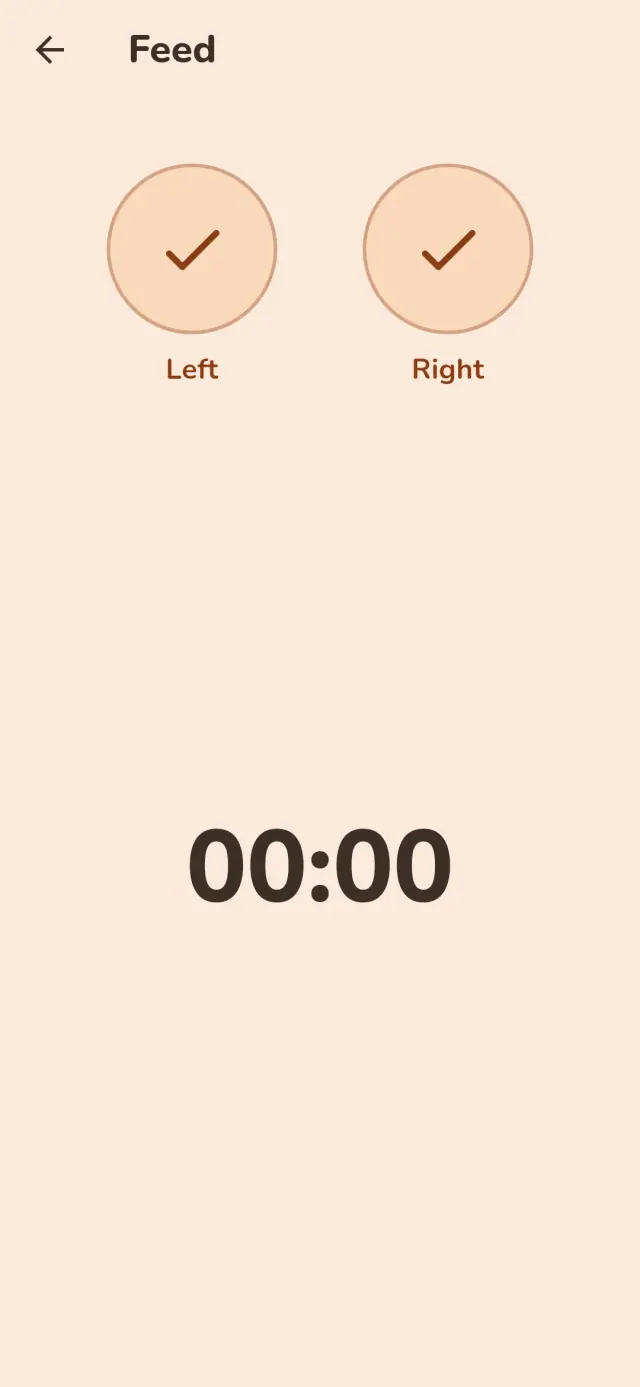
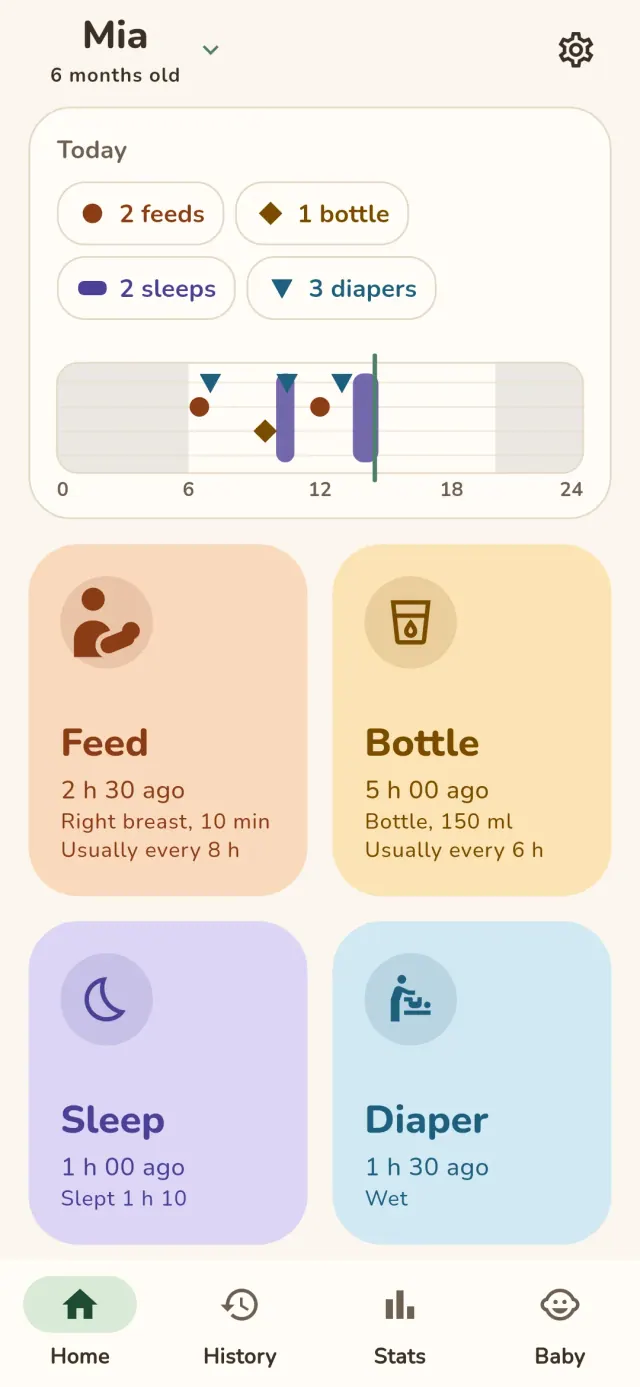
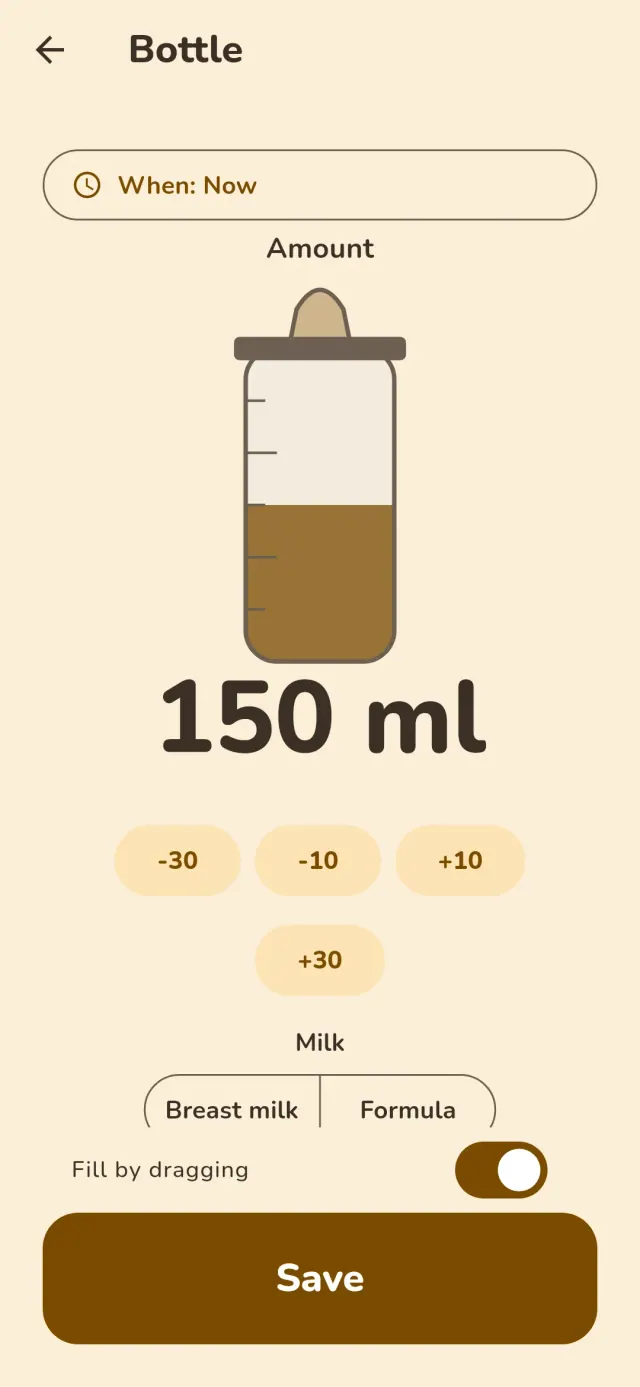
Little Relay er en baby tracker til de første måneder, fra nyfødt til begyndende fast føde. Alt forbliver på din telefon: ingen konto, ingen login, ingen reklamer.
Hvad Little Relay gør
Amning og flaske-log
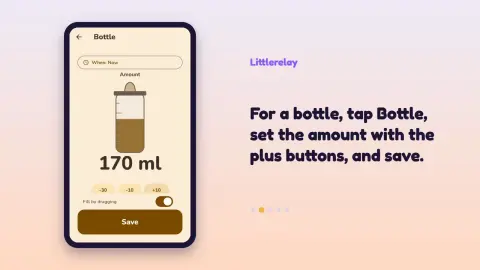
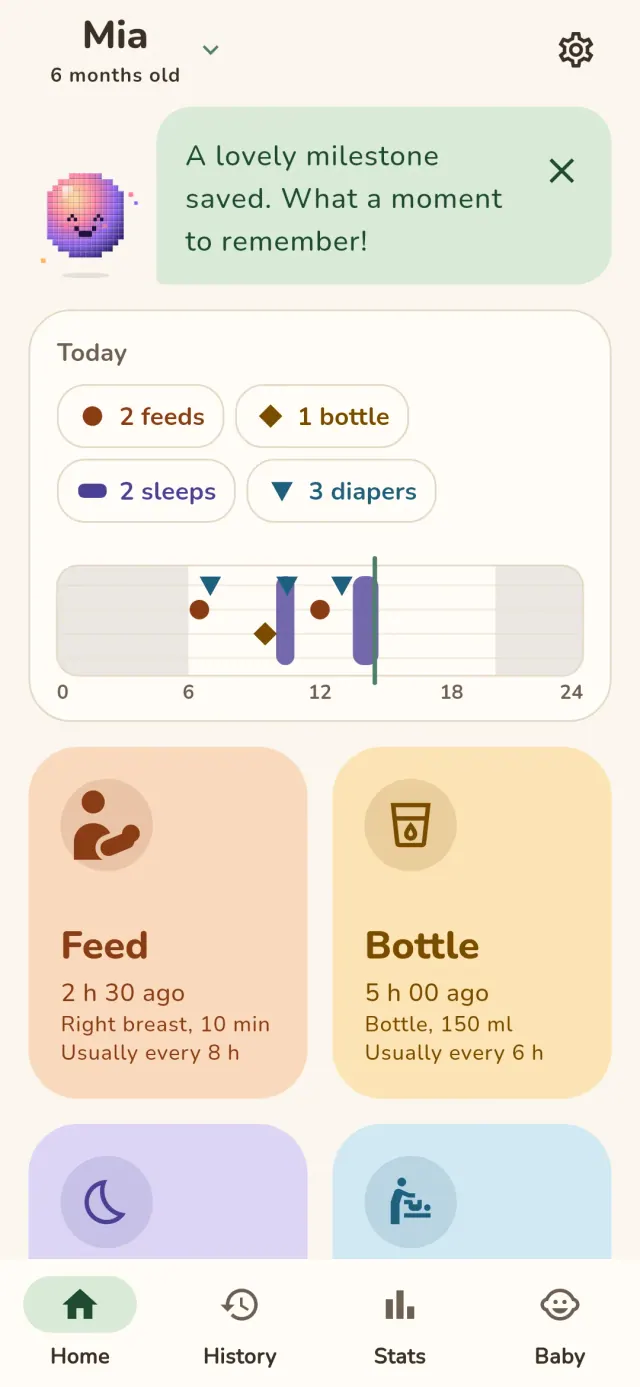
Registrer hvert måltid med et tryk: venstre eller højre bryst med timer og pause, eller flaske med mængde i ml. Forsiden viser, hvor længe siden sidste fodring og på hvilken side. Pumpning har sin egen registrering.
Søvn og ble-tracker
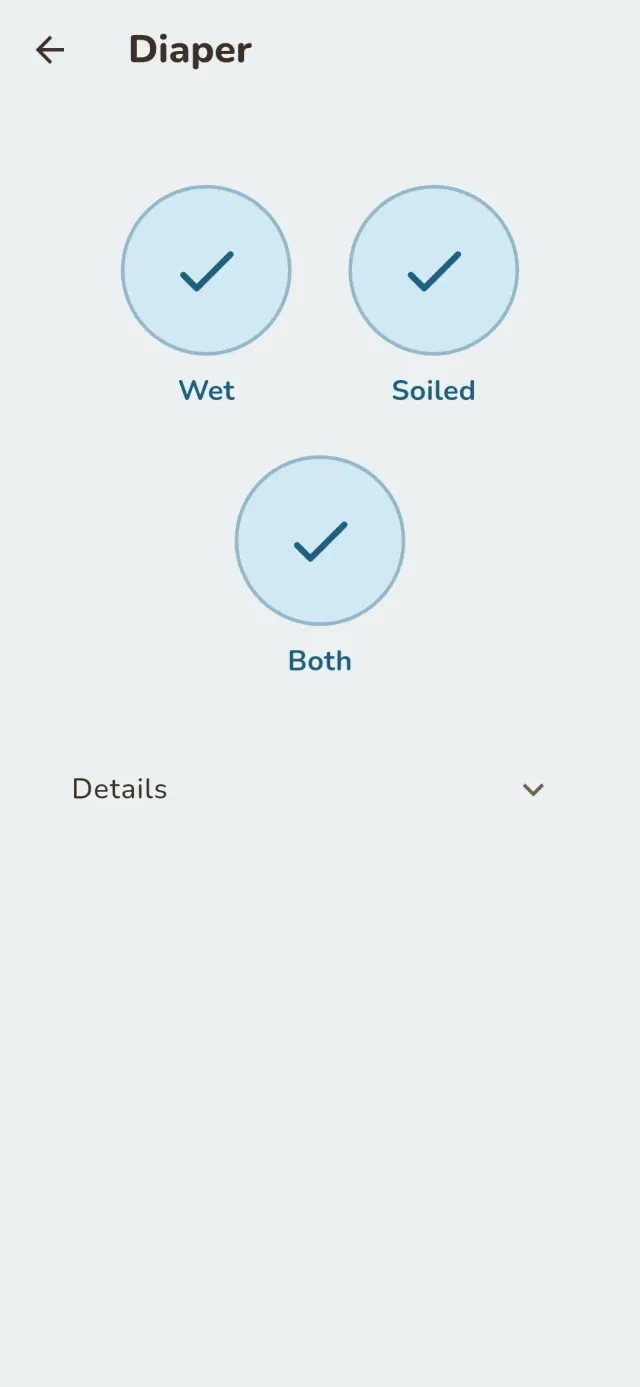
Start en timer for hver lur og registrer bleer med et tryk. Nattilstand holder skærmen mørk og knapperne store, så du kan bruge én hånd kl. 3 om natten.
Vækstkurve
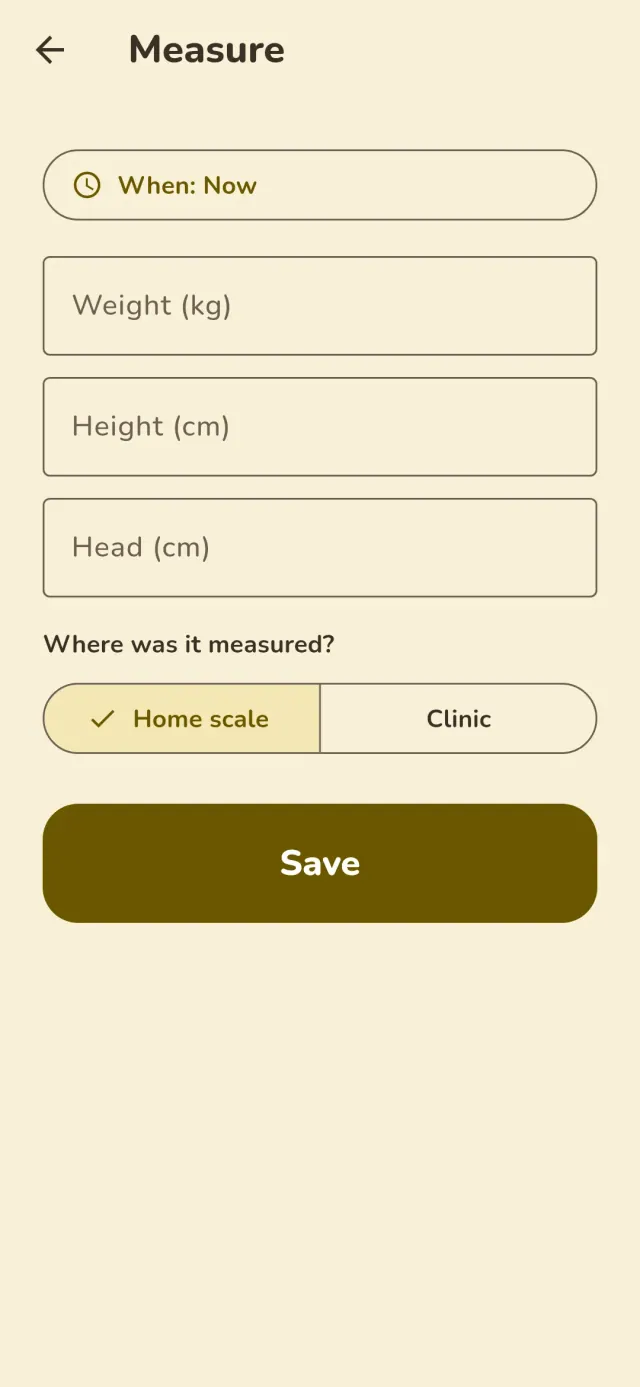
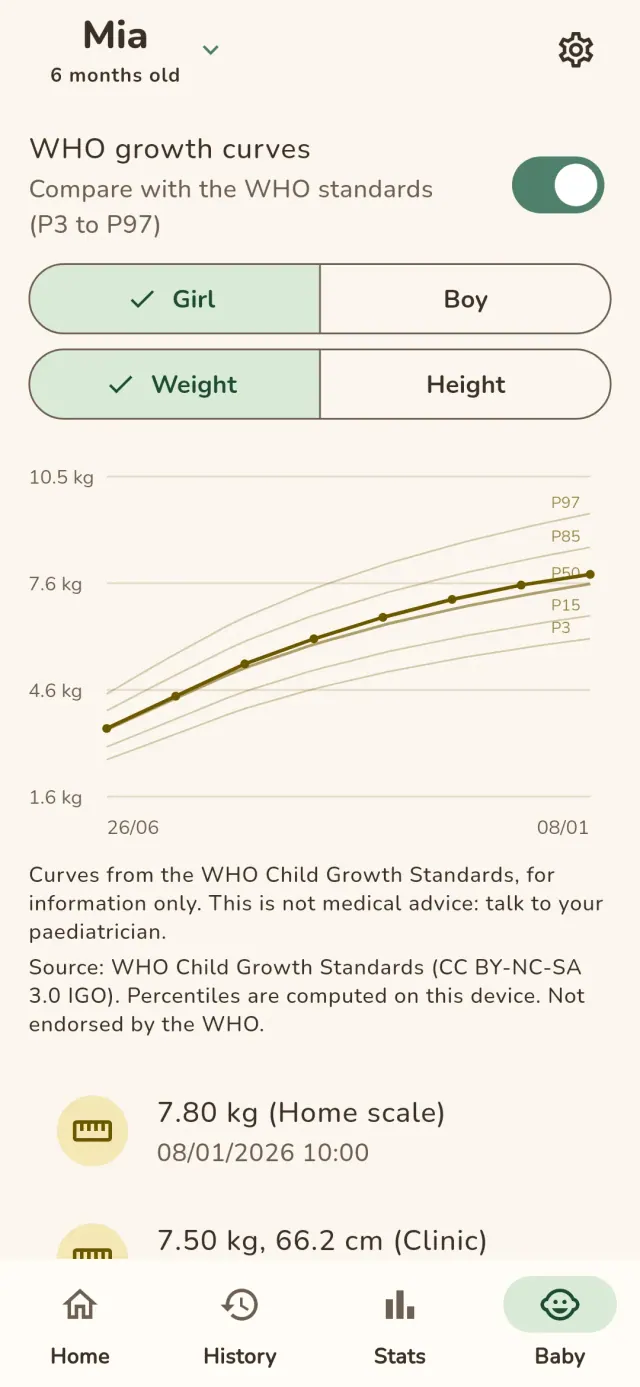
Indtast vægt og højde, og markér om tallet kommer fra egen vægt eller klinik. Kurven opdateres efter hvert indtastning og er nem at læse mellem besøg.
Fast føde
Registrer ny mad, dato og hvordan barnet reagerede, og planlæg måltider i kalenderen.
Før fødslen
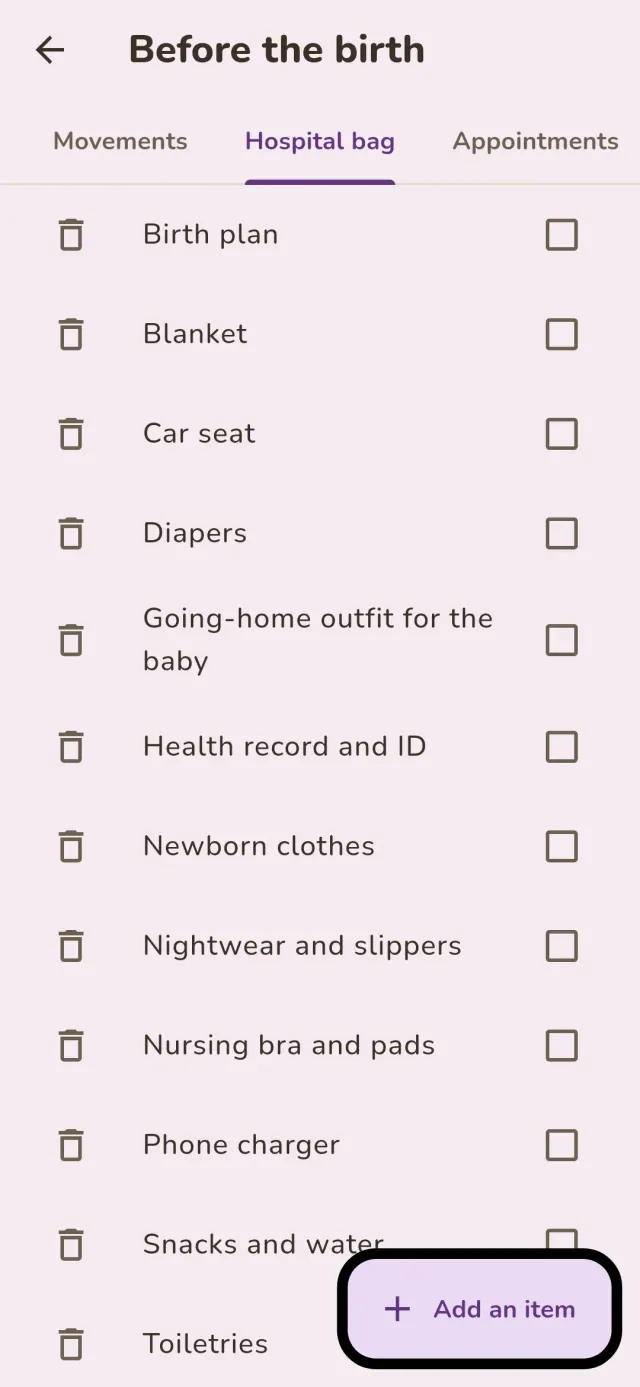
Venter du dig? Indstil terminsdato og se graviditetsuge, registrer veer, tæl bevægelser, behold huskeliste og noter aftaler. Når babyen ankommer, er appen klar.
Rapport til læge
Eksporter en PDF til læge eller jordemoder. Det bygger på din telefon og du vælger, hvor det skal sendes.
Dine data er dine
Ingen konto: intet sendes og intet analyseres. Appen fungerer offline, også i flytilstand. En knap sletter alle data.
Little Relay registrerer hvad du indtaster. Appen giver ingen sundhedsråd og erstatter ikke en fagperson.
Little Relay-vejledninger
Hvem den er til
- Nye forældre, der ønsker en enkel log over amning, søvn og bleer, som de kan udfylde med én hånd om natten.
- Forældre, der begynder med fast føde og vil notere hver ny madvare, dato og hvordan deres baby reagerede.
- Forældre, der foretrækker en babylog, som ikke kræver konto og gemmer data på deres telefon.
Hvorfor vælge Little Relay
- Alt bliver på din telefon: ingen konto, ingen cloud, ingen reklamer, ingen sporing og appen kræver ikke netværk for at virke.
- Designet til brug om natten: mørk tilstand, store knapper og en startskærm der viser, hvor længe siden sidste amning og på hvilken side.
- Dataene er dine: eksporter en PDF-rapport til lægen, og slet alt med ét tryk.
Hvad appen ikke gør endnu
- Ingen deling mellem to telefoner endnu: loggen findes på én telefon. Deling mellem forældre med end-to-end kryptering er planlagt.
- Startskærms-widgetten er kun til Android i øjeblikket.
- Dette er ikke et medicinsk udstyr og giver ikke medicinsk rådgivning.
Pixeon-princippet. Pixeon-apps er lokale først: ingen konto, ingen sporing, og dine data bliver på din telefon. Hvis en app nogensinde opretter forbindelse til netværket, er det kun, når du selv vælger at slå en funktion til, som du har brug for, og privatlivspolitikken opdateres, før den udkommer.
Se Little Relay i aktion.
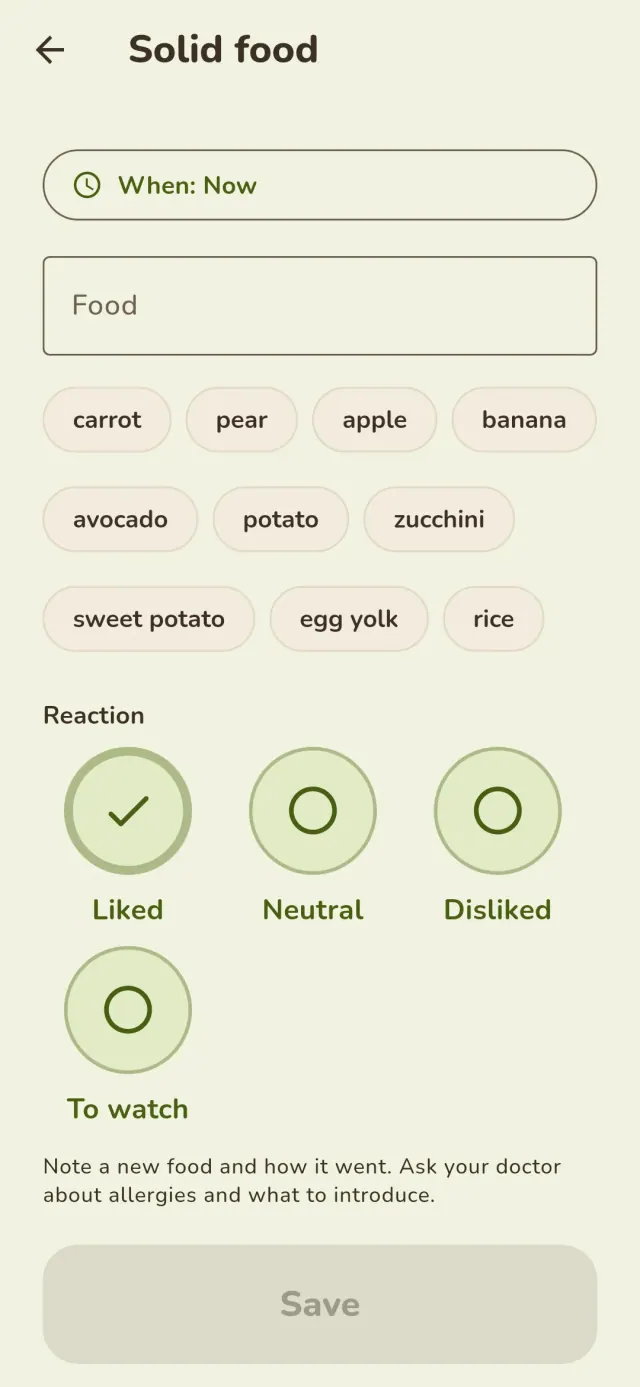
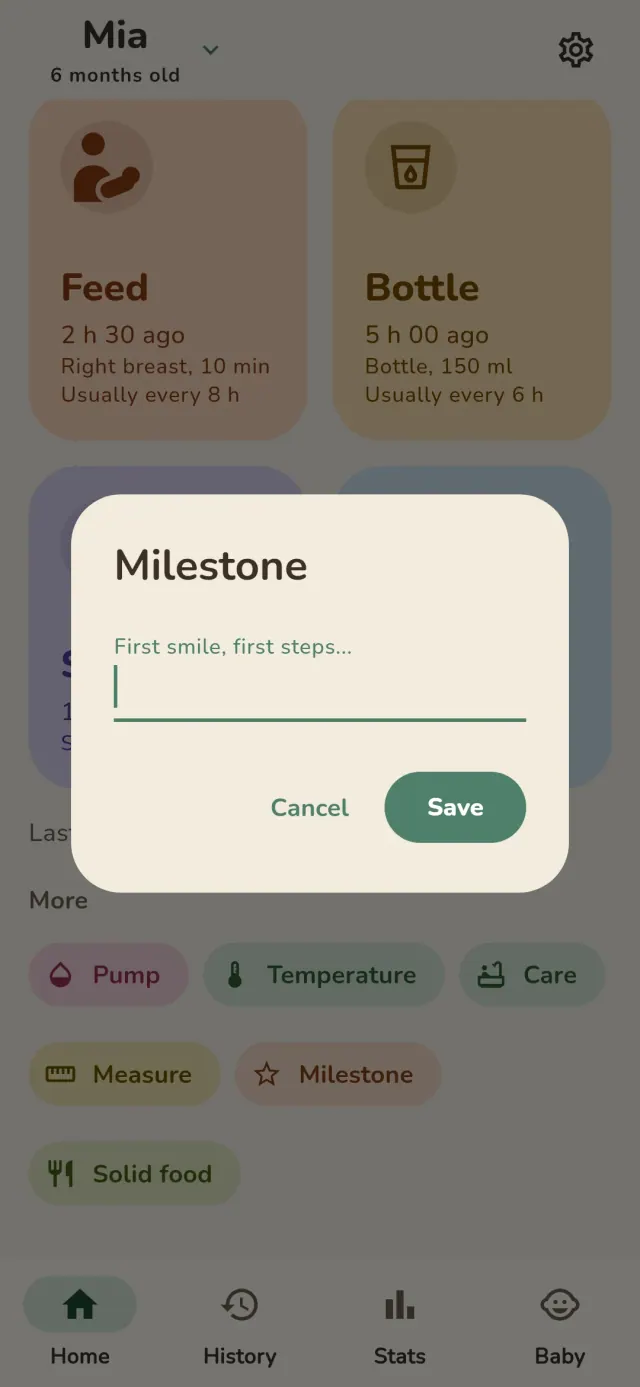
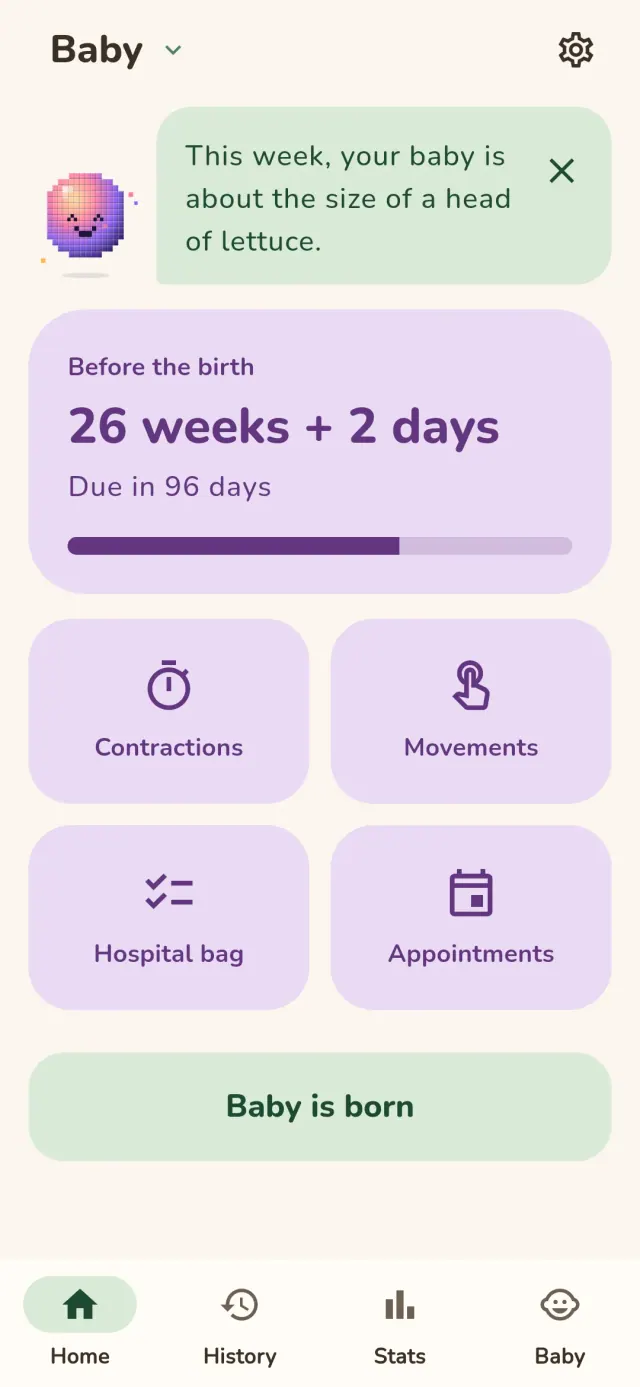
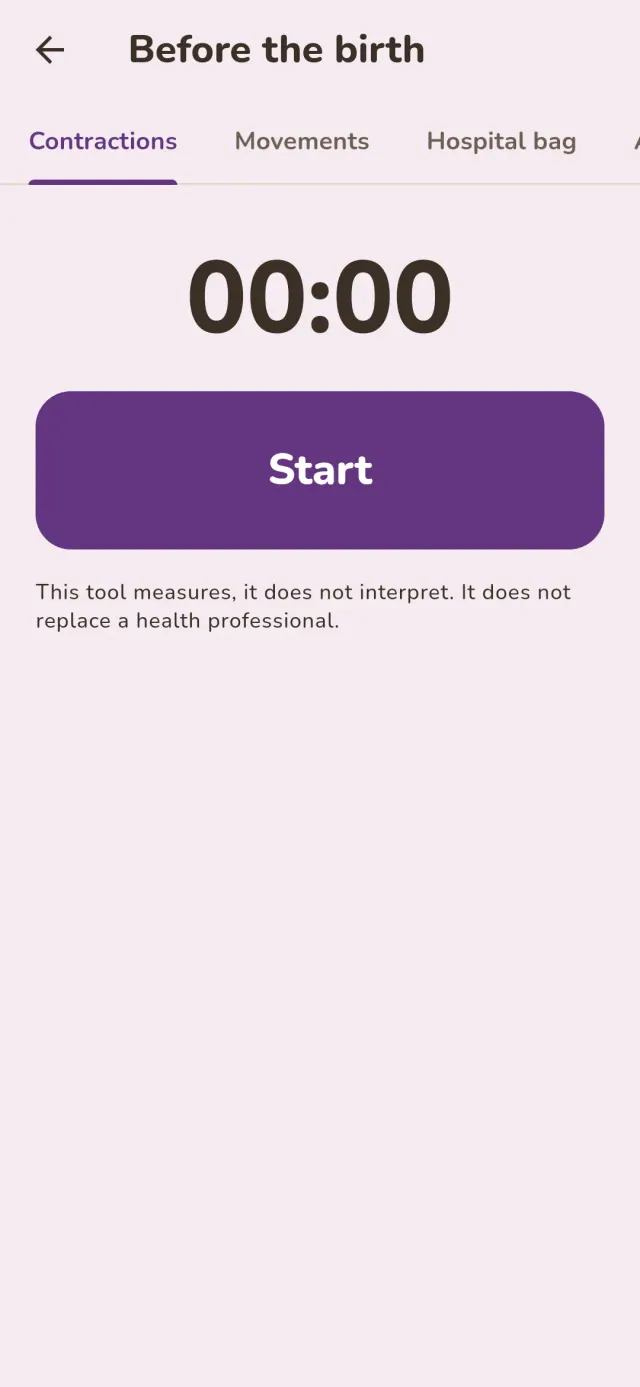
Hent Little Relay.
Gratis på iPhone og Android.
Privacy policy
Teksten nedenfor er på engelsk. Den engelske version har forrang.
Last updated: 2026-11-02
Little Relay is a baby tracker: feeds, sleep, diapers, measurements, first foods, milestone photos and pregnancy tools. The short version: everything stays on your phone, the app has no internet access, and we collect nothing.
What the app handles
The entries you type: feeds, sleep, diapers, weight and height, temperature, routine care, foods (given, or on your own "to try" list), milestones and notes, and your child's first name and birth date if you enter them. This is health information about a child, so we treat it as sensitive. It is stored only in the app's private storage on your phone. There is no account, no sign-in, no server and no cloud copy. Your preferences (language, appearance, when the app last suggested support) also stay on your phone.
What we collect
Nothing. No analytics, no advertising identifier, no crash reporting, no third-party SDK that sends data. The app needs no network to work and the app declares no internet permission. You can check this by using the app in airplane mode: everything works the same.
Permissions
The app asks for no permission that gives access to your data or to the internet. The Android install details list the following, all of them declared by the app or by the library it uses:
- Notifications (Android 13 and later, and iOS): asked only when you set your first reminder. A screen explains why before the system asks, and you can refuse: everything else works the same, you just get no reminder. A reminder is one local notification at the date and time you choose, with a short text that names the type of activity (for example "Time for the bottle?"). It holds no name, no amount and no health value, and for sensitive types (temperature, measurements, medicine, vaccines) it is neutral ("Remember to note an entry"). It is scheduled on your phone and never sent anywhere.
- Vibrate, keep the phone awake, background task, restart after reboot (Android): they let a reminder ring and come back after a reboot, and let the home screen widget save an entry reliably. They give no access to your data.
- Network state (Android, added by the in-app purchase library): the app only reads whether the phone is online. It sends nothing.
- In-app purchases (Android, Google Play Billing): for the optional tips, handled by Google Play.
The app does not request internet access, location, contacts, camera or microphone. When you attach a photo to a milestone, the app opens the system photo picker, which lets you hand over only the picture you choose, so the app never gets access to your photo library.
Files, backups and deletion
Milestone photos: a photo you attach to a milestone is copied into the app's private storage on your phone, with a small thumbnail. It is never uploaded or shared. Removing a milestone removes its photo.
Export: if you export a report for your child's doctor (a PDF), the app builds it on your phone and hands it to the system share sheet. You choose where it goes. The app does not send it anywhere. If milestones of the period have photos, the app asks first whether to include them: when you leave "Include photos" ticked, small copies of up to 30 of these photos go into the PDF. Untick it to keep the photos out of the report.
Backups: your phone's own backup (Google backup on Android, iCloud on iPhone) is controlled by your phone's settings, not by us. The app does not turn it off, so that backup may include the app's data, depending on those settings. The encryption key for the app's database stays in your phone's keychain. To move your entries to a new phone, use the backup file in Settings: the app writes one file on your phone, you choose where to keep it, and you import it on the new phone.
Deletion: a delete-all-data button in the app erases your entries and every photo and thumbnail. Uninstalling the app also deletes its data from your phone.
Optional support
If tips are offered, they are in-app purchases handled by Apple or Google. They unlock nothing, and the app receives no personal data about you from them.
Retention
Your entries, children and milestone photos are kept on your phone until you delete them: one entry at a time, a milestone with its photo, a child, the delete-all-data button, or uninstalling the app. We keep no copy on our side, so there is no retention period to apply on our side. Your phone's own backup may hold a copy, depending on its settings. A backup file you export yourself stays wherever you put it, until you delete it.
Medical information
Little Relay records what you tell it. It gives no medical advice and is not a medical device. Ask your doctor or midwife about your child's health.
Contact form on this website
If you write to us through this site, we use your message and the email address you optionally give only to reply. Bot protection is provided by Cloudflare and email delivery by Resend.
Language choice on this website
When you choose a language, or when this site opens a page in your browser's language, it stores
one small functional cookie (pxl, a language code, one year) so that your choice is
remembered. If this site suggests a page in your browser's language and you close that suggestion,
your browser also keeps a local note (pxl-banner-off, in local storage, 30 days) so the
suggestion does not come back. Neither identifies anyone, neither is used for tracking or advertising,
and neither is shared. You can delete them in your browser at any time.
Website statistics
This website uses Cloudflare Web Analytics to count visits (pages viewed, country, browser type, loading speed). It sets no cookie, does not use local storage, does not fingerprint your device, does not follow you across sites and does not build a profile of you. Search engines (for example Google Search Console) give us aggregated search statistics, without any data about individual visitors. Our own web server also counts the pages it serves: for each page it keeps the page address, the site or social network that sent you (only its name, or the campaign tag written in the link), the country, the type of device and whether the request came from a robot. It keeps no IP address, no identifier and no cookie, and these counts are anonymous. We use no advertising or other analytics service. None of this concerns the app itself, which collects nothing.
Children
Little Relay is a tool for parents and carers. It is not directed at children, and it records information about a child only because a parent typed it in.
Changes
An updated policy will be published at this URL with a new date above.
Contact
Questions about privacy: little-relay-contact@pixeon.net
Support
Senest opdateret: 2026-10-19
Little Relay er en lille uafhængig app. Svar på de mest almindelige spørgsmål er nedenfor.
Vi gør vores bedste for at svare inden for et par dage. For at hjælpe os: fortæl os din enhedsmodel, dens systemversion og hvad du var i gang med. Send venligst ikke oplysninger om dit barn eller andre personlige data.
Er Little Relay virkelig gratis?
Ja. Little Relay kan downloades og bruges gratis. Der er ingen reklamer eller abonnement.
Hvilke data gemmer eller sender appen?
Dine registreringer gemmes kun på din telefon. Intet sendes nogen steder: appen har ingen konto, ingen server og behøver intet netværk for at virke. Se detaljer i privatlivspolitikken.
Kan jeg dele loggen med min partner?
Ikke endnu. Denne version virker på én enkelt telefon. Deling mellem forældre, med end-to-end-kryptering, er planlagt til en senere version.
Jeg har skiftet eller mistet min telefon. Hvor er mine data?
Dine data er på den telefon, hvor du indtastede dem. Telefonens egen backup (Google eller iCloud, afhængigt af dine indstillinger) kan indeholde dem. Vi har ingen kopi, så vi kan ikke gendanne dem for dig.
Hvordan viser jeg loggen til min læge?
Eksportér en PDF-rapport fra appen. Den bygges på din telefon, og du vælger selv, hvor den skal sendes hen, for eksempel via e-mail eller til en printer.
Hvordan sletter jeg mine data?
Brug sletteknappen i appens indstillinger, eller afinstaller appen. Begge dele fjerner alt fra din telefon, inklusive milepælsbilleder.
Er Little Relay en medicinsk app?
Nej. Den registrerer det, du indtaster, og giver ingen medicinske råd. Spørg din læge eller jordemoder om dit barns helbred.
Hvilke sprog er tilgængelige?
Engelsk, fransk, tysk, spansk, portugisisk, italiensk og arabisk. Appen følger sproget på din telefon, og du kan ændre det i indstillingerne.
Støt projektet
Little Relay forbliver gratis og reklamefri. Hvis den er nyttig for dig, kan du støtte udviklingen (valgfrit):
Buy Me a CoffeeUdgiftstracker og familiebudget, helt offline på din enhed.
Også fra PixeonMetadata CleanerEXIF-viser, editor og renser: se, ret eller fjern fotometadata på din telefon.
Også fra PixeonVaultMarkLokal dokument boks: dokumentscanner, vandmærke og fjern metadata fra PDF.
Også fra PixeonMenuloopPlanlæg måltider og indkøb med MenuLoop, nemt og offline uden konto!
Også fra PixeonIndie OfficeQuote maker and self-employed invoices. Offline, no account, no ads.
Også fra PixeonFanionDiscover and share local events, concerts, markets and weekend outings nearby