
Little Relay: מעקב תינוק
הנקה, שינה ומזון מוצק. אין צורך בחשבון, עובד גם ללא אינטרנט.
חינם. בלי פרסומות. בלי מנוי.

Little Relay הוא כלי מעקב לתינוק בחודשים הראשונים, מהנקה ועד מזון מוצק. הכל נשאר בטלפון שלך, ללא חשבון וללא פרסומות.
מה Little Relay עושה
מעקב הנקה ובקבוק
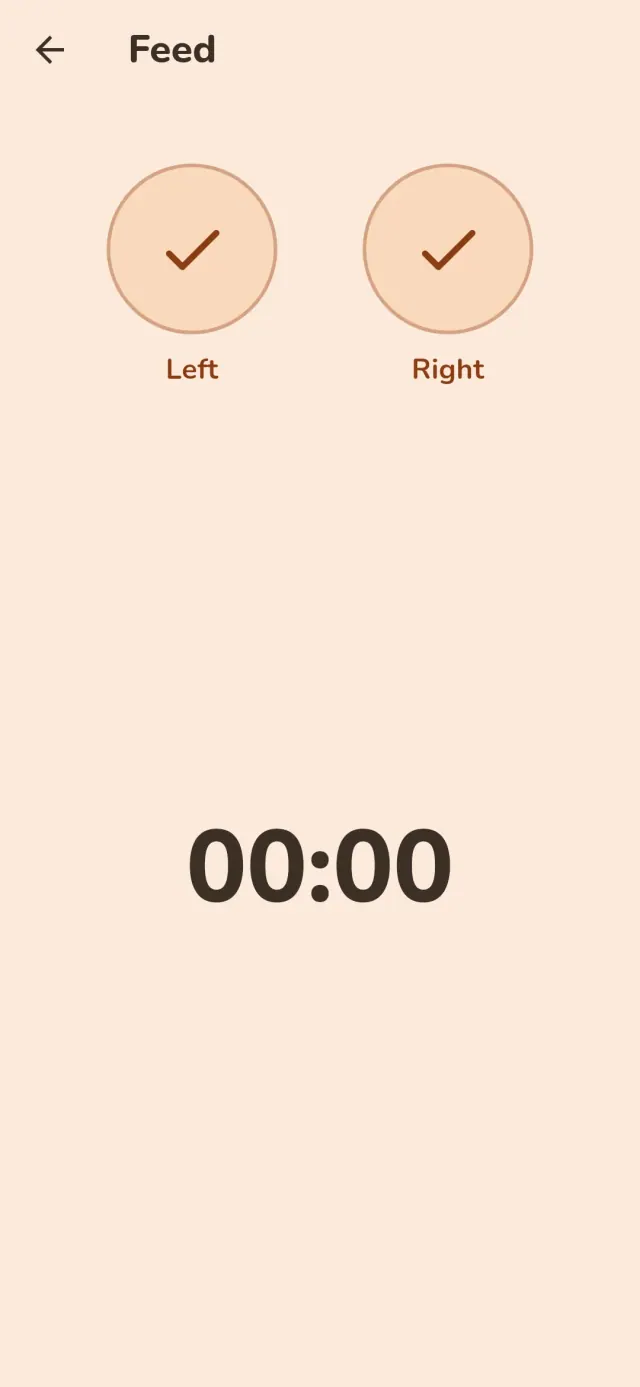
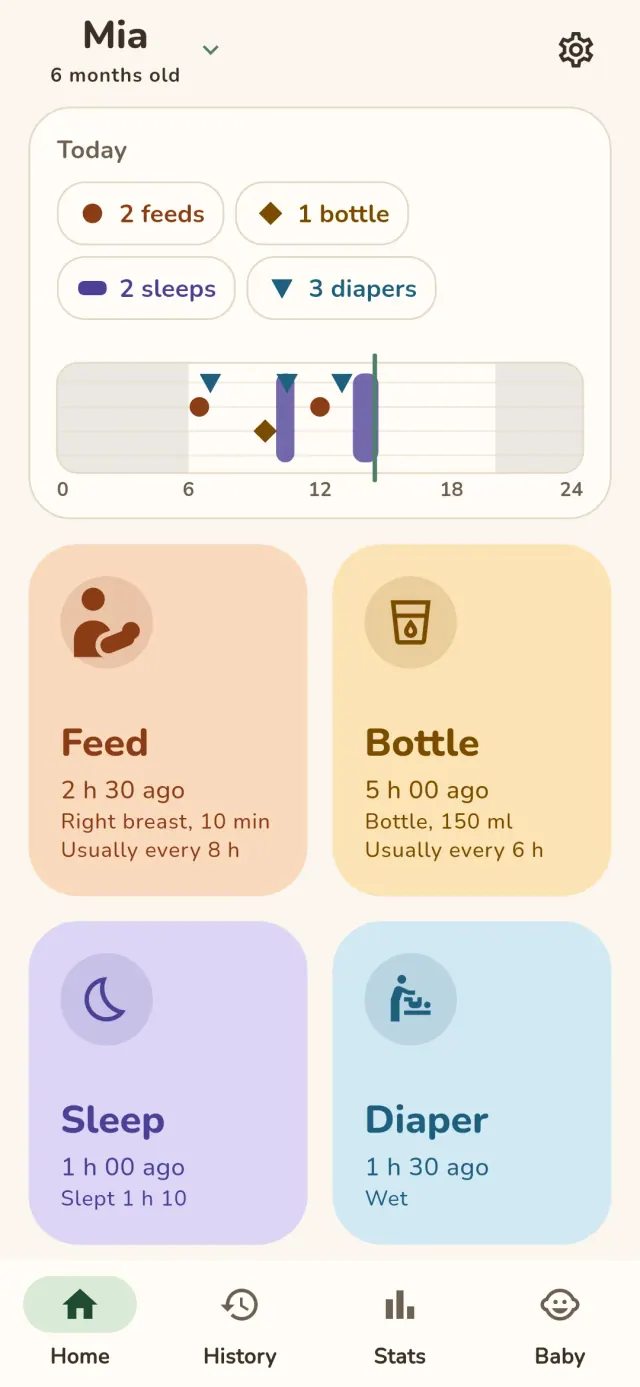
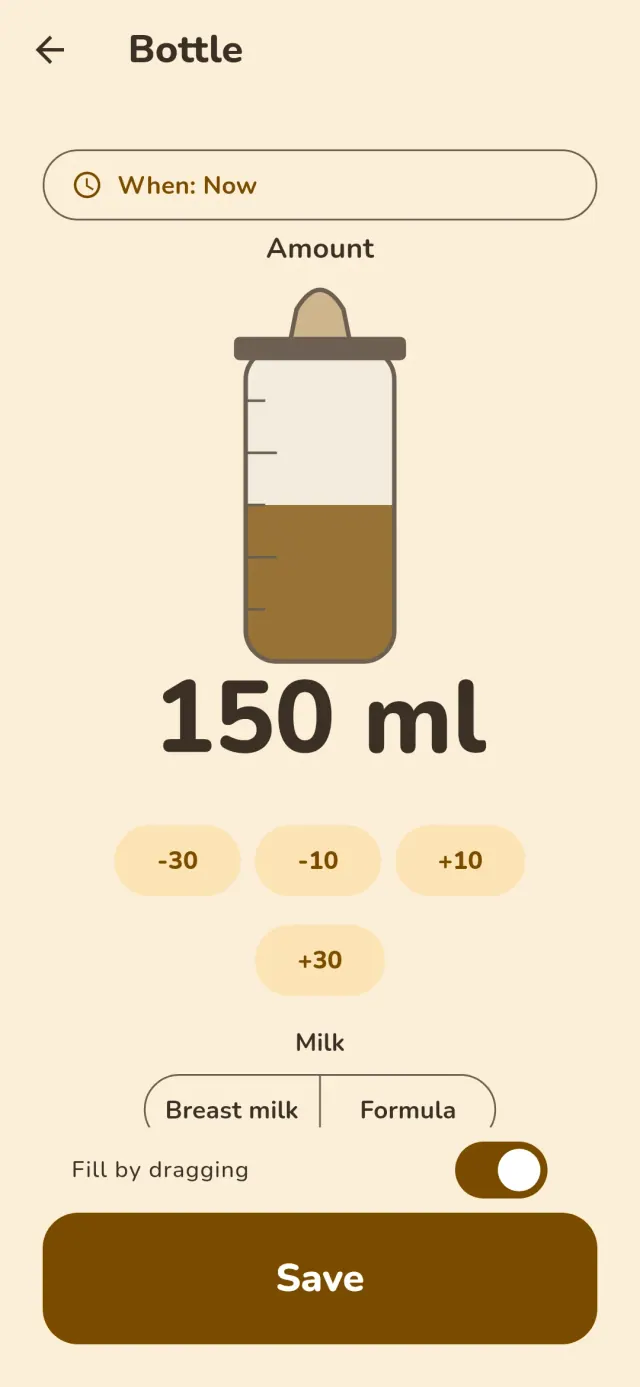
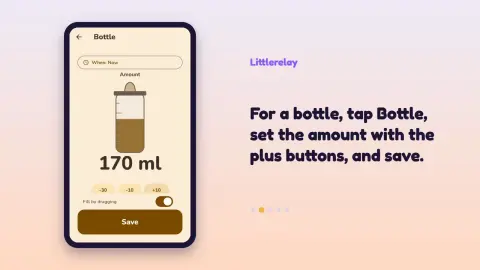
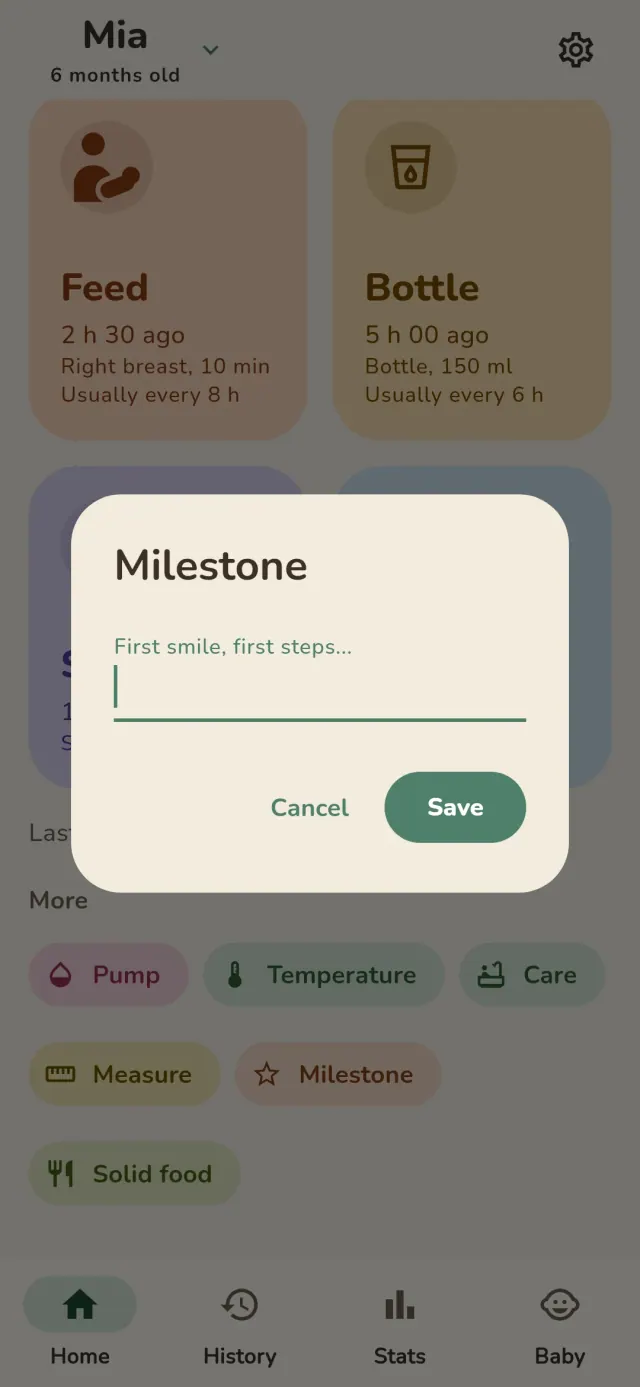
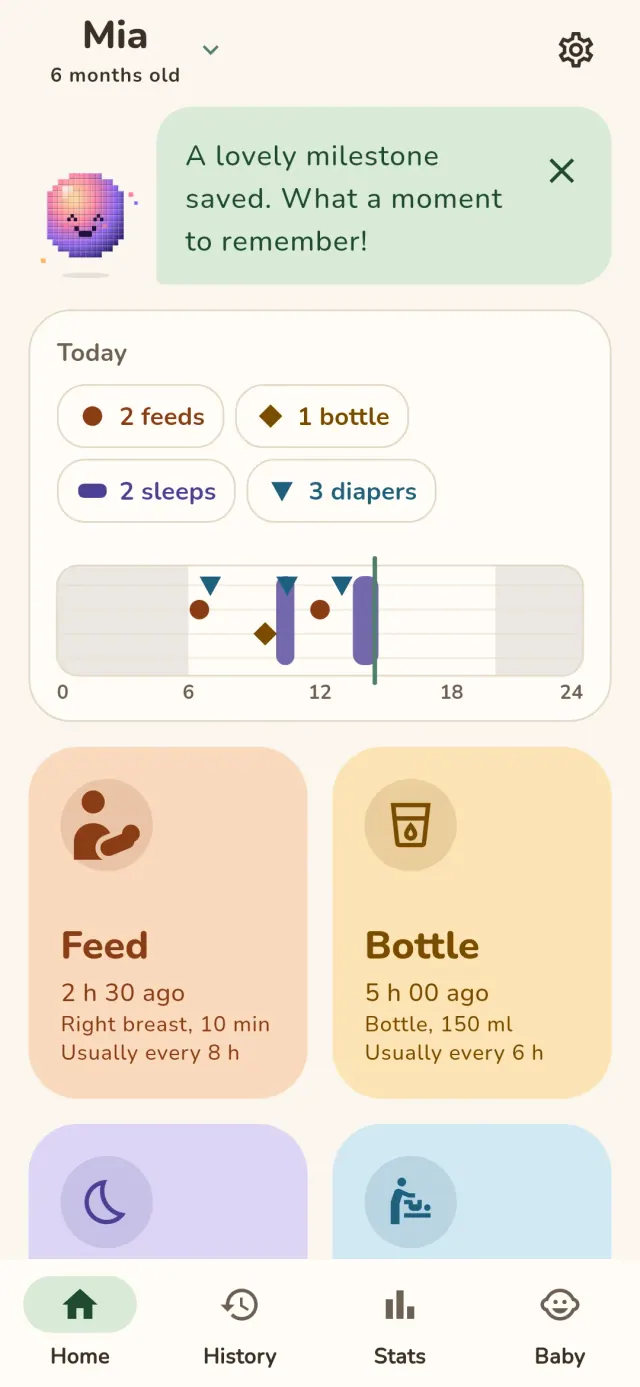
רשום כל האכלה בלחיצת כפתור: שד שמאל או ימין עם טיימר או בקבוק עם כמות במ"ל. מסך הבית מציג מתי הייתה ההאכלה האחרונה ובאיזה צד, ולמשאבה יש כניסה משלה.
שינה ומעקב חיתולים
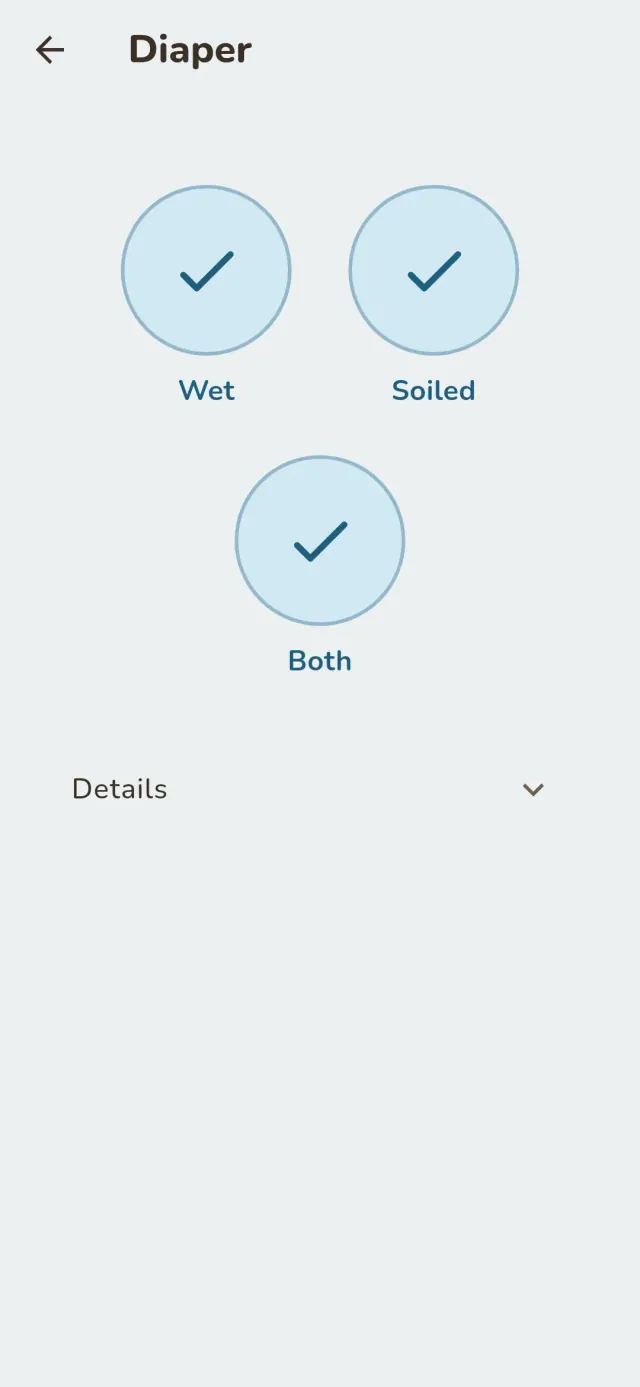
הפעל טיימר לכל שינה ורשום חיתולים בלחיצה. מצב לילה משאיר את המסך כהה והכפתורים גדולים, כך שניתן להשתמש ביד אחת.
גרף גדילה
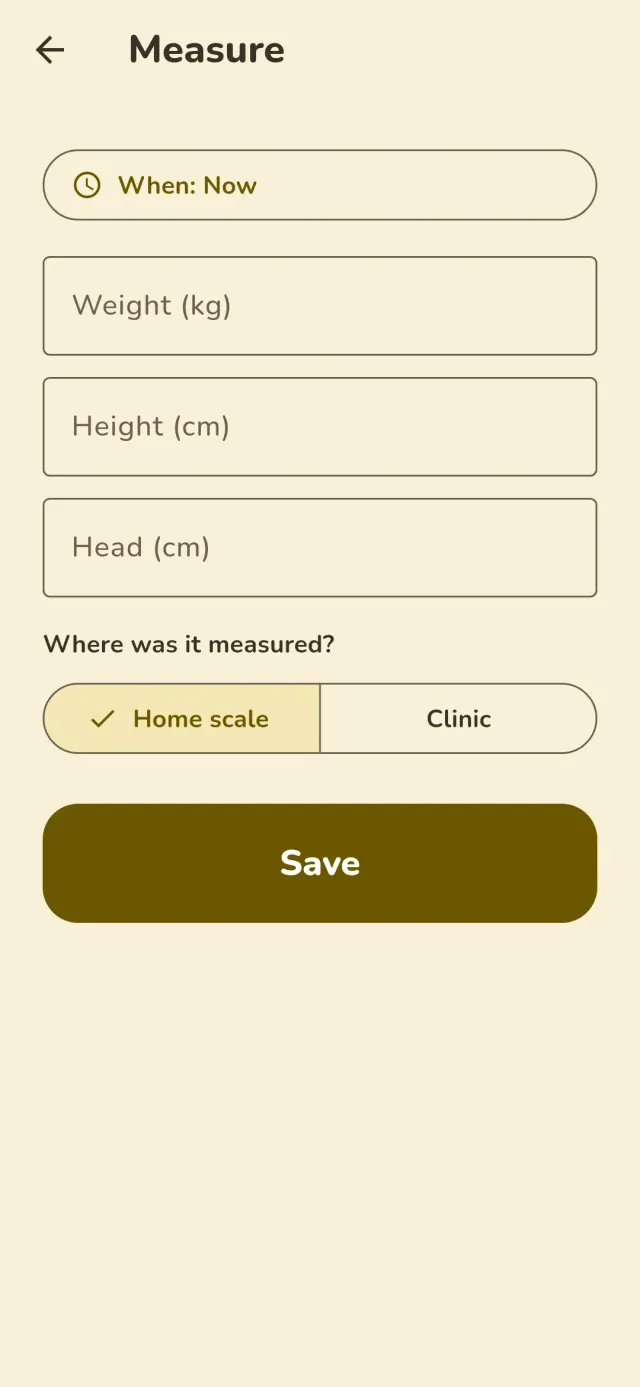
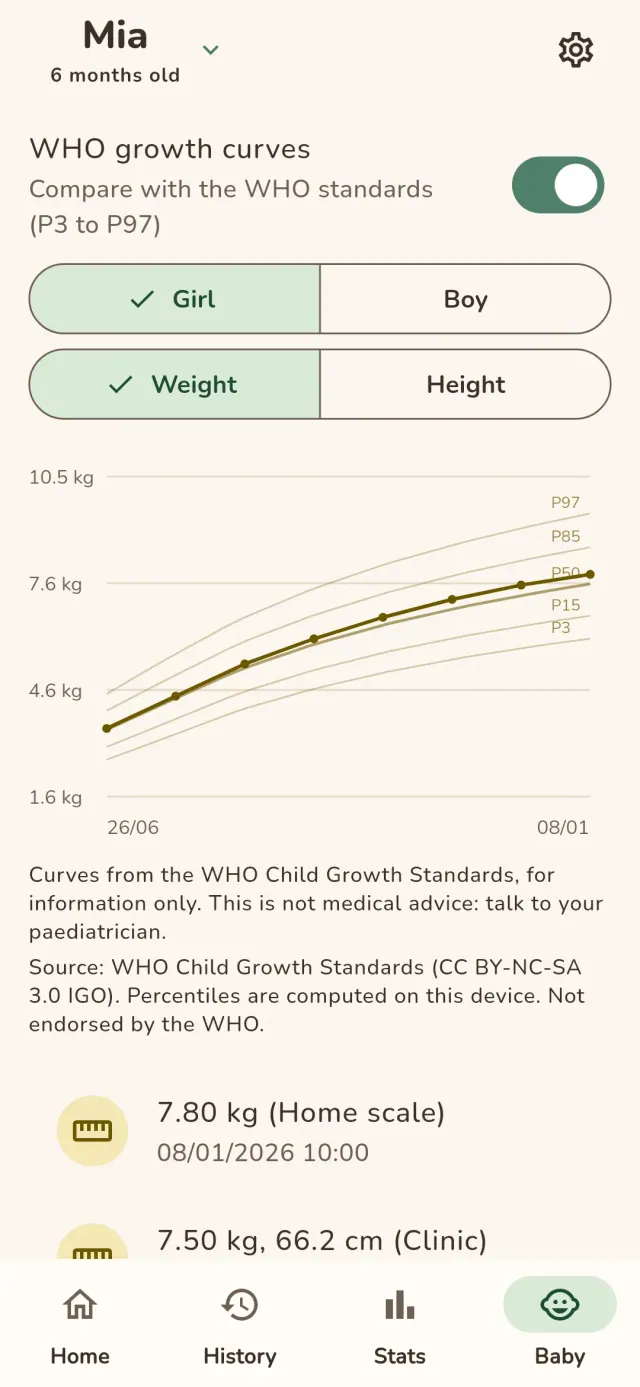
הכנס משקל וגובה וסמן אם המספר מהמשקל שלך או מהמרפאה. הגרף מתעדכן עם כל רישום.
התחלת מזון מוצק
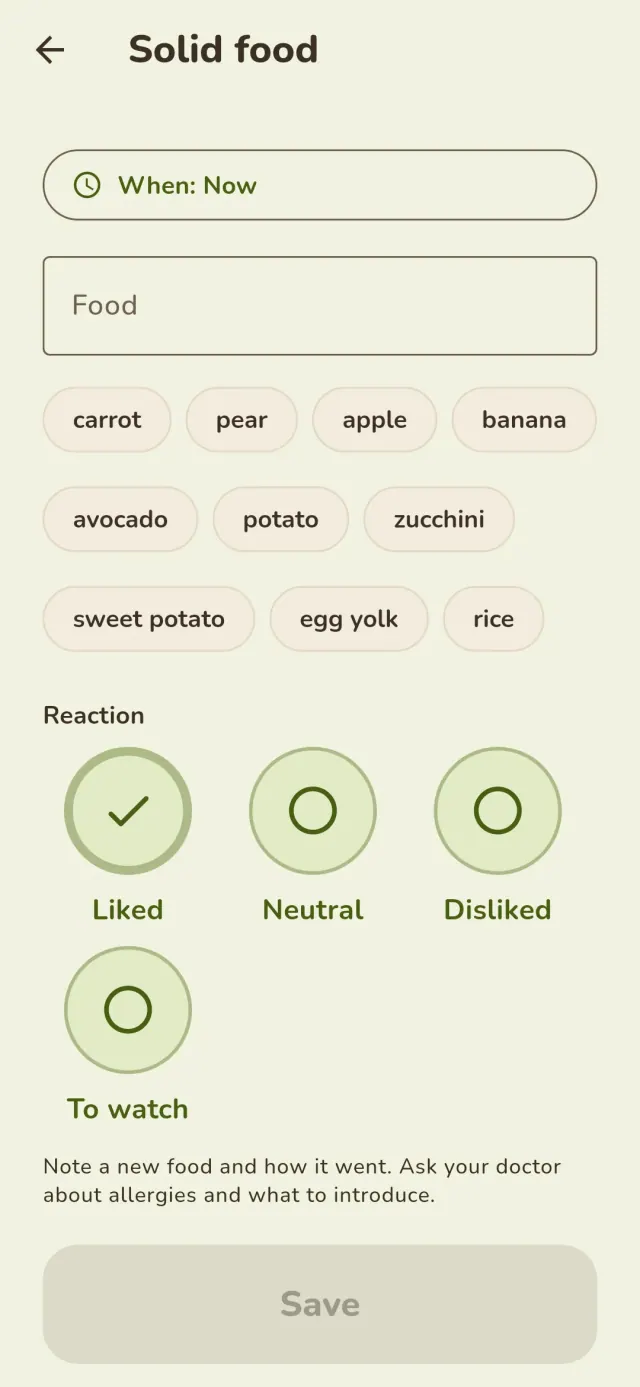
רשום כל מזון חדש, תאריך ותגובה, ותכנן ארוחות בלוח שנה.
לפני הלידה
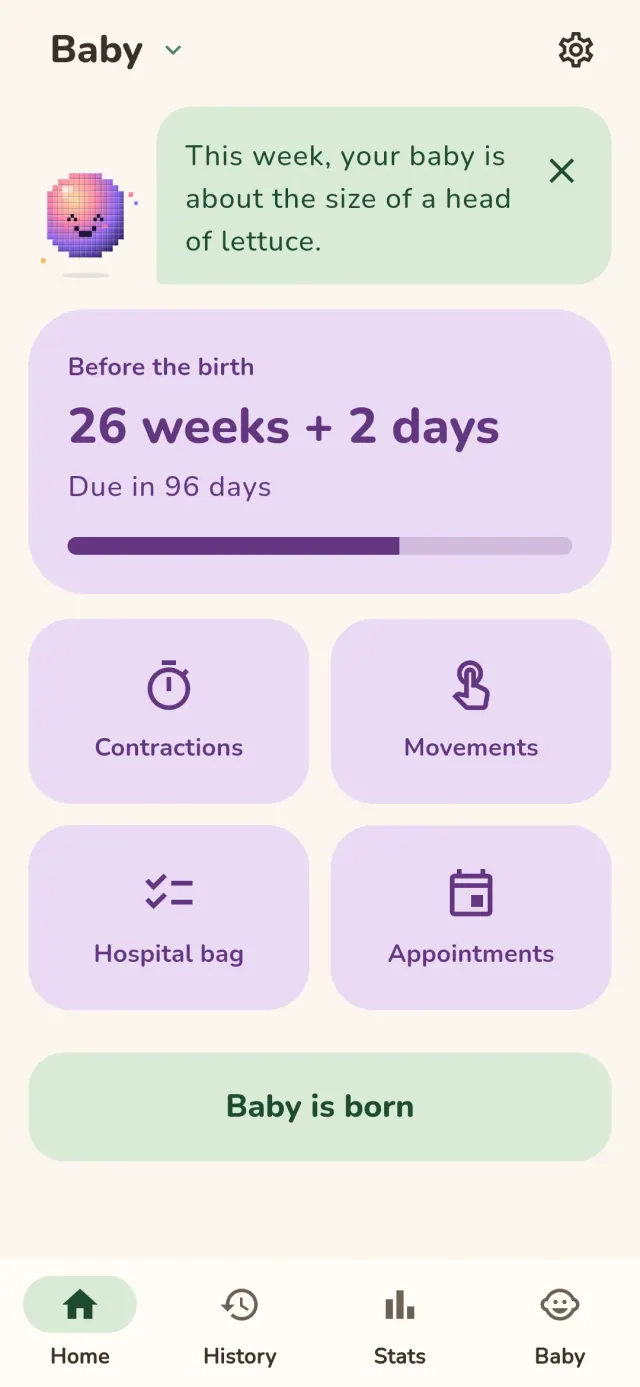
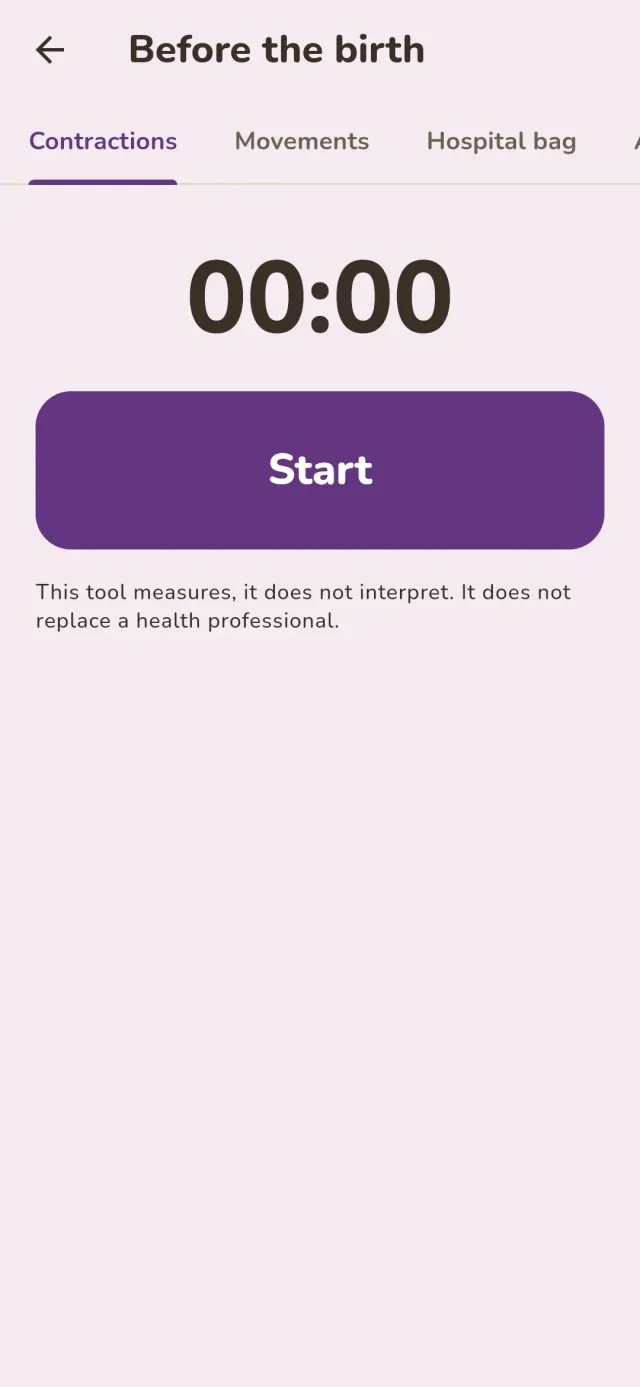
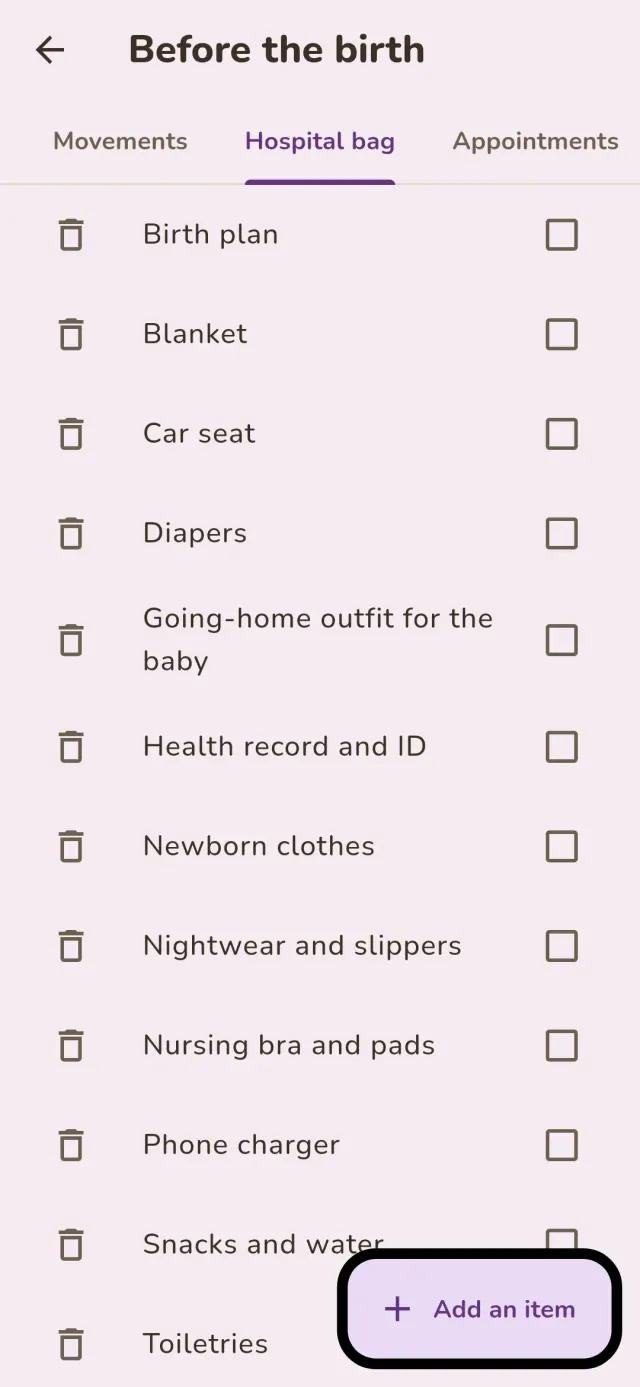
מצפה? הגדר את התאריך הצפוי, ראה שבוע ההריון, תזמן צירים, ספר תנועות, רשום רשימת תיק לבית חולים ופגישות. כשהתינוק יגיע, האפליקציה מוכנה.
דוח לרופא
ייצא קובץ PDF לרופא ילדים או למיילדת. הקובץ נבנה בטלפון שלך, אתה בוחר לאן לשלוח.
הנתונים שלך איתך
אין חשבון: שום דבר לא נשלח או מנותח. האפליקציה עובדת ללא אינטרנט, גם במצב טיסה. כפתור אחד מוחק את כל הנתונים.
Little Relay רושמת את מה שאתה מכניס. אינה נותנת ייעוץ רפואי ואינה מחליפה איש מקצוע.
מדריכי Little Relay
למי זה מיועד
- הורים טריים שרוצים יומן פשוט של הנקות, שינה וחיתולים שאפשר למלא ביד אחת בלילה.
- הורים שמתחילים מזון מוצק ורוצים לרשום כל מאכל חדש, התאריך והתגובה של התינוק.
- הורים שמעדיפים יומן לתינוק שלא דורש חשבון ושומר את הנתונים רק בטלפון שלהם.
למה לבחור ב-Little Relay
- הכל נשאר בטלפון שלך, בלי חשבון, בלי ענן, בלי פרסומות, בלי מעקב והאפליקציה לא צריכה חיבור לרשת כדי לעבוד.
- מותאם ללילה, מצב כהה, כפתורים גדולים ומסך הבית שמראה כמה זמן עבר מאז ההאכלה האחרונה ובאיזה צד.
- הנתונים שלך, אפשר לייצא דוח PDF לרופא ולמחוק הכל בלחיצה אחת.
מה האפליקציה עדיין לא עושה
- עדיין אין שיתוף בין שני טלפונים, היומן חי בטלפון אחד. שיתוף בין הורים, עם הצפנה מקצה לקצה, מתוכנן להמשך.
- וידג׳ט מסך הבית זמין כרגע רק באנדרואיד.
- זו לא מכשיר רפואי והיא אינה נותנת ייעוץ רפואי.
העיקרון של Pixeon. אפליקציות Pixeon פועלות קודם כל באופן מקומי: ללא חשבון, ללא מעקב, והנתונים שלכם נשארים בטלפון. אם אפליקציה תתחבר אי פעם לרשת, זה יקרה רק כשתבחרו להפעיל תכונה שאתם זקוקים לה, ומדיניות הפרטיות תעודכן לפני השקתה.
ראו את Little Relay בפעולה.
הורידו את Little Relay.
חינם ב-iPhone וב-Android.
Privacy policy
הטקסט שלהלן הוא באנגלית. הגרסה האנגלית גוברת.
Last updated: 2026-11-02
Little Relay is a baby tracker: feeds, sleep, diapers, measurements, first foods, milestone photos and pregnancy tools. The short version: everything stays on your phone, the app has no internet access, and we collect nothing.
What the app handles
The entries you type: feeds, sleep, diapers, weight and height, temperature, routine care, foods (given, or on your own "to try" list), milestones and notes, and your child's first name and birth date if you enter them. This is health information about a child, so we treat it as sensitive. It is stored only in the app's private storage on your phone. There is no account, no sign-in, no server and no cloud copy. Your preferences (language, appearance, when the app last suggested support) also stay on your phone.
What we collect
Nothing. No analytics, no advertising identifier, no crash reporting, no third-party SDK that sends data. The app needs no network to work and the app declares no internet permission. You can check this by using the app in airplane mode: everything works the same.
Permissions
The app asks for no permission that gives access to your data or to the internet. The Android install details list the following, all of them declared by the app or by the library it uses:
- Notifications (Android 13 and later, and iOS): asked only when you set your first reminder. A screen explains why before the system asks, and you can refuse: everything else works the same, you just get no reminder. A reminder is one local notification at the date and time you choose, with a short text that names the type of activity (for example "Time for the bottle?"). It holds no name, no amount and no health value, and for sensitive types (temperature, measurements, medicine, vaccines) it is neutral ("Remember to note an entry"). It is scheduled on your phone and never sent anywhere.
- Vibrate, keep the phone awake, background task, restart after reboot (Android): they let a reminder ring and come back after a reboot, and let the home screen widget save an entry reliably. They give no access to your data.
- Network state (Android, added by the in-app purchase library): the app only reads whether the phone is online. It sends nothing.
- In-app purchases (Android, Google Play Billing): for the optional tips, handled by Google Play.
The app does not request internet access, location, contacts, camera or microphone. When you attach a photo to a milestone, the app opens the system photo picker, which lets you hand over only the picture you choose, so the app never gets access to your photo library.
Files, backups and deletion
Milestone photos: a photo you attach to a milestone is copied into the app's private storage on your phone, with a small thumbnail. It is never uploaded or shared. Removing a milestone removes its photo.
Export: if you export a report for your child's doctor (a PDF), the app builds it on your phone and hands it to the system share sheet. You choose where it goes. The app does not send it anywhere. If milestones of the period have photos, the app asks first whether to include them: when you leave "Include photos" ticked, small copies of up to 30 of these photos go into the PDF. Untick it to keep the photos out of the report.
Backups: your phone's own backup (Google backup on Android, iCloud on iPhone) is controlled by your phone's settings, not by us. The app does not turn it off, so that backup may include the app's data, depending on those settings. The encryption key for the app's database stays in your phone's keychain. To move your entries to a new phone, use the backup file in Settings: the app writes one file on your phone, you choose where to keep it, and you import it on the new phone.
Deletion: a delete-all-data button in the app erases your entries and every photo and thumbnail. Uninstalling the app also deletes its data from your phone.
Optional support
If tips are offered, they are in-app purchases handled by Apple or Google. They unlock nothing, and the app receives no personal data about you from them.
Retention
Your entries, children and milestone photos are kept on your phone until you delete them: one entry at a time, a milestone with its photo, a child, the delete-all-data button, or uninstalling the app. We keep no copy on our side, so there is no retention period to apply on our side. Your phone's own backup may hold a copy, depending on its settings. A backup file you export yourself stays wherever you put it, until you delete it.
Medical information
Little Relay records what you tell it. It gives no medical advice and is not a medical device. Ask your doctor or midwife about your child's health.
Contact form on this website
If you write to us through this site, we use your message and the email address you optionally give only to reply. Bot protection is provided by Cloudflare and email delivery by Resend.
Language choice on this website
When you choose a language, or when this site opens a page in your browser's language, it stores
one small functional cookie (pxl, a language code, one year) so that your choice is
remembered. If this site suggests a page in your browser's language and you close that suggestion,
your browser also keeps a local note (pxl-banner-off, in local storage, 30 days) so the
suggestion does not come back. Neither identifies anyone, neither is used for tracking or advertising,
and neither is shared. You can delete them in your browser at any time.
Website statistics
This website uses Cloudflare Web Analytics to count visits (pages viewed, country, browser type, loading speed). It sets no cookie, does not use local storage, does not fingerprint your device, does not follow you across sites and does not build a profile of you. Search engines (for example Google Search Console) give us aggregated search statistics, without any data about individual visitors. Our own web server also counts the pages it serves: for each page it keeps the page address, the site or social network that sent you (only its name, or the campaign tag written in the link), the country, the type of device and whether the request came from a robot. It keeps no IP address, no identifier and no cookie, and these counts are anonymous. We use no advertising or other analytics service. None of this concerns the app itself, which collects nothing.
Children
Little Relay is a tool for parents and carers. It is not directed at children, and it records information about a child only because a parent typed it in.
Changes
An updated policy will be published at this URL with a new date above.
Contact
Questions about privacy: little-relay-contact@pixeon.net
תמיכה
עודכן לאחרונה: 2026-10-19
Little Relay הוא יישום קטן ועצמאי. התשובות לשאלות הנפוצות ביותר מופיעות למטה.
אנו עושים כמיטב יכולתנו להשיב בתוך כמה ימים. כדי לעזור לנו, כתבו לנו את דגם המכשיר שלכם, את גרסת המערכת שלו ומה עשיתם. נא לא לשלוח מידע על ילדכם או מידע אישי כלשהו.
האם Little Relay באמת בחינם?
כן. אפשר להוריד ולהשתמש ב־Little Relay בחינם. אין פרסומות ואין מנוי.
אילו נתונים היישום שומר או שולח?
הרשומות שלכם נשמרות בטלפון בלבד. שום דבר לא נשלח לשום מקום: ליישום אין חשבון, אין שרת והוא אינו זקוק לרשת כדי לפעול. פרטים נוספים במדיניות הפרטיות.
האם אפשר לשתף את היומן עם בן או בת הזוג?
עדיין לא. הגרסה הזו פועלת בטלפון יחיד. שיתוף בין הורים, עם הצפנה מקצה לקצה, מתוכנן לגרסה עתידית.
החלפתי או איבדתי את הטלפון. איפה הנתונים שלי?
הנתונים שלכם נמצאים בטלפון שבו הזנתם אותם. הגיבוי של הטלפון עצמו, Google או iCloud בהתאם להגדרות שלכם, עשוי לכלול אותם. אין אצלנו עותק, ולכן איננו יכולים לשחזר אותם עבורכם.
איך מציגים את היומן לרופא?
ייצאו מהיישום דוח PDF. הוא נבנה בטלפון שלכם, ואתם בוחרים לאן לשלוח אותו, למשל בדואר אלקטרוני או למדפסת.
איך מוחקים את הנתונים שלי?
השתמשו בכפתור המחיקה בהגדרות היישום, או הסירו את היישום. שתי האפשרויות מוחקות הכול מהטלפון שלכם, כולל תמונות של אבני דרך.
האם Little Relay הוא יישום רפואי?
לא. הוא מתעד את מה שאתם מזינים ואינו נותן עצות רפואיות. שאלו את הרופא או המיילדת שלכם על בריאות ילדכם.
אילו שפות זמינות?
אנגלית, צרפתית, גרמנית, ספרדית, פורטוגזית, איטלקית וערבית. היישום משתמש בשפת הטלפון שלכם, ואפשר לשנות אותה בהגדרות.
תמכו בפרויקט
Little Relay נשארת חינמית וללא פרסומות. אם היא שימושית עבורך, אפשר לתמוך בפיתוח שלה (אופציונלי):
Buy Me a Coffeeתקציב משפחתי עם מעקב הוצאות ברור. הכול נשמר במכשיר ופועל גם ללא אינטרנט.
גם מבית PixeonMetadata Cleanerמציג EXIF: תקנו או הסירו מטא-נתוני תמונות (GPS, תאריך).
גם מבית PixeonVaultMarkכספת מסמכים מקומית: סורק מסמכים, סימן מים ומחיקת מטא דאטה.
גם מבית PixeonMenuloopMenuLoop - תכנון וניהול ארוחות, קניות ומתכונים פשוט!
גם מבית PixeonIndie OfficeQuote maker and self-employed invoices. Offline, no account, no ads.
גם מבית PixeonFanionDiscover and share local events, concerts, markets and weekend outings nearby