
Little Relay: 育児トラッカー
授乳、睡眠、離乳食を記録。アカウント不要、オフライン対応。
無料。広告なし。サブスクリプションなし。

Little Relayは、新生児の授乳から離乳食開始まで、最初の数か月を支える育児トラッカーです。すべてのデータはスマホ内に保存されます。アカウント不要、サインイン不要、広告なし。
Little Relay ができること
授乳トラッカーとミルク記録
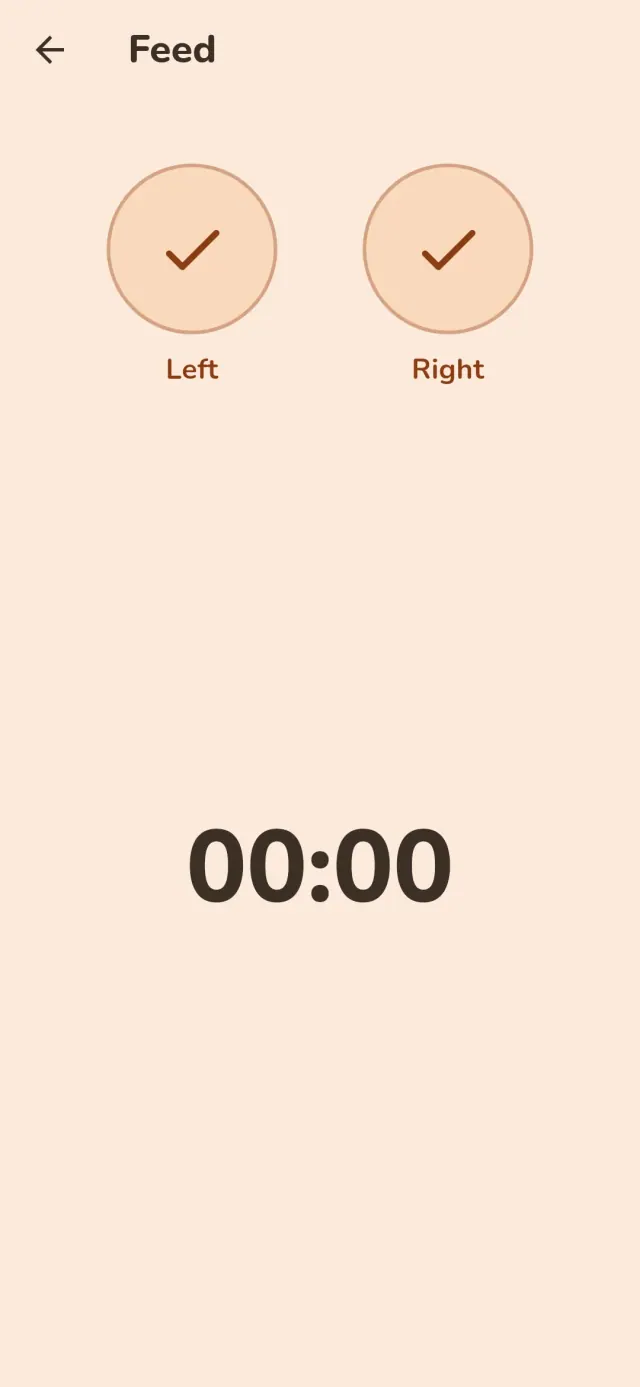
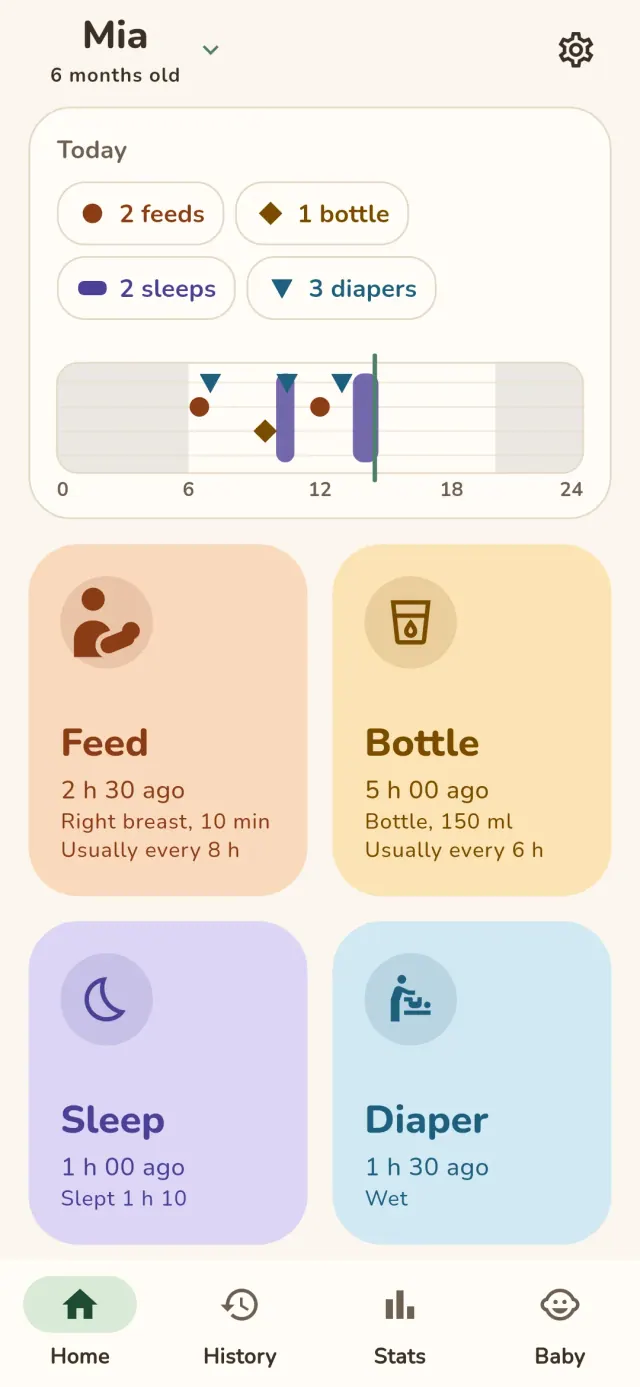
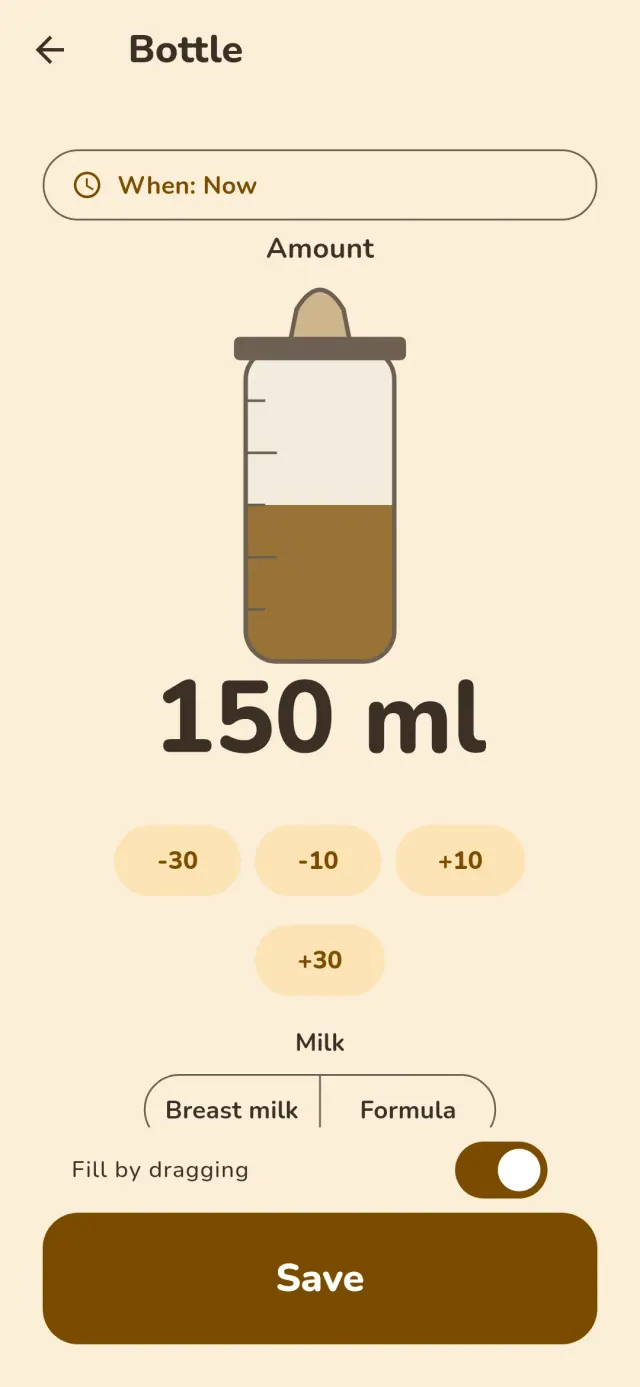
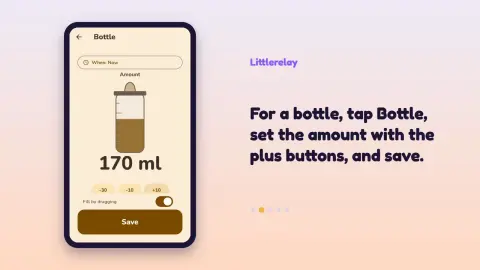
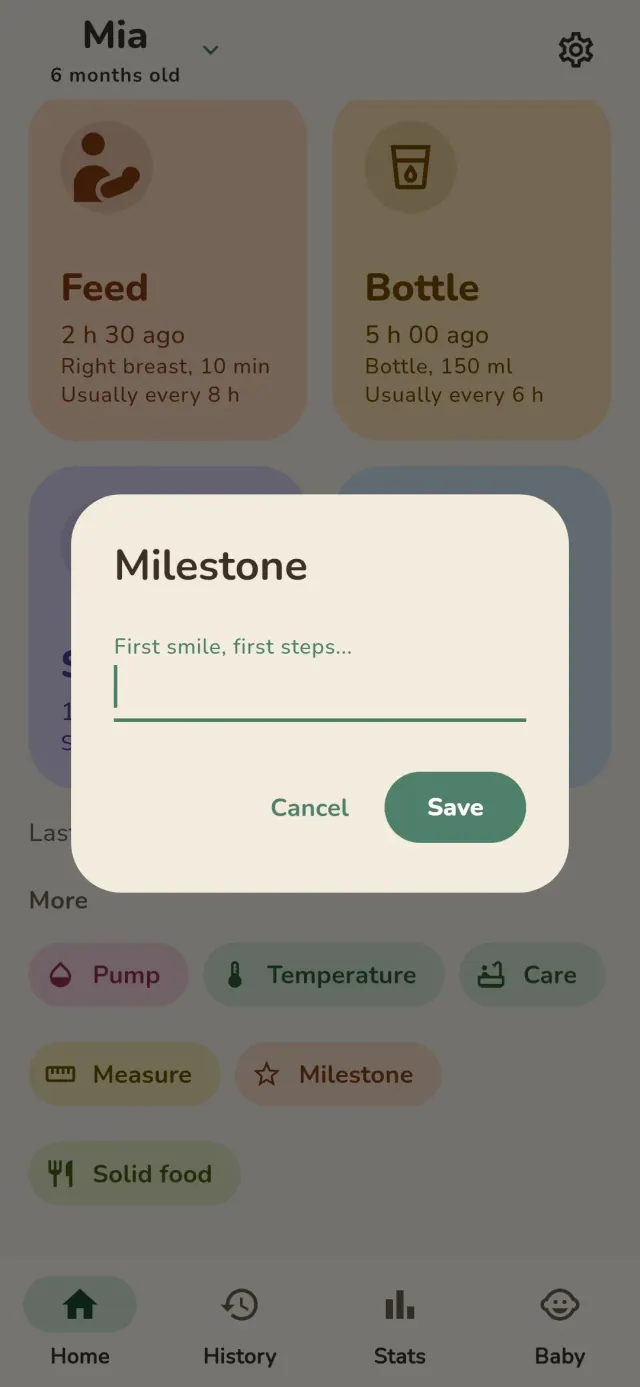
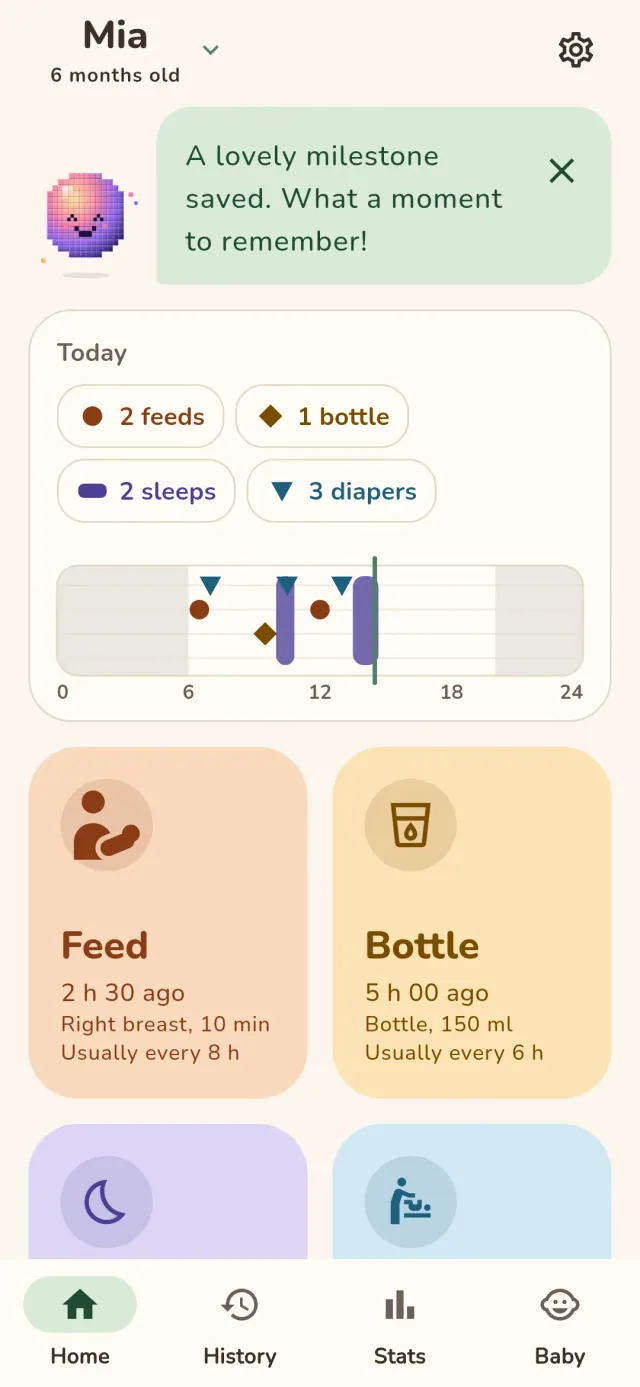
1回の授乳をワンタップで記録できます。左右どちらの授乳かをタイマー付きで記録し、一時停止も可能。哺乳瓶は量をmlで入力します。ホーム画面には、前回の授乳からの経過時間と左右どちらだったかが表示されます。搾乳は専用の記録があります。
睡眠とおむつの記録
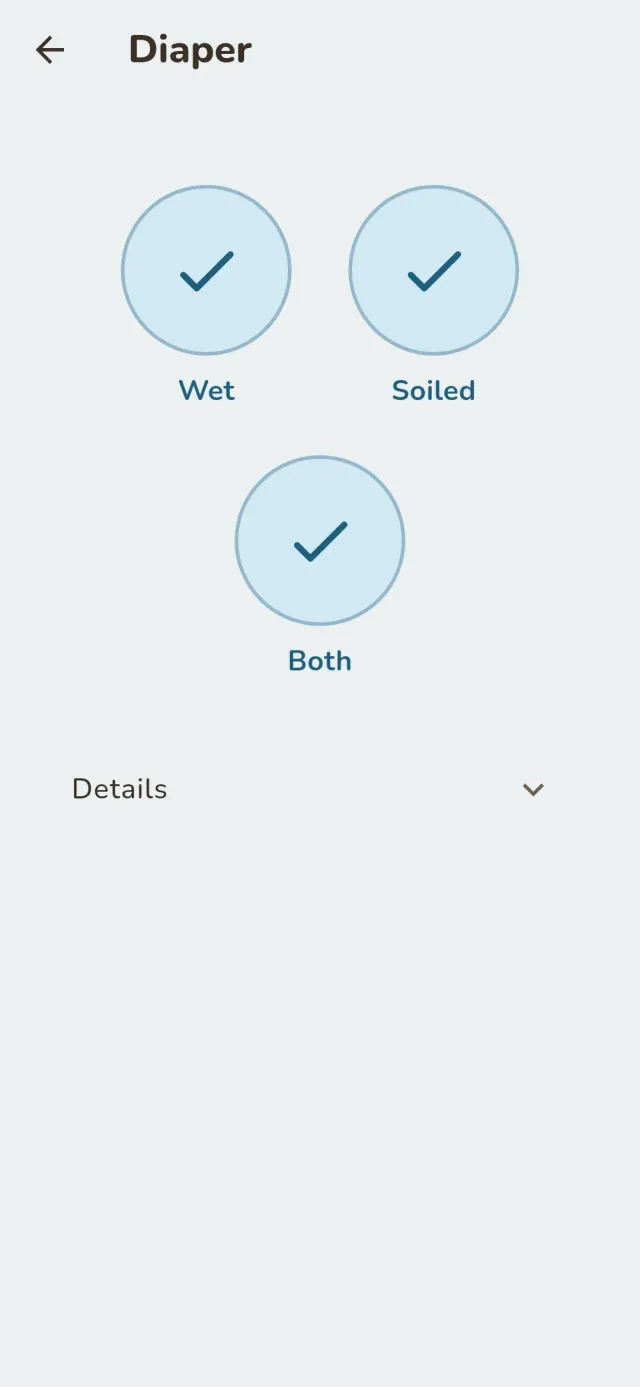
睡眠ごとにタイマーを開始し、おむつはワンタップで記録。ナイトモードは画面を暗く、ボタンを大きく保つので、午前3時でも片手で操作できます。
成長グラフ
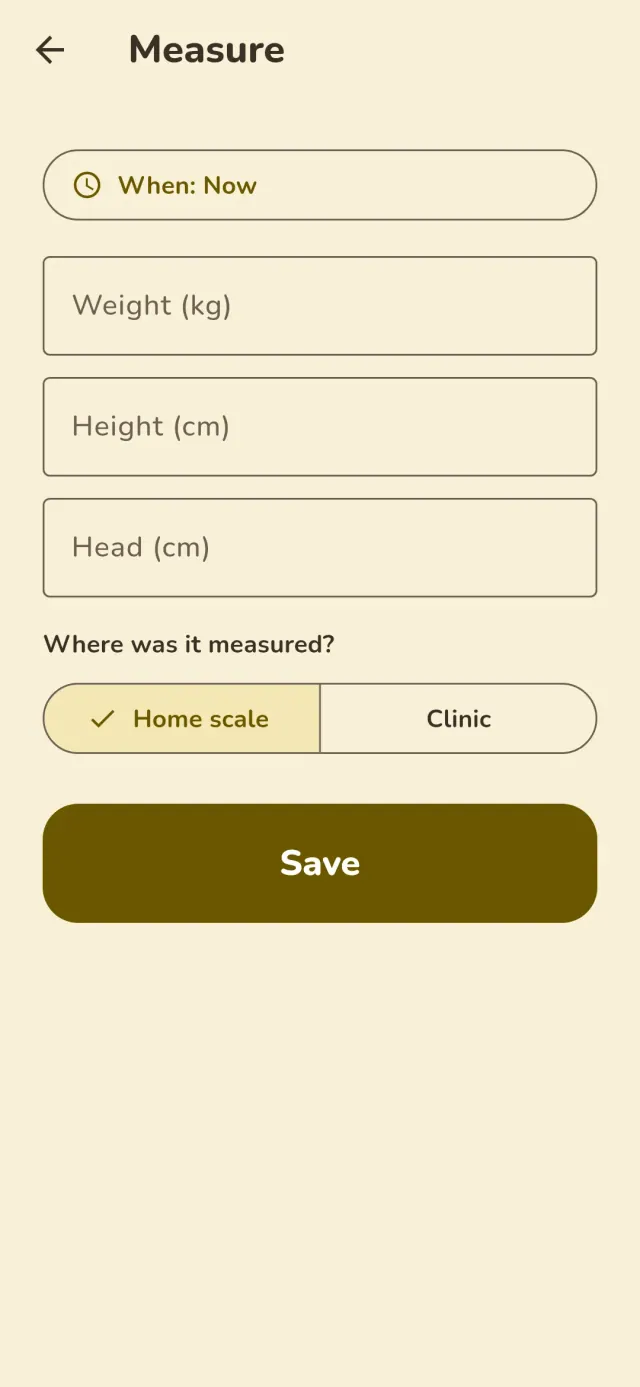
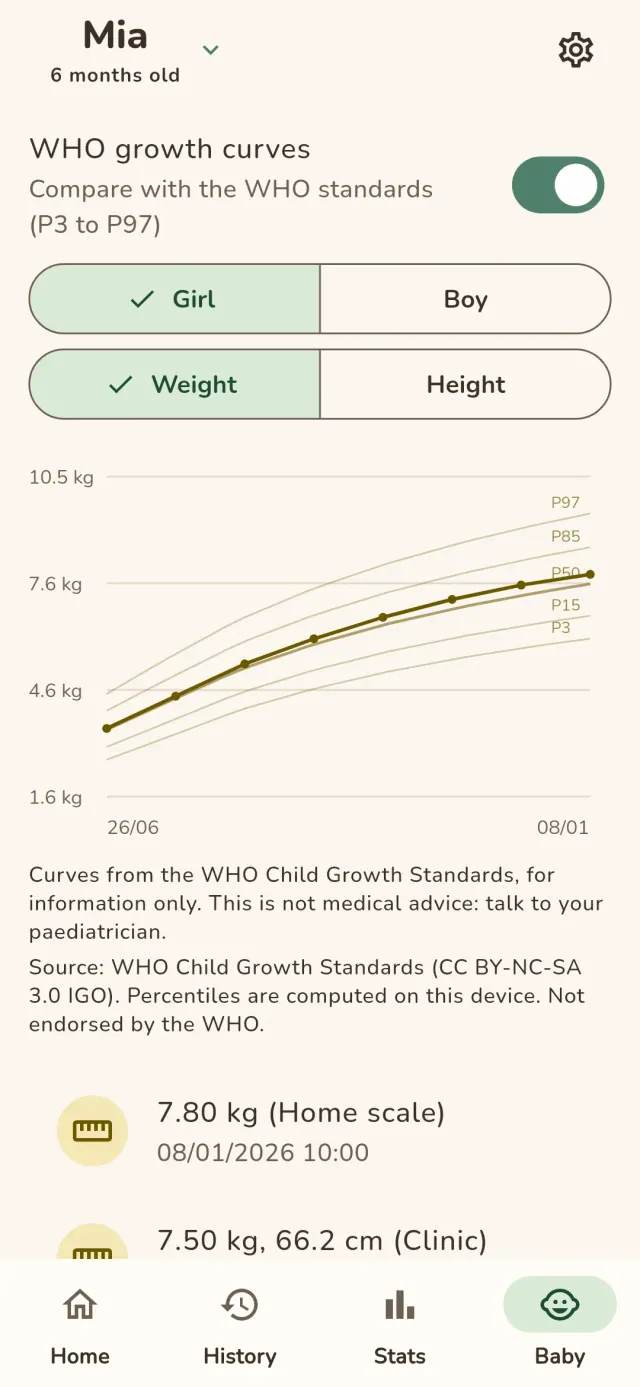
体重と身長を入力し、自宅の体重計か健診での測定かを選べます。入力のたびに成長グラフが更新され、受診の合間でも見やすいままです。
離乳食の開始
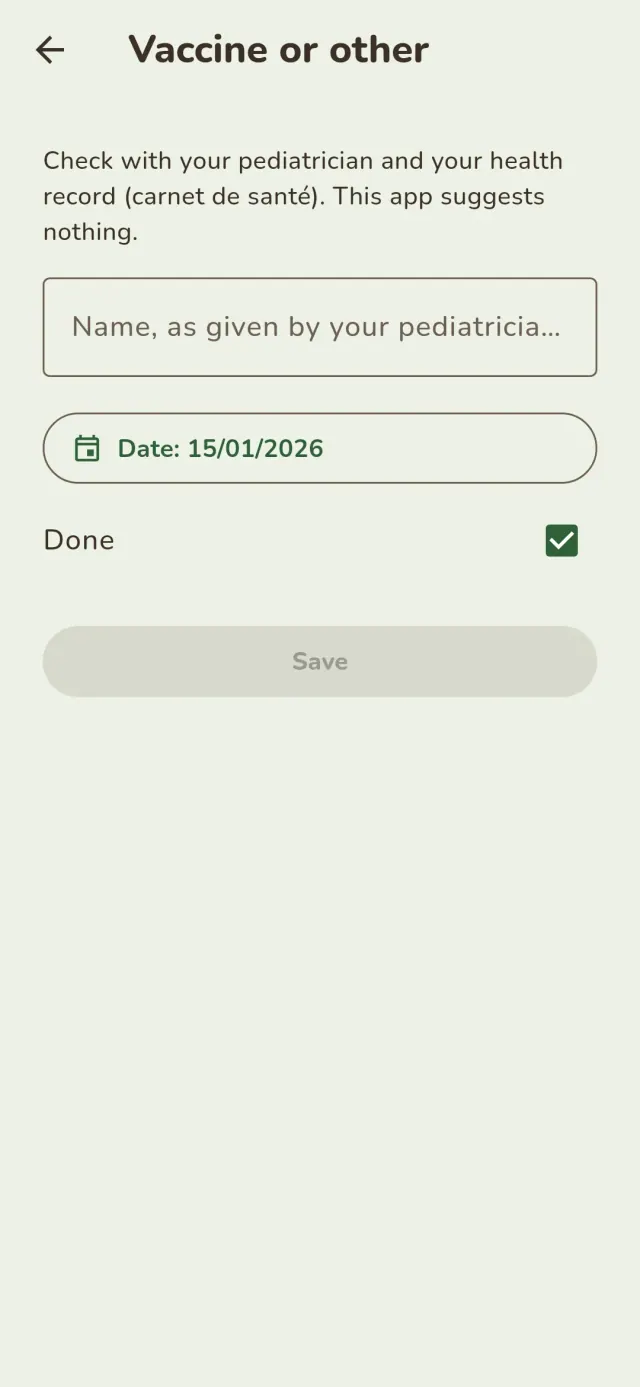
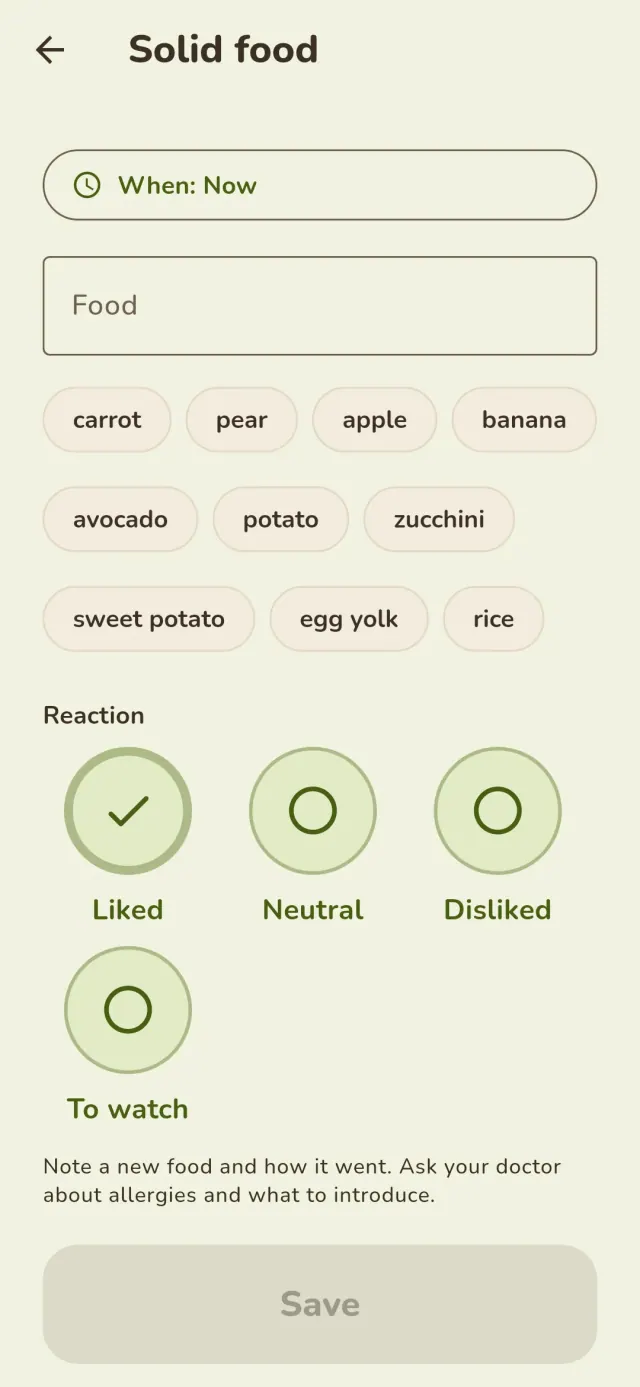
新しい食材、日付、赤ちゃんの反応を記録し、カレンダーで献立を計画できます。
出産前
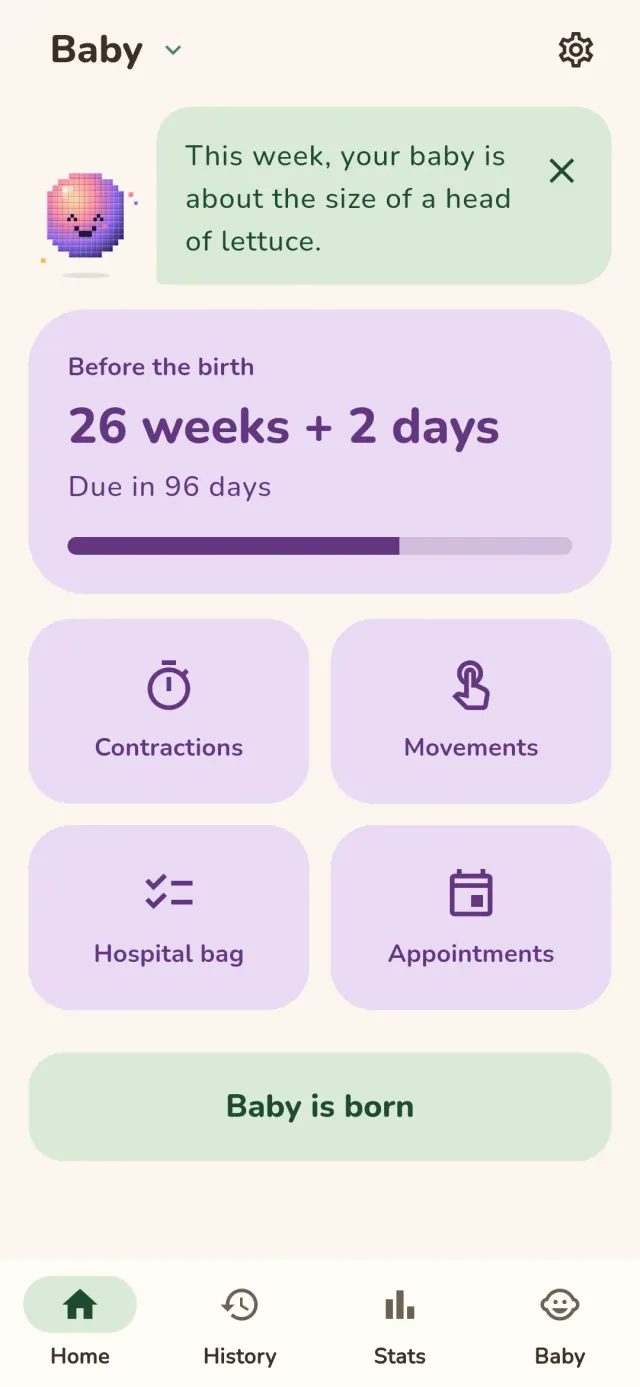
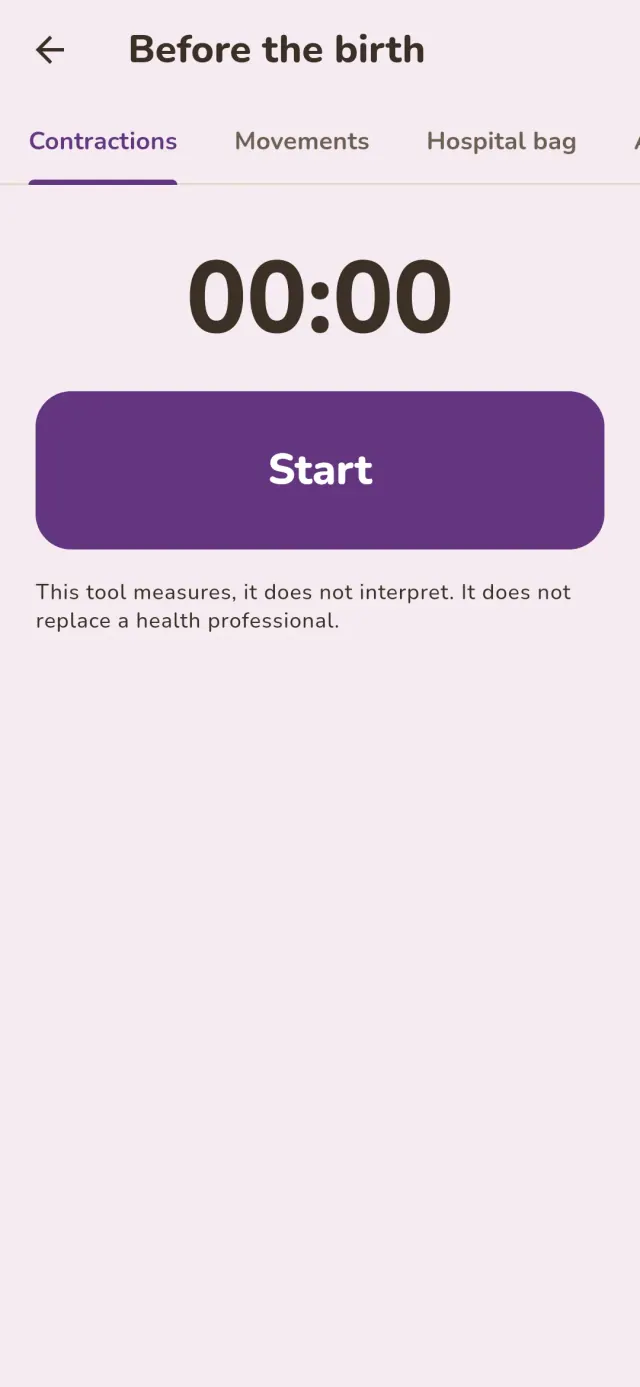
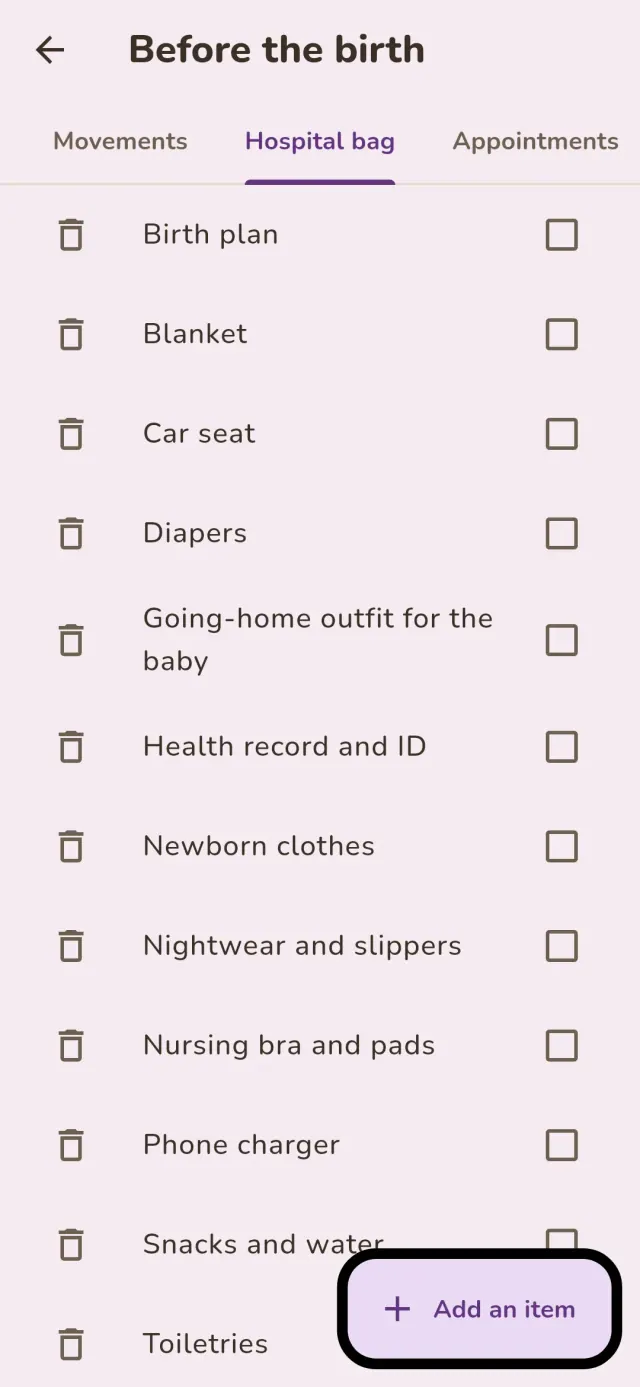
妊娠中の方へ。出産予定日を設定し、妊娠週数を確認。陣痛の計測、胎動カウント、入院バッグのチェックリスト、受診予定のメモもできます。赤ちゃんが生まれたら、同じアプリで最初の授乳をすぐ記録できます。
医師向けレポート
小児科医や助産師に渡せるPDFをエクスポート。レポートはスマホ上で作成され、送信先はあなたが選べます。
データはあなたの手元に
アカウントがないため、送信も解析もされません。機内モードでもオフラインで動作します。ワンタップですべてのデータを削除できます。
Little Relayは入力された内容を記録するだけです。医療アドバイスではなく、医療専門家の代わりにはなりません。
Little Relayのガイド
こんな方におすすめ
- 夜でも片手で入力できる、授乳・睡眠・おむつのシンプルな記録を求める新米ママ・パパへ。
- 離乳食を始めて、初めての食材、日付、赤ちゃんの反応をメモしておきたい保護者へ。
- アカウント不要で、データがスマホ内に残るベビーログを好む保護者へ。
Little Relayが選ばれる理由
- すべてがあなたのスマホ内に保存されます。アカウント不要、クラウドなし、広告なし、トラッキングなし。アプリはオフラインでも動作します。
- 夜の使いやすさを重視。ダークモードと大きなボタン、そして直近の授乳がいつ、どちら側だったかをホーム画面で一目で確認できます。
- データはあなたのもの。先生に渡せるPDFレポートに書き出し可能、ワンボタンで全データを削除できます。
まだできないこと
- 現時点では2台のスマホ間で共有できません。記録は1台のスマホに保存されます。保護者同士の共有はエンドツーエンドで暗号化して今後対応予定です。
- ホーム画面のウィジェットは今のところAndroidのみ対応です。
- 医療機器ではなく、医療的な助言は提供しません。
Pixeonの原則. Pixeonのアプリはローカル優先です。アカウントも、トラッキングもなく、データはお使いのスマートフォンの中にとどまります。アプリがネットワークに接続するのは、必要な機能をご自身でオンにしたときだけで、その機能を公開する前にプライバシーポリシーを更新します。
Little Relay の動きを見る
Little Relay を入手
iPhone と Android で無料で利用できます。
Privacy policy
以下のテキストは英語です。英語版が優先されます。
Last updated: 2026-11-02
Little Relay is a baby tracker: feeds, sleep, diapers, measurements, first foods, milestone photos and pregnancy tools. The short version: everything stays on your phone, the app has no internet access, and we collect nothing.
What the app handles
The entries you type: feeds, sleep, diapers, weight and height, temperature, routine care, foods (given, or on your own "to try" list), milestones and notes, and your child's first name and birth date if you enter them. This is health information about a child, so we treat it as sensitive. It is stored only in the app's private storage on your phone. There is no account, no sign-in, no server and no cloud copy. Your preferences (language, appearance, when the app last suggested support) also stay on your phone.
What we collect
Nothing. No analytics, no advertising identifier, no crash reporting, no third-party SDK that sends data. The app needs no network to work and the app declares no internet permission. You can check this by using the app in airplane mode: everything works the same.
Permissions
The app asks for no permission that gives access to your data or to the internet. The Android install details list the following, all of them declared by the app or by the library it uses:
- Notifications (Android 13 and later, and iOS): asked only when you set your first reminder. A screen explains why before the system asks, and you can refuse: everything else works the same, you just get no reminder. A reminder is one local notification at the date and time you choose, with a short text that names the type of activity (for example "Time for the bottle?"). It holds no name, no amount and no health value, and for sensitive types (temperature, measurements, medicine, vaccines) it is neutral ("Remember to note an entry"). It is scheduled on your phone and never sent anywhere.
- Vibrate, keep the phone awake, background task, restart after reboot (Android): they let a reminder ring and come back after a reboot, and let the home screen widget save an entry reliably. They give no access to your data.
- Network state (Android, added by the in-app purchase library): the app only reads whether the phone is online. It sends nothing.
- In-app purchases (Android, Google Play Billing): for the optional tips, handled by Google Play.
The app does not request internet access, location, contacts, camera or microphone. When you attach a photo to a milestone, the app opens the system photo picker, which lets you hand over only the picture you choose, so the app never gets access to your photo library.
Files, backups and deletion
Milestone photos: a photo you attach to a milestone is copied into the app's private storage on your phone, with a small thumbnail. It is never uploaded or shared. Removing a milestone removes its photo.
Export: if you export a report for your child's doctor (a PDF), the app builds it on your phone and hands it to the system share sheet. You choose where it goes. The app does not send it anywhere. If milestones of the period have photos, the app asks first whether to include them: when you leave "Include photos" ticked, small copies of up to 30 of these photos go into the PDF. Untick it to keep the photos out of the report.
Backups: your phone's own backup (Google backup on Android, iCloud on iPhone) is controlled by your phone's settings, not by us. The app does not turn it off, so that backup may include the app's data, depending on those settings. The encryption key for the app's database stays in your phone's keychain. To move your entries to a new phone, use the backup file in Settings: the app writes one file on your phone, you choose where to keep it, and you import it on the new phone.
Deletion: a delete-all-data button in the app erases your entries and every photo and thumbnail. Uninstalling the app also deletes its data from your phone.
Optional support
If tips are offered, they are in-app purchases handled by Apple or Google. They unlock nothing, and the app receives no personal data about you from them.
Retention
Your entries, children and milestone photos are kept on your phone until you delete them: one entry at a time, a milestone with its photo, a child, the delete-all-data button, or uninstalling the app. We keep no copy on our side, so there is no retention period to apply on our side. Your phone's own backup may hold a copy, depending on its settings. A backup file you export yourself stays wherever you put it, until you delete it.
Medical information
Little Relay records what you tell it. It gives no medical advice and is not a medical device. Ask your doctor or midwife about your child's health.
Contact form on this website
If you write to us through this site, we use your message and the email address you optionally give only to reply. Bot protection is provided by Cloudflare and email delivery by Resend.
Language choice on this website
When you choose a language, or when this site opens a page in your browser's language, it stores
one small functional cookie (pxl, a language code, one year) so that your choice is
remembered. If this site suggests a page in your browser's language and you close that suggestion,
your browser also keeps a local note (pxl-banner-off, in local storage, 30 days) so the
suggestion does not come back. Neither identifies anyone, neither is used for tracking or advertising,
and neither is shared. You can delete them in your browser at any time.
Website statistics
This website uses Cloudflare Web Analytics to count visits (pages viewed, country, browser type, loading speed). It sets no cookie, does not use local storage, does not fingerprint your device, does not follow you across sites and does not build a profile of you. Search engines (for example Google Search Console) give us aggregated search statistics, without any data about individual visitors. Our own web server also counts the pages it serves: for each page it keeps the page address, the site or social network that sent you (only its name, or the campaign tag written in the link), the country, the type of device and whether the request came from a robot. It keeps no IP address, no identifier and no cookie, and these counts are anonymous. We use no advertising or other analytics service. None of this concerns the app itself, which collects nothing.
Children
Little Relay is a tool for parents and carers. It is not directed at children, and it records information about a child only because a parent typed it in.
Changes
An updated policy will be published at this URL with a new date above.
Contact
Questions about privacy: little-relay-contact@pixeon.net
サポート
最終更新:2026-10-19
Little Relayは小さな独立系アプリです。よくあるご質問への回答は以下をご覧ください。
数日以内に返信できるよう努めます。ご連絡の際は、端末のモデル名、システムバージョン、行っていた操作をお知らせください。お子様や個人情報は絶対に送信しないでください。
Little Relayは本当に無料ですか?
はい。Little Relayは無料でダウンロードして利用できます。広告もサブスクリプションもありません。
アプリはどのようなデータを保存・送信しますか?
ご入力いただいた内容はお使いのスマートフォンのみに保存されます。外部への送信は一切ありません。アカウントやサーバー、ネットワークは不要です。詳細はプライバシーポリシーをご覧ください。
パートナーと履歴を共有できますか?
まだできません。このバージョンは1台のスマートフォンでのみ動作します。今後のバージョンで、保護者間のエンドツーエンド暗号化による共有を予定しています。
機種変更や紛失時、データはどうなりますか?
データは入力したスマートフォン本体に保存されています。端末のバックアップ(GoogleやiCloudなどの設定による)に含まれる場合があります。運営側にデータはありませんので、復元できません。
医師に記録を見せるには?
アプリからPDFレポートをエクスポートしてください。スマートフォン上で作成され、送信先(メールやプリンタ等)をご自身で選べます。
データを削除するには?
アプリの設定にある削除ボタンを使うか、アプリをアンインストールしてください。どちらもスマートフォンからすべてのデータ(マイルストーン写真含む)を削除します。
Little Relayは医療アプリですか?
違います。入力内容を記録するだけで、医療的アドバイスは行いません。お子様の健康については医師や助産師にご相談ください。
どの言語に対応していますか?
英語、フランス語、ドイツ語、スペイン語、ポルトガル語、イタリア語、アラビア語に対応しています。アプリはスマートフォンの言語設定に従います。設定画面で変更も可能です。
「支出管理」「予算管理」を、端末内でシンプルに。
Pixeon の他のアプリMetadata Cleaner写真メタデータ、exif、写真の位置情報を読む EXIF viewer。修正・削除もできます。
Pixeon の他のアプリVaultMark端末内暗号化の書類保管庫。書類スキャン後に透かし文字を入れ、メタデータを削除して共有。
Pixeon の他のアプリMenuloop献立計画、レシピ管理、買い物リスト。写真付きで便利。
Pixeon の他のアプリIndie OfficeQuote maker and self-employed invoices. Offline, no account, no ads.
Pixeon の他のアプリFanionDiscover and share local events, concerts, markets and weekend outings nearby