
Little Relay: 아기 추적기
수유, 수면, 이유식 추적. 계정 필요 없음, 오프라인 사용.
무료. 광고 없음. 구독 없음.

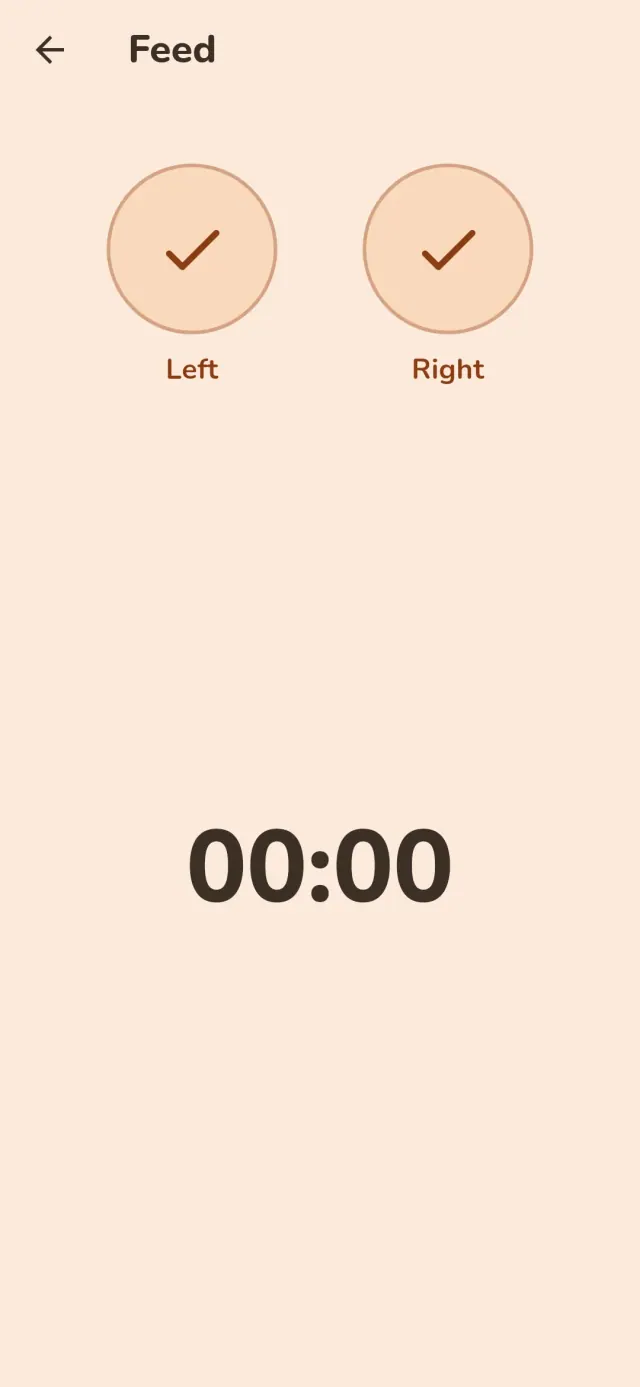
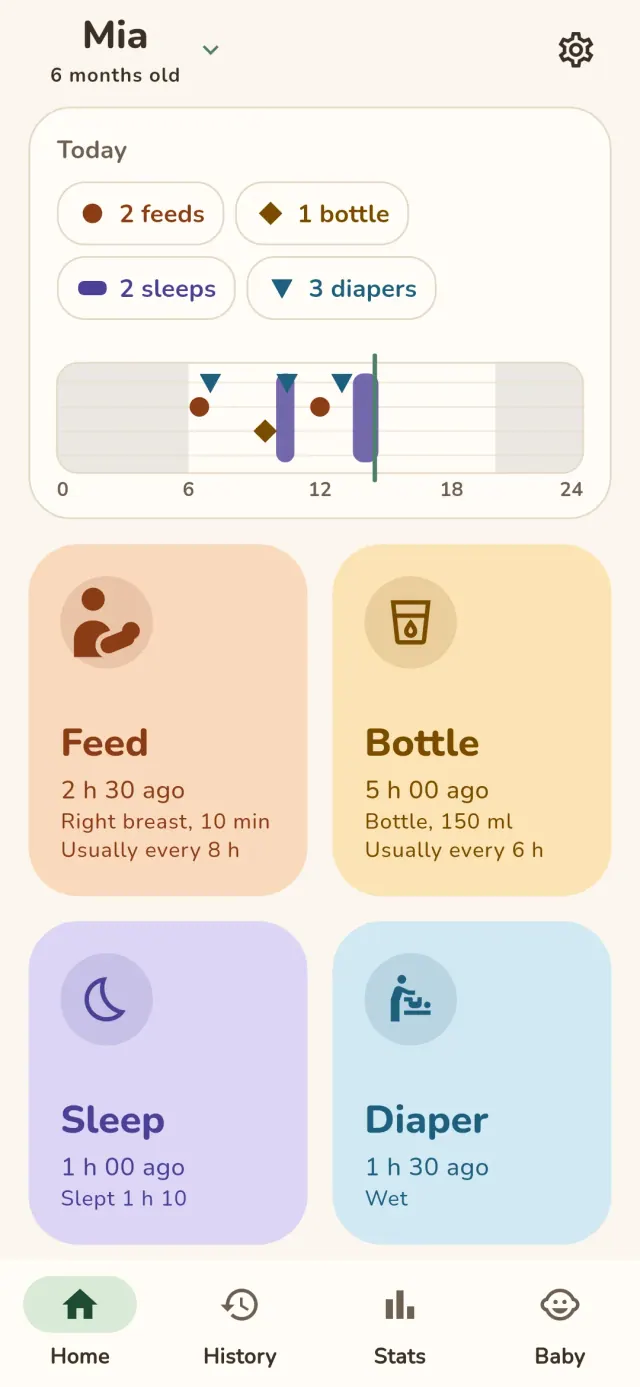
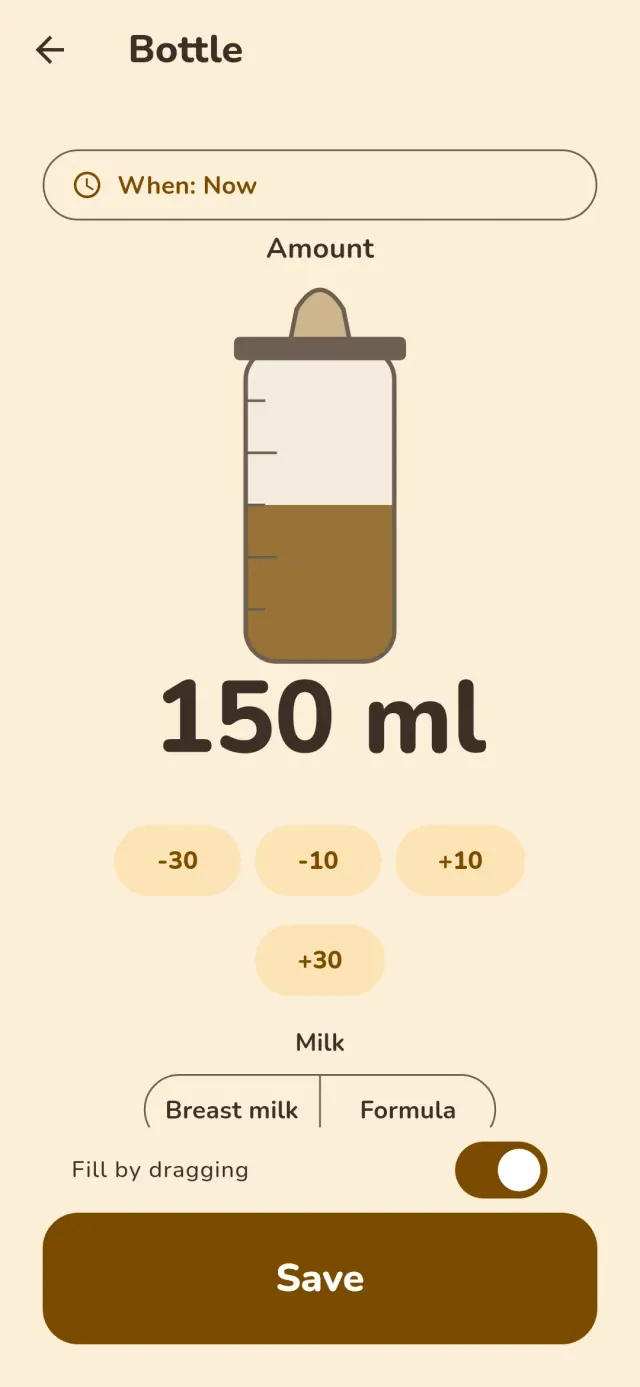
Little Relay는 아기를 위한 추적기입니다. 신생아부터 이유식 시작까지, 모든 데이터가 휴대폰에 저장됩니다. 계정이나 로그인 그리고 광고가 없습니다.
Little Relay의 기능
수유 및 수면 추적
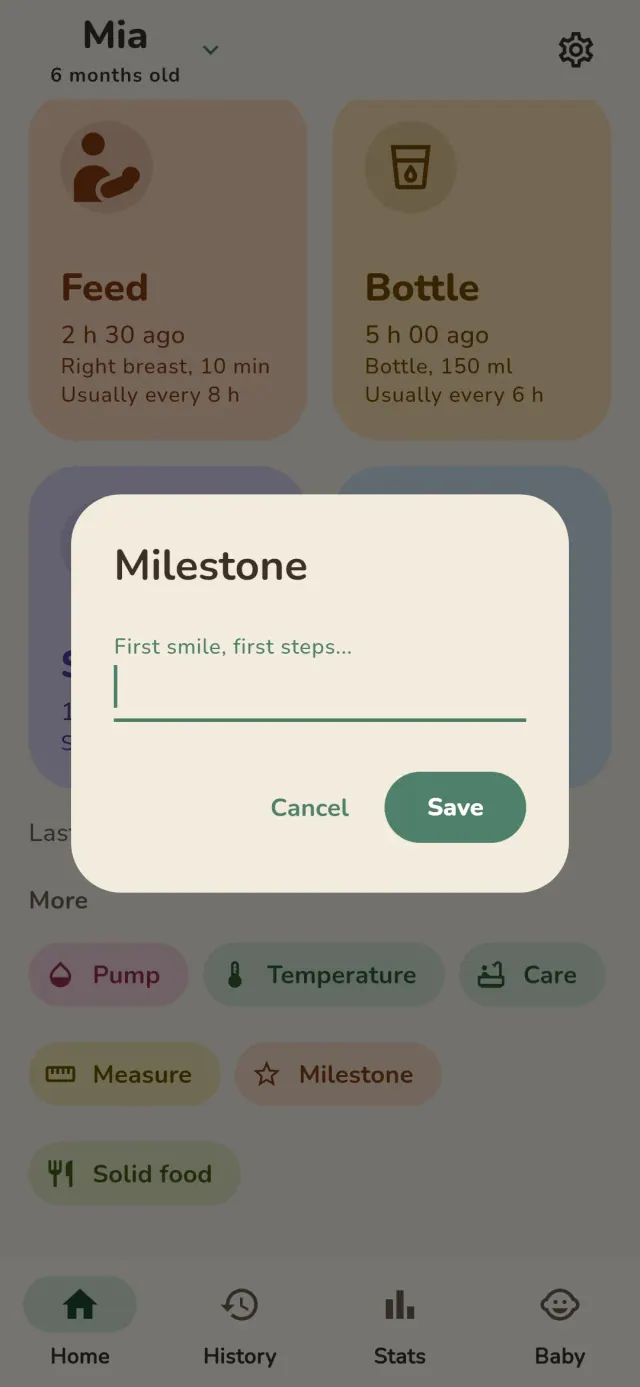
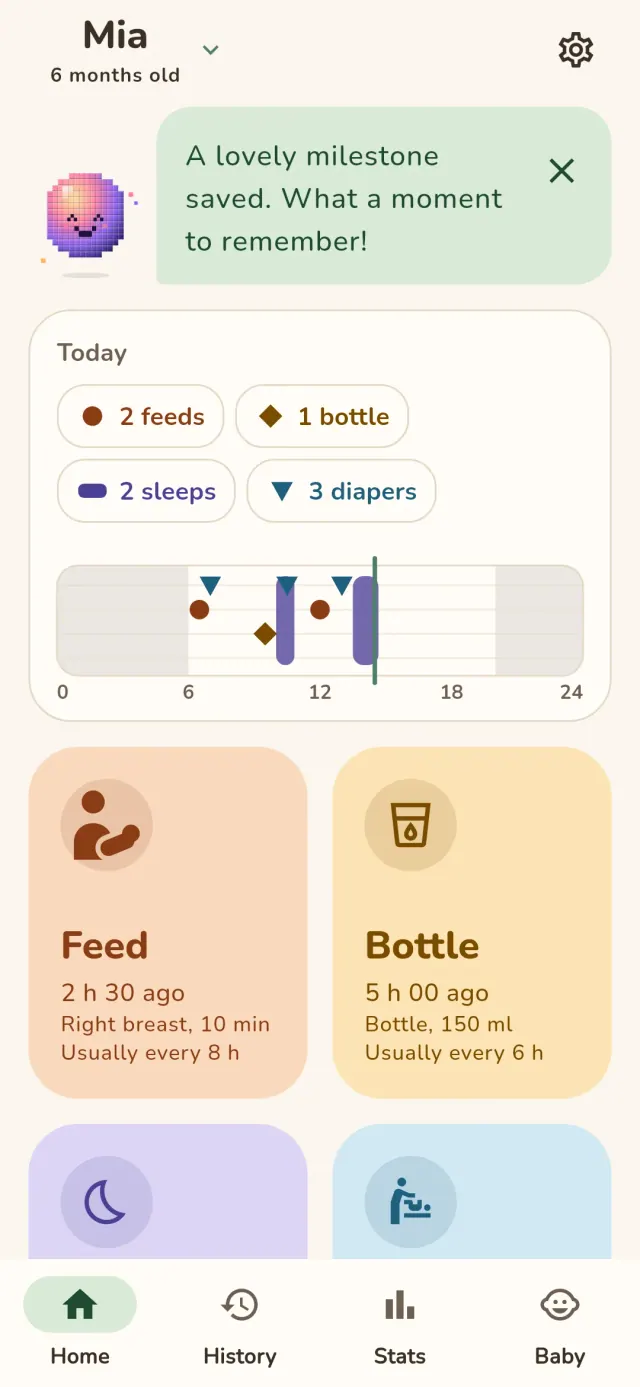
왼쪽 또는 오른쪽 가슴, 타이머와 일시정지 기능을 사용해 한 번에 기록합니다. 마지막 수유 시간과 위치를 보여줍니다. 분유와 젖짜기도 기록할 수 있습니다.
수면과 기저귀 추적
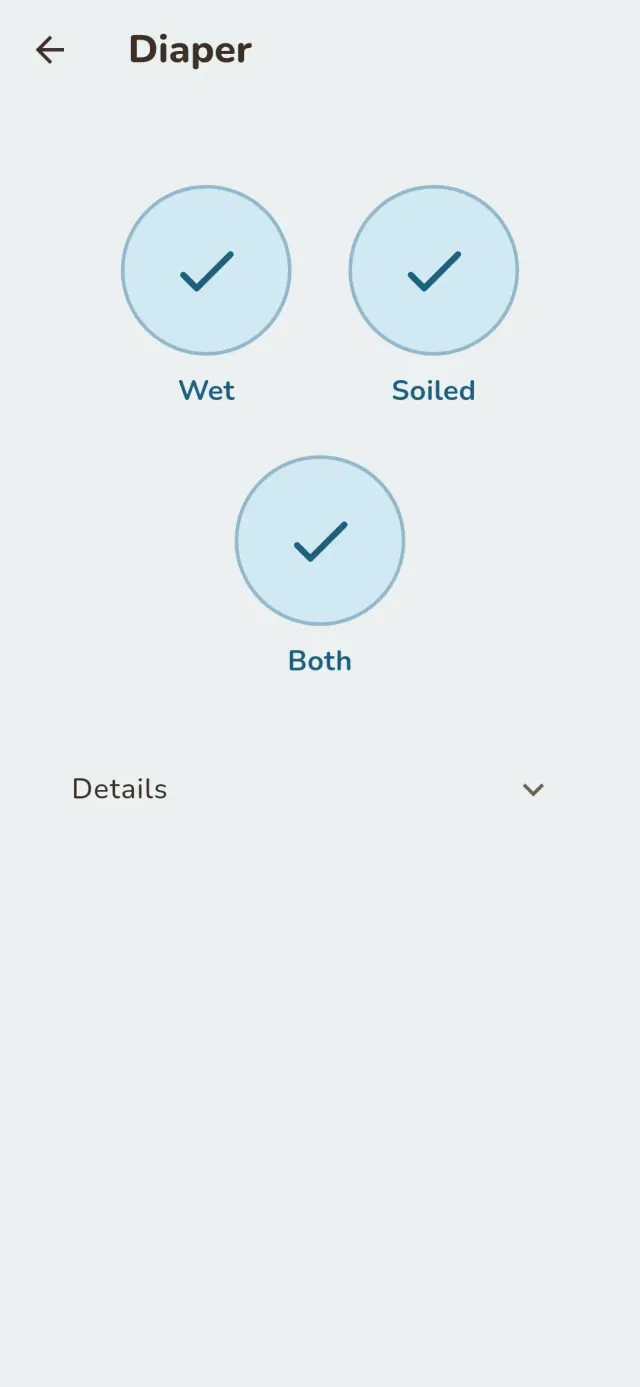
수면 타이머, 기저귀 기록, 밤에는 어두운 화면과 큰 버튼으로 한 손 사용이 편리합니다.
성장 그래프
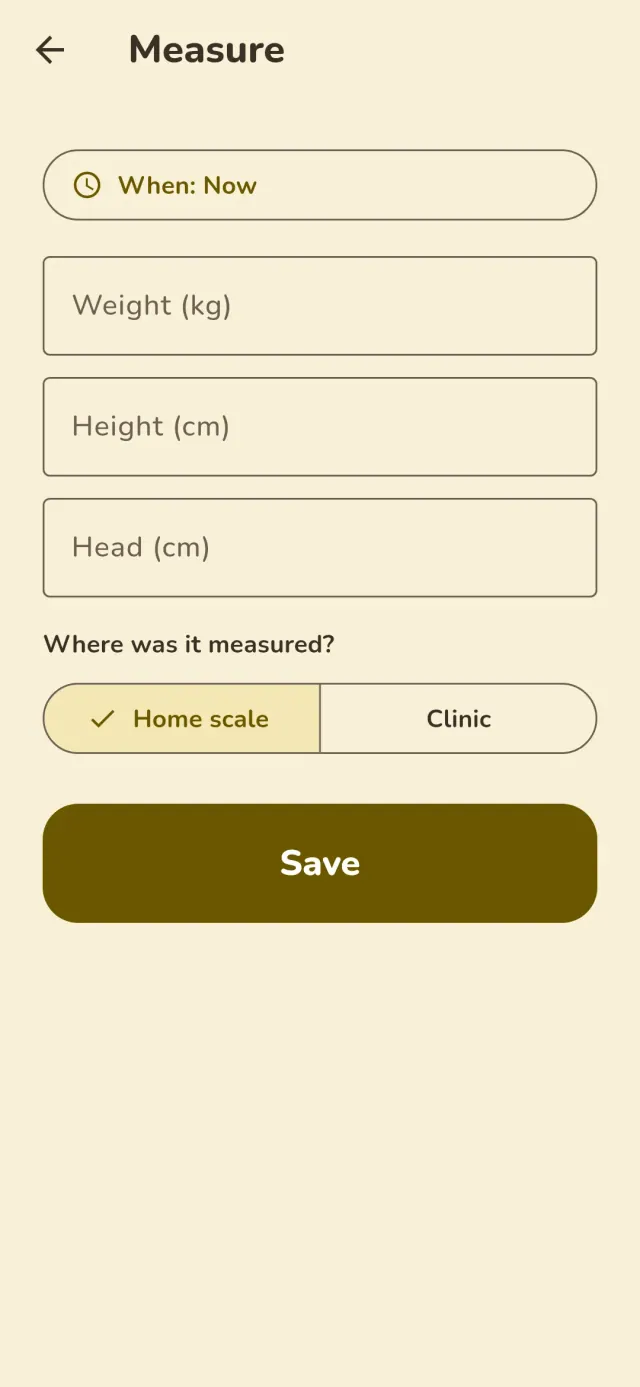
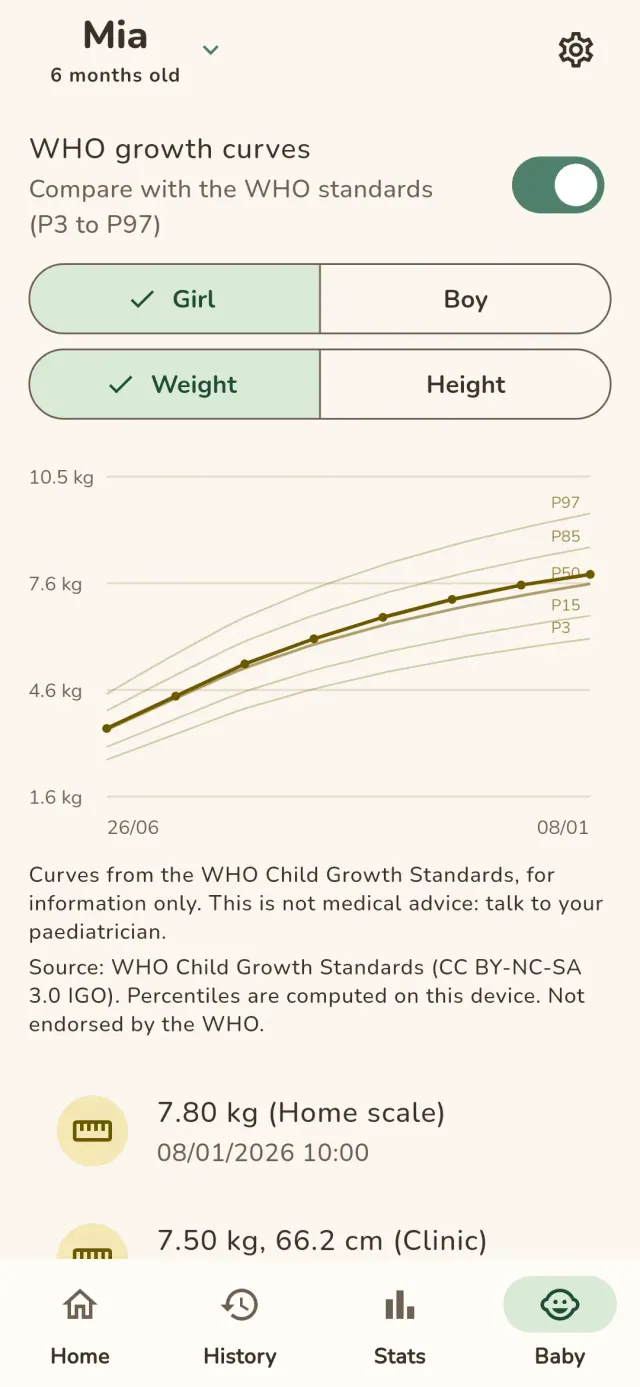
몸무게와 키를 입력하고, 병원 또는 집에서 측정된 것인지 표시하세요. 그래프는 새로운 기록마다 업데이트되어 확인이 쉽습니다.
이유식 시작
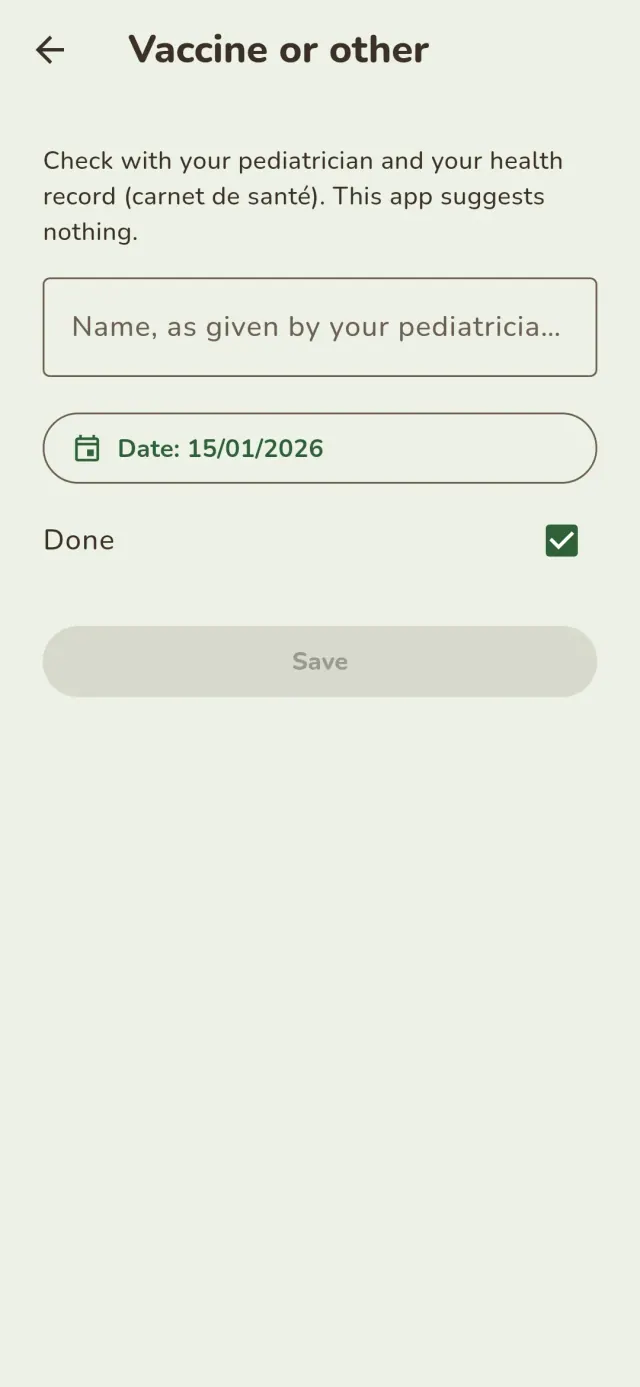
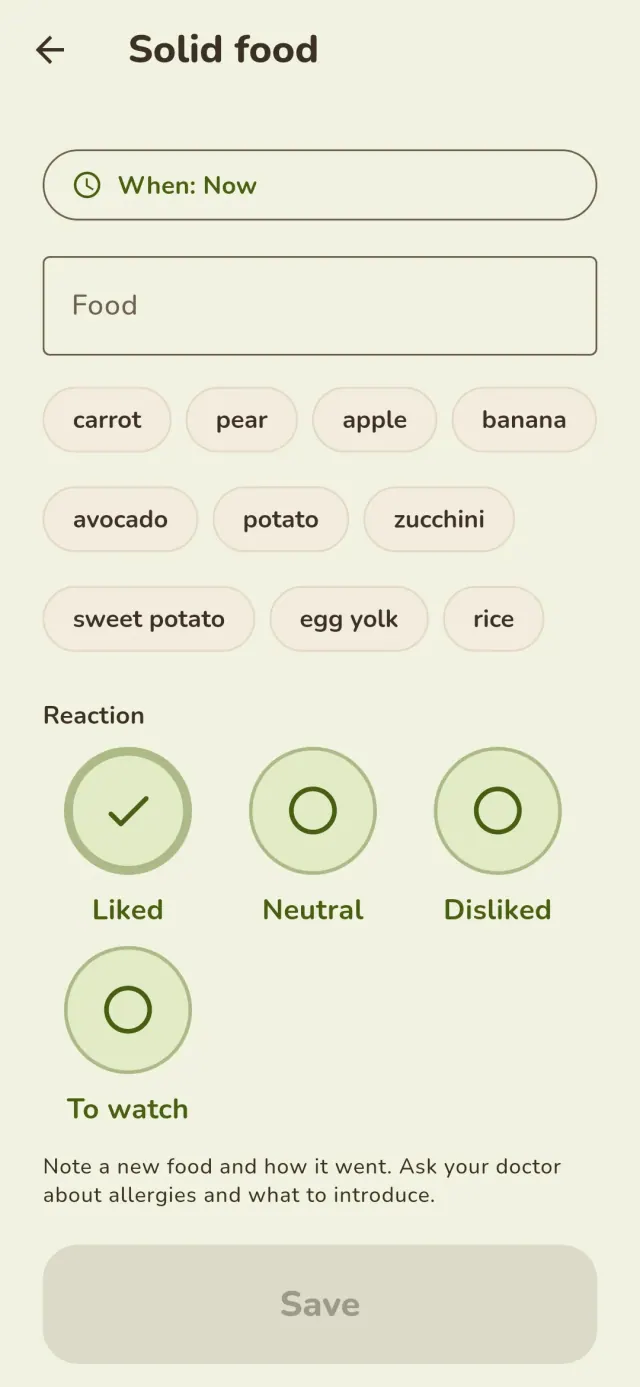
새로운 음식과 날짜, 반응을 기록하고, 식사 계획을 세울 수 있습니다.
임신 중 기능
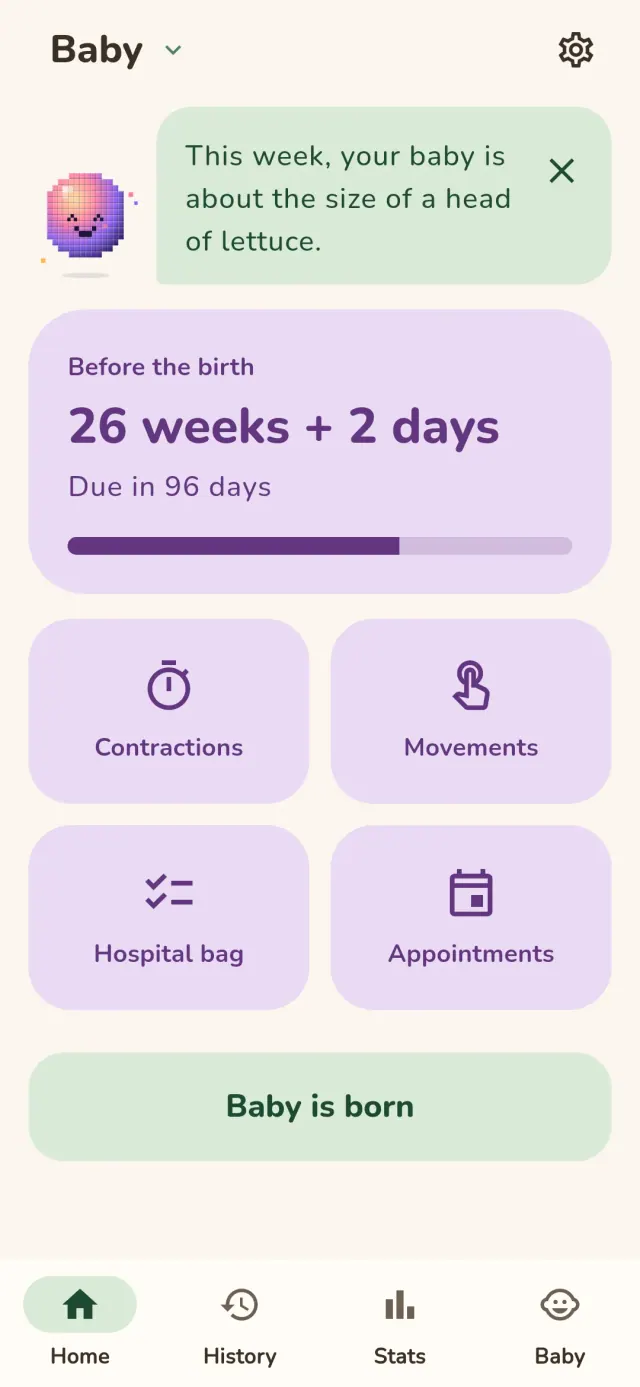
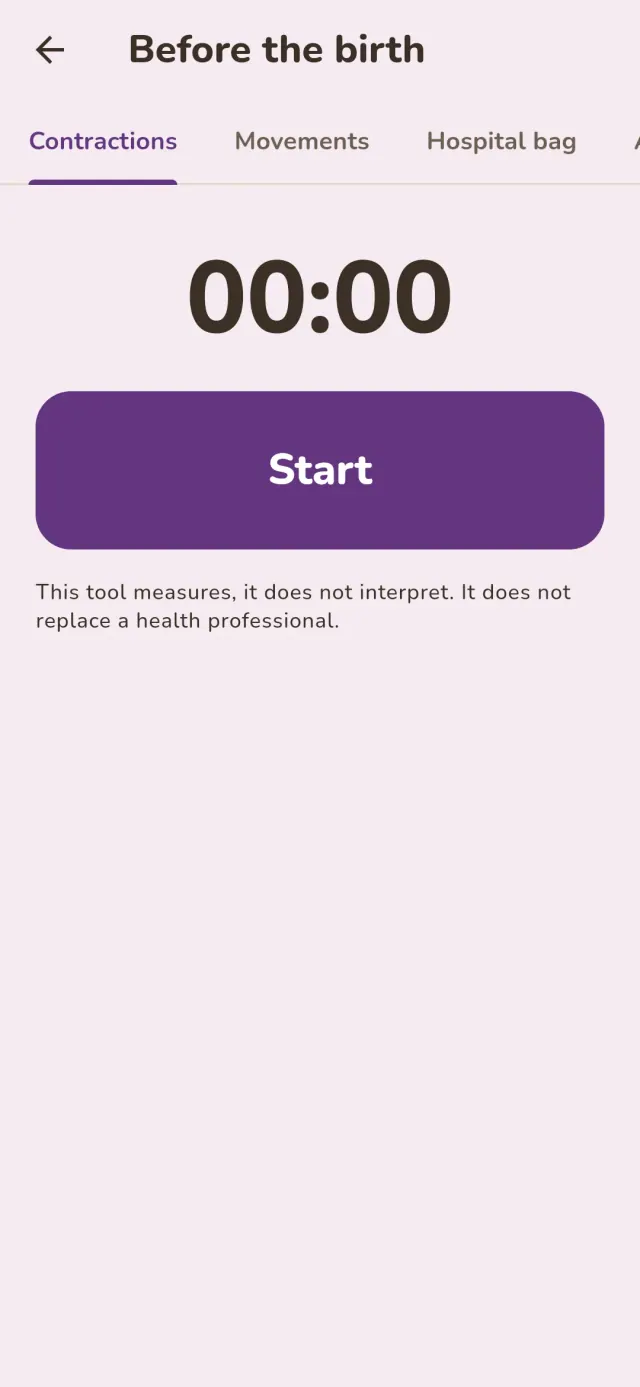
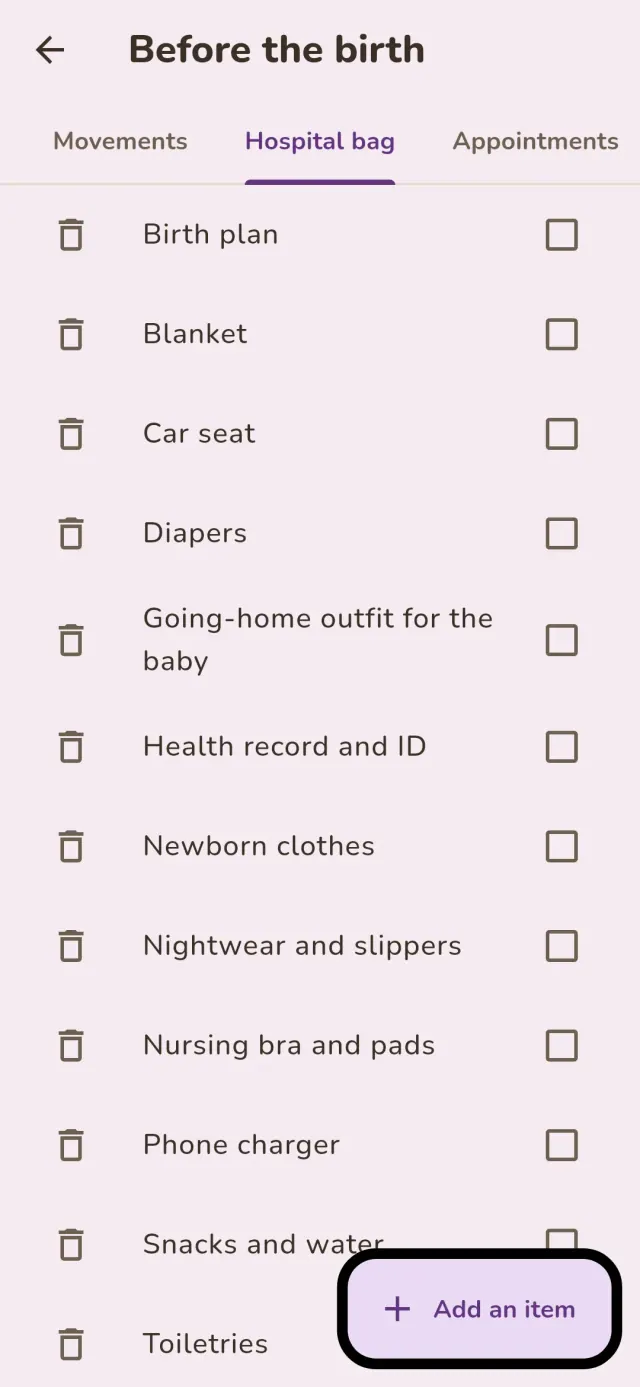
예정일 입력, 주차 확인, 진통 시간 기록, 태동 카운트, 병원 준비물 체크리스트로 임신 기간을 관리하세요. 출산 후, 앱은 첫 수유에 바로 사용할 수 있습니다.
의사에게 보고서
소아과 의사나 조산사에게 PDF로 데이터를 내보내세요. 휴대폰에서 생성되어 원하는 위치로 보낼 수 있습니다.
데이터 개인정보
계정이 없으므로 데이터가 전송, 분석되지 않습니다. 앱은 오프라인에서도 작동합니다. 한 버튼으로 모든 데이터를 삭제할 수 있습니다.
Little Relay는 입력만 기록하며 의료 조언이나 전문가를 대체하지 않습니다.
Little Relay 가이드
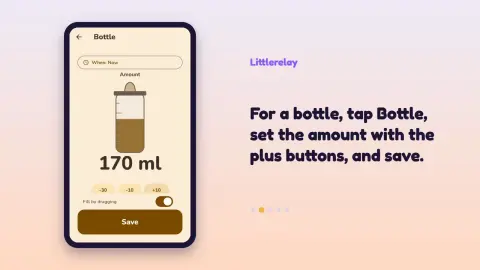
이런 분께 추천합니다
- 밤에 한 손으로 입력할 수 있는 수유, 수면, 기저귀의 간단한 기록을 원하는 초보 부모님을 위한 앱입니다.
- 이유식을 시작해 새로운 음식, 날짜, 아기의 반응을 기록하고 싶은 부모님을 위한 앱입니다.
- 계정이 필요 없고 데이터를 휴대폰에 보관하는 아기 기록 앱을 선호하는 부모님을 위한 앱입니다.
Little Relay을(를) 선택해야 하는 이유
- 모든 데이터가 휴대폰에만 저장됩니다. 계정, 클라우드, 광고, 추적이 없으며 앱을 사용하는 데 네트워크도 필요하지 않습니다.
- 밤에 사용하기 좋게 만들어졌습니다. 다크 모드와 큰 버튼을 제공하며, 홈 화면에서 마지막 수유가 언제였고 어느 쪽으로 했는지 확인할 수 있습니다.
- 데이터는 부모님의 것입니다. 의사에게 보여 줄 PDF 보고서를 내보내고, 버튼 하나로 모든 데이터를 삭제할 수 있습니다.
아직 지원하지 않는 기능
- 아직 두 휴대폰 간 공유는 지원하지 않습니다. 기록은 한 휴대폰에 저장됩니다. 부모님 간 종단 간 암호화 공유는 계획되어 있습니다.
- 홈 화면 위젯은 현재 Android에서만 사용할 수 있습니다.
- 의료 기기가 아니며 의료 조언을 제공하지 않습니다.
Pixeon의 원칙. Pixeon 앱은 로컬 우선입니다. 계정도, 추적도 없으며, 데이터는 휴대폰 안에만 남습니다. 앱이 네트워크에 연결되는 경우는 필요한 기능을 직접 켰을 때뿐이며, 그 기능을 출시하기 전에 개인정보 처리방침을 먼저 업데이트합니다.
Little Relay의 작동 모습을 확인하세요.
Little Relay 받기.
iPhone과 Android에서 무료.
Privacy policy
아래 텍스트는 영어로 제공됩니다. 영어 버전이 우선합니다.
Last updated: 2026-11-02
Little Relay is a baby tracker: feeds, sleep, diapers, measurements, first foods, milestone photos and pregnancy tools. The short version: everything stays on your phone, the app has no internet access, and we collect nothing.
What the app handles
The entries you type: feeds, sleep, diapers, weight and height, temperature, routine care, foods (given, or on your own "to try" list), milestones and notes, and your child's first name and birth date if you enter them. This is health information about a child, so we treat it as sensitive. It is stored only in the app's private storage on your phone. There is no account, no sign-in, no server and no cloud copy. Your preferences (language, appearance, when the app last suggested support) also stay on your phone.
What we collect
Nothing. No analytics, no advertising identifier, no crash reporting, no third-party SDK that sends data. The app needs no network to work and the app declares no internet permission. You can check this by using the app in airplane mode: everything works the same.
Permissions
The app asks for no permission that gives access to your data or to the internet. The Android install details list the following, all of them declared by the app or by the library it uses:
- Notifications (Android 13 and later, and iOS): asked only when you set your first reminder. A screen explains why before the system asks, and you can refuse: everything else works the same, you just get no reminder. A reminder is one local notification at the date and time you choose, with a short text that names the type of activity (for example "Time for the bottle?"). It holds no name, no amount and no health value, and for sensitive types (temperature, measurements, medicine, vaccines) it is neutral ("Remember to note an entry"). It is scheduled on your phone and never sent anywhere.
- Vibrate, keep the phone awake, background task, restart after reboot (Android): they let a reminder ring and come back after a reboot, and let the home screen widget save an entry reliably. They give no access to your data.
- Network state (Android, added by the in-app purchase library): the app only reads whether the phone is online. It sends nothing.
- In-app purchases (Android, Google Play Billing): for the optional tips, handled by Google Play.
The app does not request internet access, location, contacts, camera or microphone. When you attach a photo to a milestone, the app opens the system photo picker, which lets you hand over only the picture you choose, so the app never gets access to your photo library.
Files, backups and deletion
Milestone photos: a photo you attach to a milestone is copied into the app's private storage on your phone, with a small thumbnail. It is never uploaded or shared. Removing a milestone removes its photo.
Export: if you export a report for your child's doctor (a PDF), the app builds it on your phone and hands it to the system share sheet. You choose where it goes. The app does not send it anywhere. If milestones of the period have photos, the app asks first whether to include them: when you leave "Include photos" ticked, small copies of up to 30 of these photos go into the PDF. Untick it to keep the photos out of the report.
Backups: your phone's own backup (Google backup on Android, iCloud on iPhone) is controlled by your phone's settings, not by us. The app does not turn it off, so that backup may include the app's data, depending on those settings. The encryption key for the app's database stays in your phone's keychain. To move your entries to a new phone, use the backup file in Settings: the app writes one file on your phone, you choose where to keep it, and you import it on the new phone.
Deletion: a delete-all-data button in the app erases your entries and every photo and thumbnail. Uninstalling the app also deletes its data from your phone.
Optional support
If tips are offered, they are in-app purchases handled by Apple or Google. They unlock nothing, and the app receives no personal data about you from them.
Retention
Your entries, children and milestone photos are kept on your phone until you delete them: one entry at a time, a milestone with its photo, a child, the delete-all-data button, or uninstalling the app. We keep no copy on our side, so there is no retention period to apply on our side. Your phone's own backup may hold a copy, depending on its settings. A backup file you export yourself stays wherever you put it, until you delete it.
Medical information
Little Relay records what you tell it. It gives no medical advice and is not a medical device. Ask your doctor or midwife about your child's health.
Contact form on this website
If you write to us through this site, we use your message and the email address you optionally give only to reply. Bot protection is provided by Cloudflare and email delivery by Resend.
Language choice on this website
When you choose a language, or when this site opens a page in your browser's language, it stores
one small functional cookie (pxl, a language code, one year) so that your choice is
remembered. If this site suggests a page in your browser's language and you close that suggestion,
your browser also keeps a local note (pxl-banner-off, in local storage, 30 days) so the
suggestion does not come back. Neither identifies anyone, neither is used for tracking or advertising,
and neither is shared. You can delete them in your browser at any time.
Website statistics
This website uses Cloudflare Web Analytics to count visits (pages viewed, country, browser type, loading speed). It sets no cookie, does not use local storage, does not fingerprint your device, does not follow you across sites and does not build a profile of you. Search engines (for example Google Search Console) give us aggregated search statistics, without any data about individual visitors. Our own web server also counts the pages it serves: for each page it keeps the page address, the site or social network that sent you (only its name, or the campaign tag written in the link), the country, the type of device and whether the request came from a robot. It keeps no IP address, no identifier and no cookie, and these counts are anonymous. We use no advertising or other analytics service. None of this concerns the app itself, which collects nothing.
Children
Little Relay is a tool for parents and carers. It is not directed at children, and it records information about a child only because a parent typed it in.
Changes
An updated policy will be published at this URL with a new date above.
Contact
Questions about privacy: little-relay-contact@pixeon.net
지원
마지막 업데이트: 2026-10-19
Little Relay는 소규모 독립 앱입니다. 자주 묻는 질문에 대한 답변은 아래에서 확인하실 수 있습니다.
최대한 며칠 내로 답변드리겠습니다. 사용하시는 기기 모델명, 시스템 버전, 진행 중이던 작업을 자세히 적어주시면 도움이 됩니다. 자녀에 대한 정보나 개인정보는 절대 보내지 마세요.
Little Relay은(는) 정말 무료인가요?
네. Little Relay은(는) 무료로 다운로드하고 사용할 수 있습니다. 광고와 구독이 없습니다.
앱이 저장하거나 전송하는 데이터는 무엇인가요?
입력하신 내용은 오직 휴대폰에만 저장됩니다. 어디에도 전송되지 않으며, 계정이나 서버 그리고 네트워크 연결이 전혀 필요하지 않습니다. 자세한 내용은 개인정보 보호 정책에서 확인하세요.
배우자와 기록을 공유할 수 있나요?
아직 지원되지 않습니다. 현재 버전은 한 대의 휴대폰에서만 작동합니다. 보호자 간에 종단 간 암호화로 공유하는 기능은 추후 추가될 예정입니다.
휴대폰을 바꾸거나 분실했어요. 데이터는 어떻게 되나요?
데이터는 입력하신 휴대폰에만 저장됩니다. 구글이나 iCloud 등 기기 백업 설정에 따라 포함될 수 있습니다. 저희 쪽에서는 복구가 불가능합니다.
의사에게 기록을 보여주려면 어떻게 하나요?
앱에서 PDF 보고서를 내보내세요. 휴대폰에서 직접 생성되며, 이메일이나 프린터 등 원하는 곳으로 전송하실 수 있습니다.
데이터를 삭제하려면 어떻게 하나요?
앱 설정의 삭제 버튼을 사용하거나 앱을 삭제해주세요. 둘 다 휴대폰에서 모든 데이터를 완전히 제거합니다(이정표 사진 포함).
Little Relay는 의료 앱인가요?
아닙니다. 사용자가 입력한 내용을 기록할 뿐 의료 조언은 드리지 않습니다. 자녀 건강에 관한 상담은 의사 또는 조산사와 상의하세요.
어떤 언어를 지원하나요?
영어, 프랑스어, 독일어, 스페인어, 포르투갈어, 이탈리아어, 아랍어를 지원합니다. 앱은 휴대폰 언어를 따르며, 설정에서 변경 가능합니다.
예산 관리와 지출 관리, 월별 흐름을 간편하게 확인하세요.
Pixeon의 다른 앱Metadata Cleaner사진 메타데이터, exif, 사진 위치정보를 읽는 EXIF viewer. 수정과 삭제도 가능해요.
Pixeon의 다른 앱VaultMark로컬 암호화 문서 보관함. 스캔 후 워터마크 삽입과 메타데이터 삭제를 바로 처리하세요.
Pixeon의 다른 앱Menuloop식단 계획, 레시피 정리, 장보기 리스트 관리. 사진 레시피 지원.
Pixeon의 다른 앱Indie OfficeQuote maker and self-employed invoices. Offline, no account, no ads.
Pixeon의 다른 앱FanionDiscover and share local events, concerts, markets and weekend outings nearby