
Little Relay: ළදරුවන් track
දිනපොත්, නිදිය, ආහාර අලුත් කරන්න. ගිණුමක් අවශ්ය නැහැ, අන්තර්ජාලය අවශ්ය නැහැ.
නොමිලේ. දැන්වීම් නැත. දායකත්වයක් නැත.

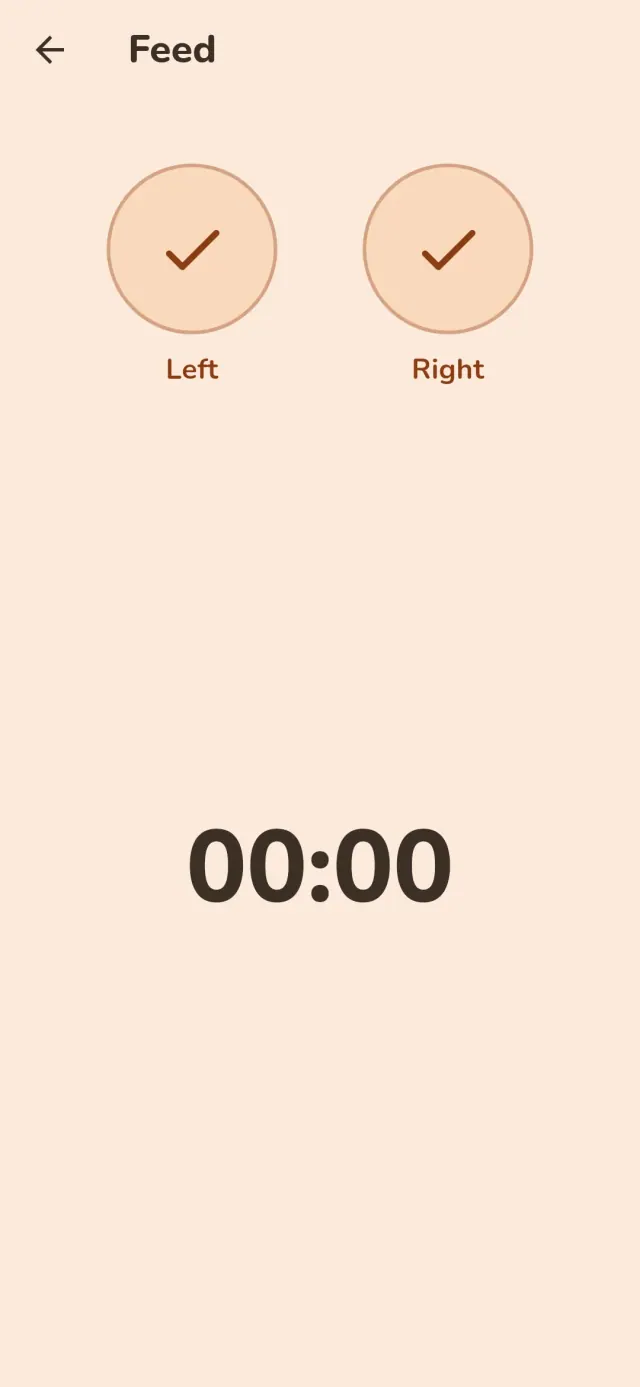
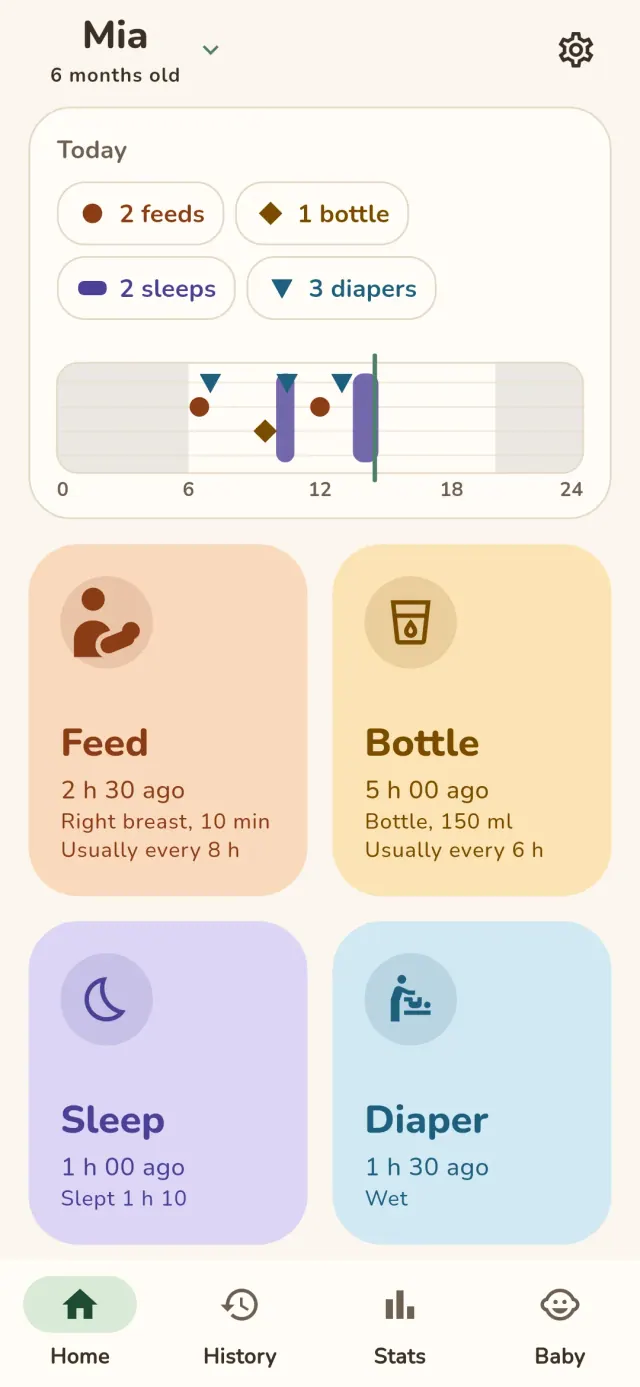
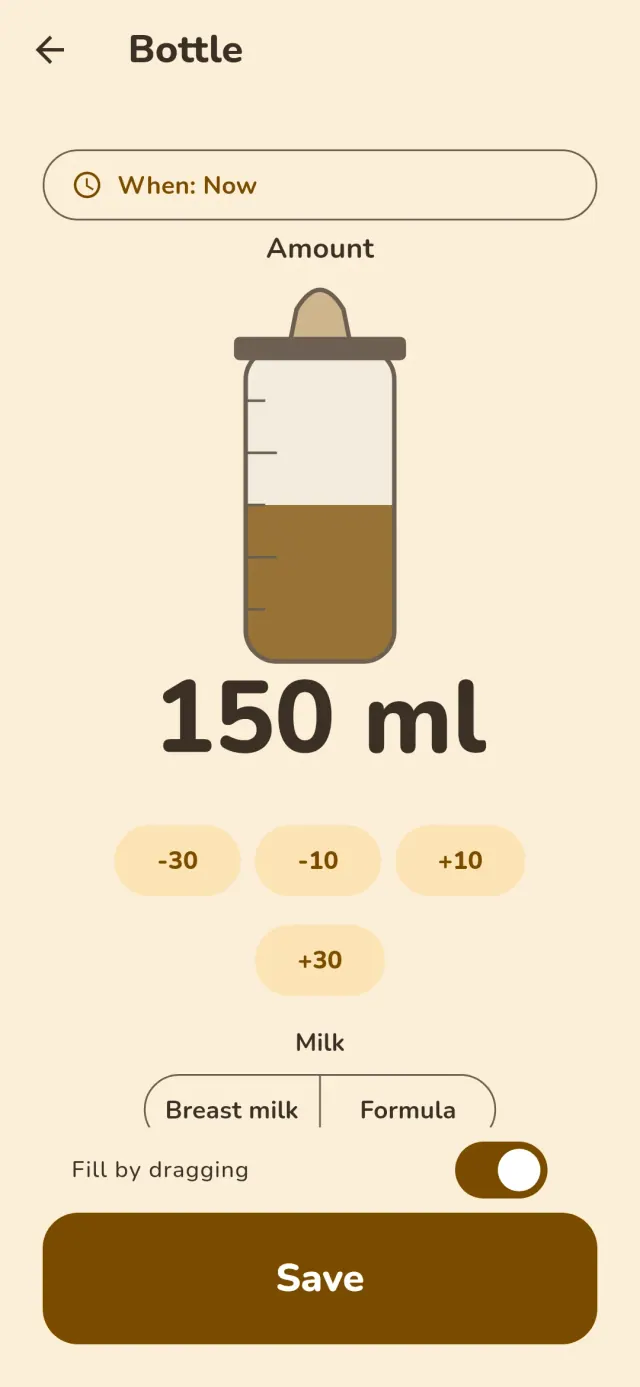
Little Relay යනු ළදරුවන් සඳහා අලුත් ආහාරත්, නිදියත්, උදව් වාර්තා කරන ව්යාපෘතියක්. ඔබට ඇතුලත් කරන සියල්ල ඔබගේ දුරකථනයේ පමණි: ගිණුමක් හෝ ලයිනයක් නැහැ, දැන්වීම් නැහැ.
Little Relay කරන්නේ කුමක්ද
දිනපොත් සහ බෝතල් වාර්තා
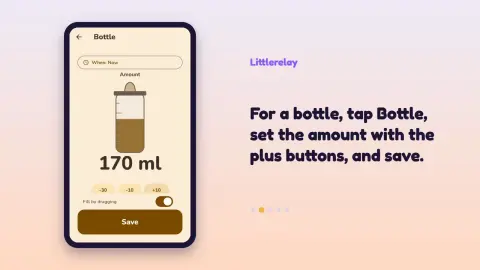
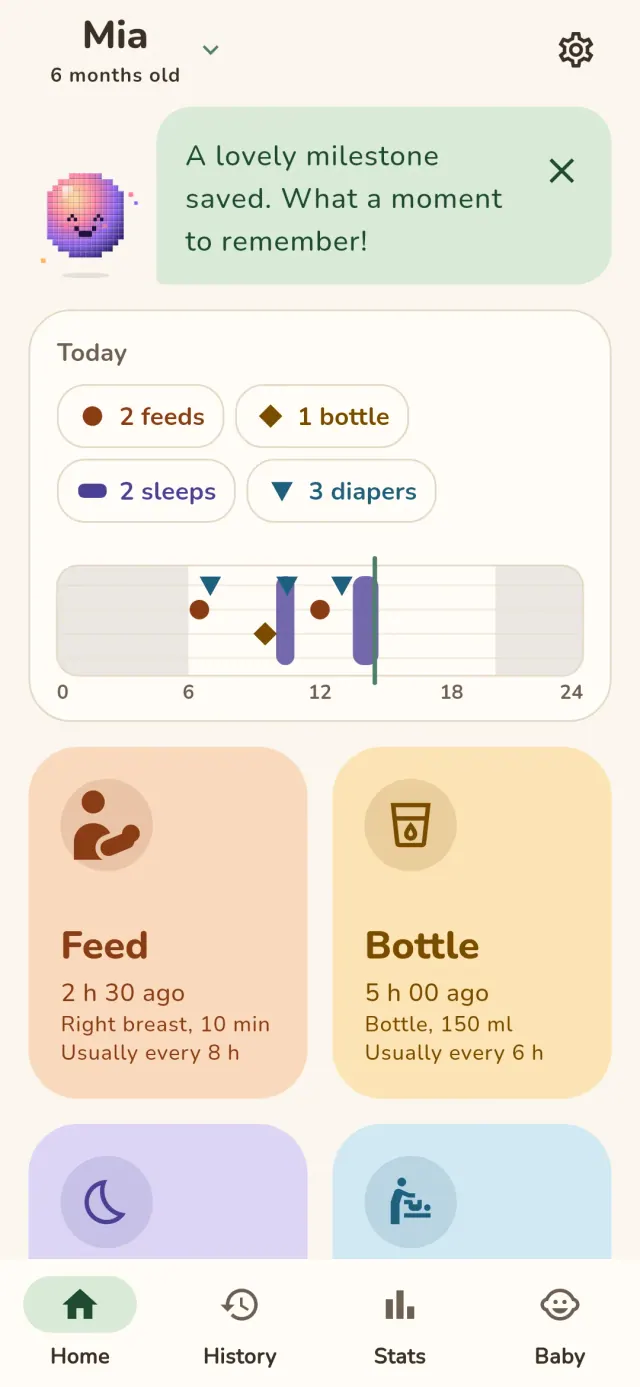
ඔබට එක් තට්ටුවකින් පෝෂණය වාර්තා කරන්න: වම හෝ දකුණ, ගමන් වේලාව සහ තාප ආයක්. බෝතල් හා අතිරේක මැලියුත් වාර්තා කරන්න. ප්රධාන තිරයේ පොළීව තිබී ඇති අවසන් feeding එක හා පැත්ත දැක්වෙනවා. Pumping වෙන separate entry එකක් තියෙනවා.
නිදිය සහ කපු වැටි වාර්තා
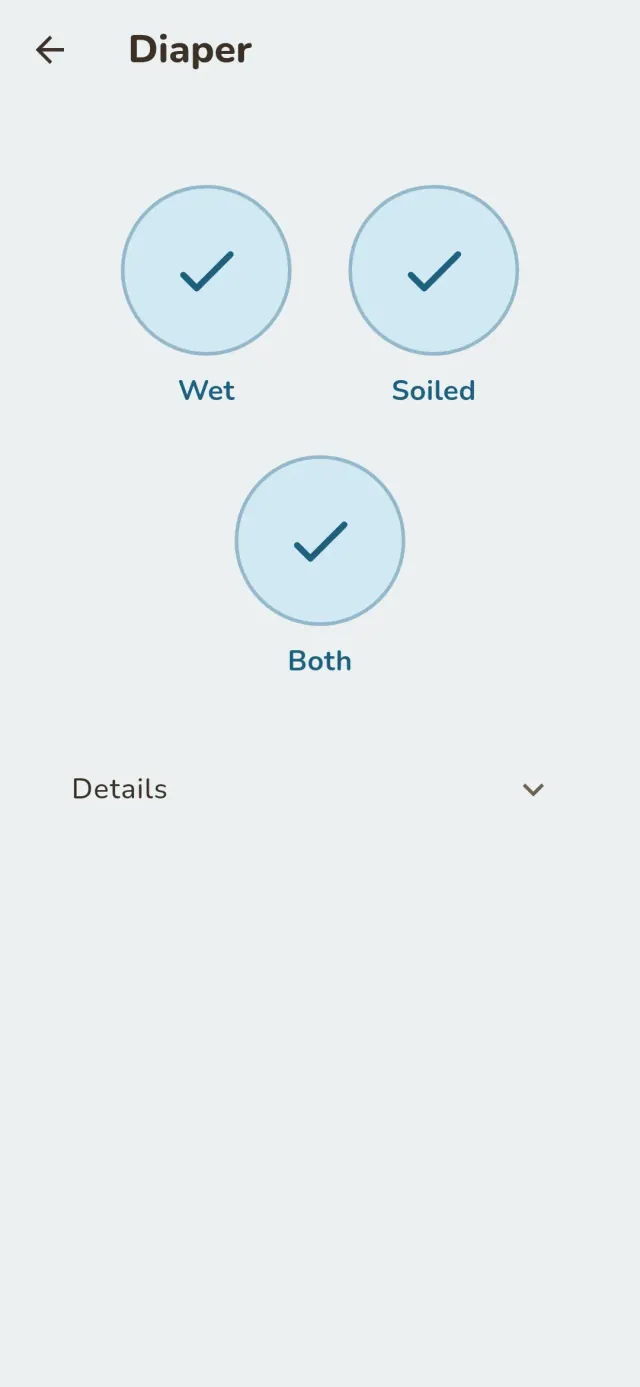
නිදිය සඳහා වේලාවක් ආරම්භ කරන්න සහ කපු වැටි එකතු කරන්න. රාත්රී මාදිලිය තිරය අඳුරු කරයි, බොත්තම් ඉතා විශාලයි. එක් අතින් රෑ 3 ට පාවිච්චියට සුදුසුයි.
වර්ධන චර්ට්
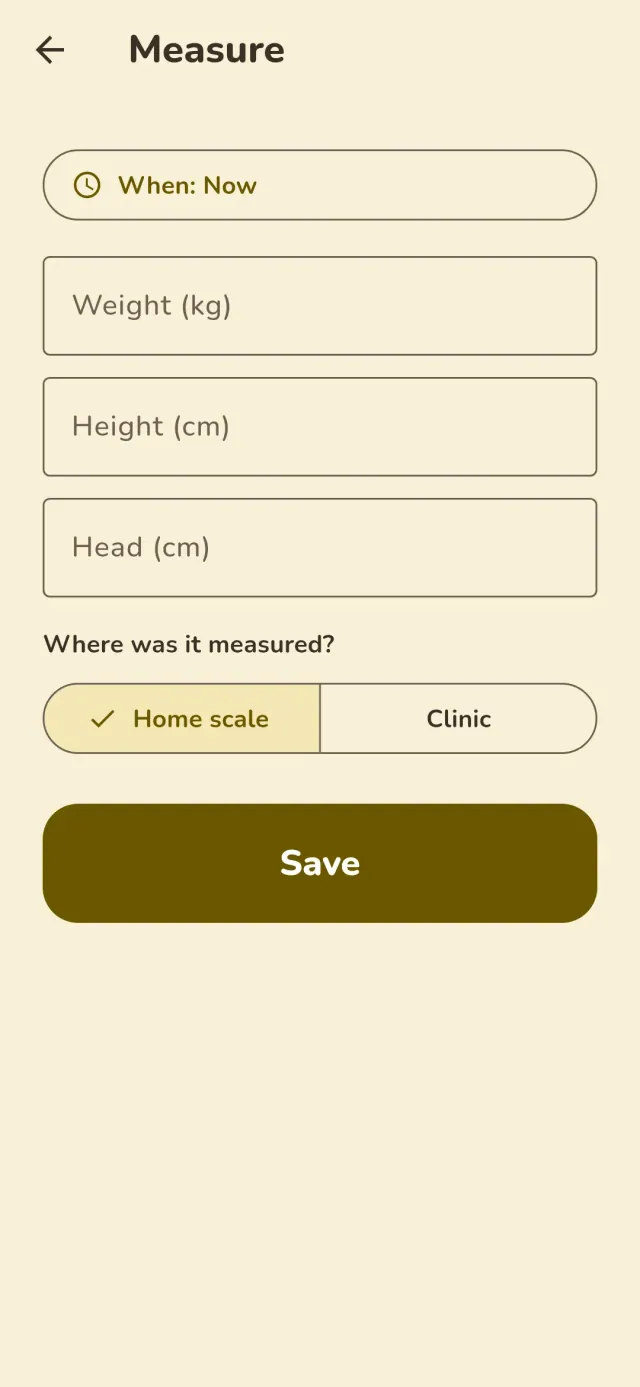
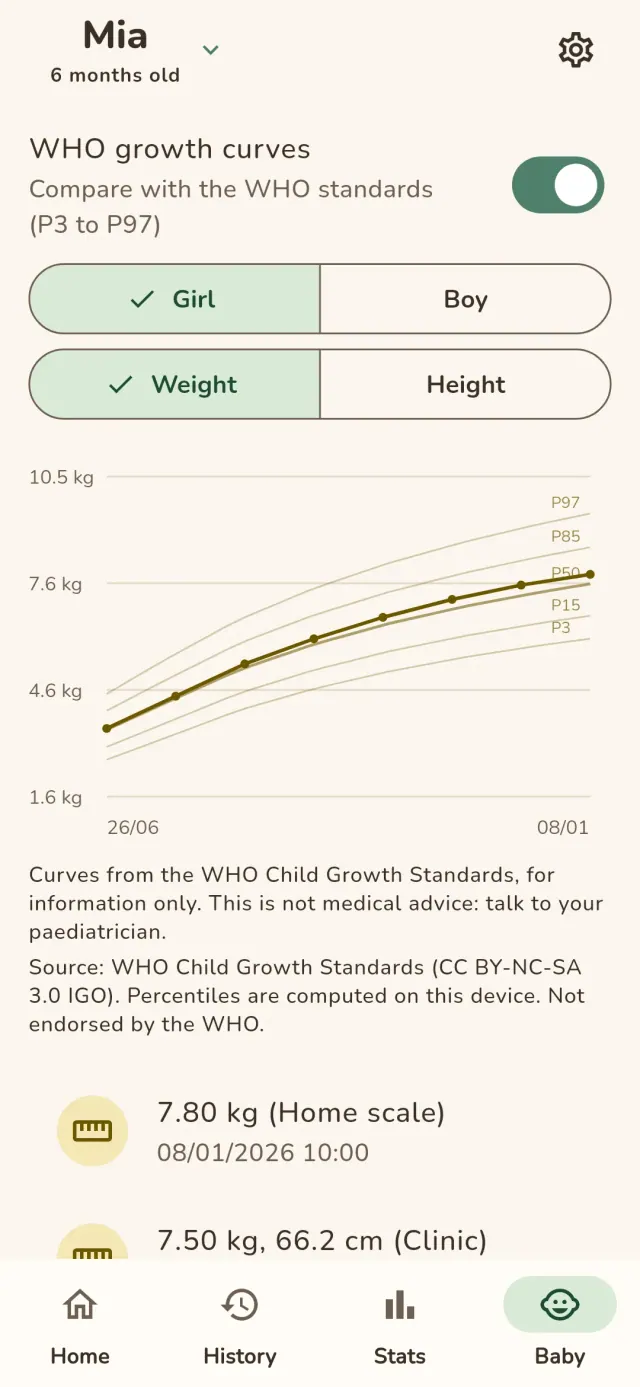
බර සහ උස ඇතුළත් කරන්න, පෞද්ගලික scale හෝ clinic එකෙන්ද යන්න දක්වන්න. වර්ධන චර්ට් එක entry එකකට පසු යාවත්කාලීන වී appointment අතර ලියවිල්ල තබයි.
අලුත් ආහාර ආරම්භ
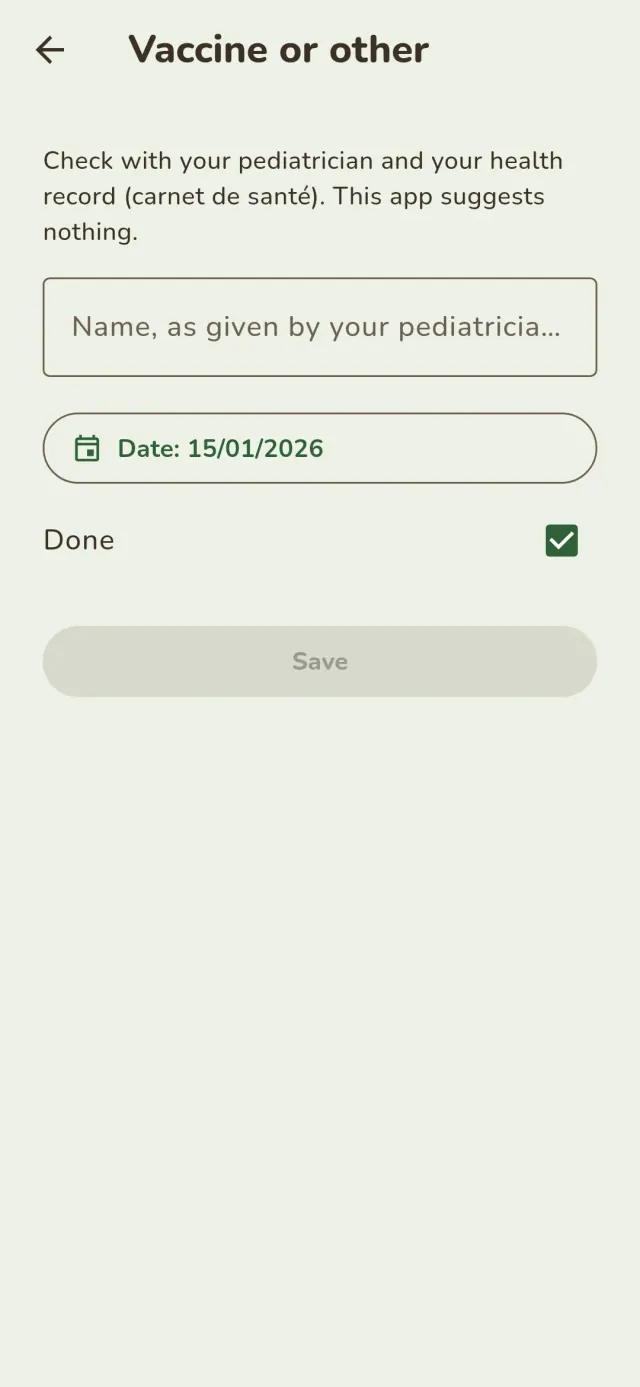
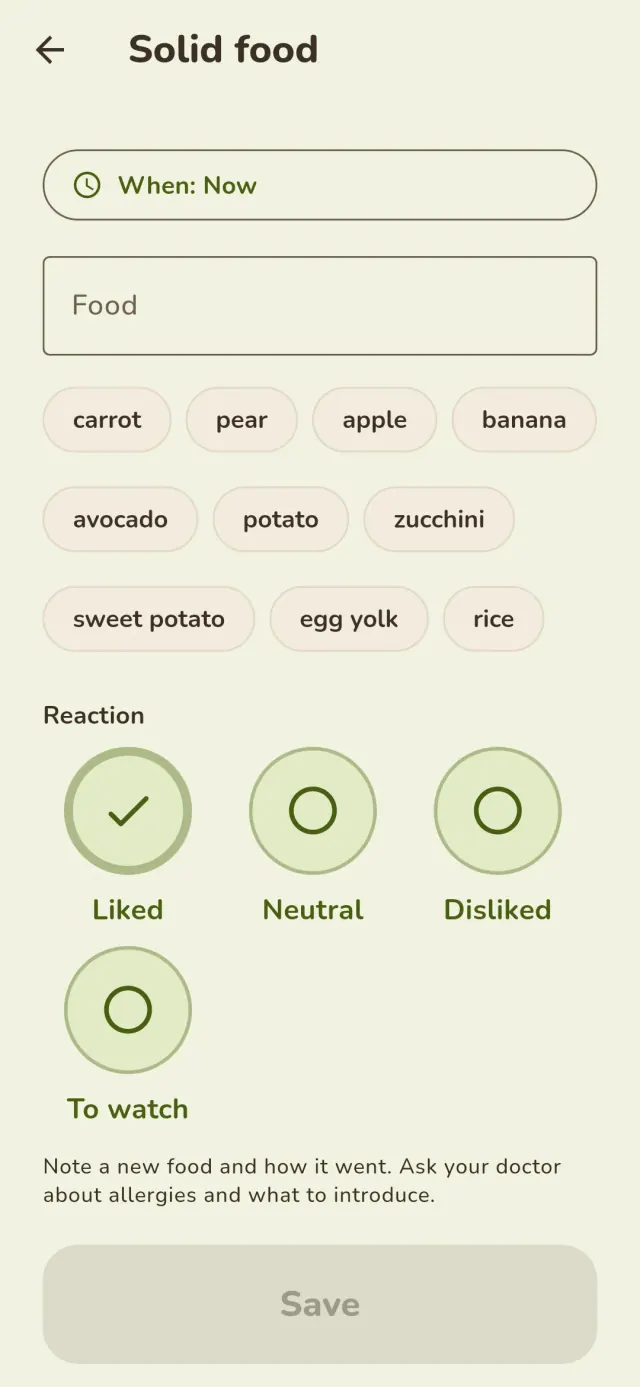
නව ආහාර, දිනය සහ ළදරු ප්රතික්රියාව වාර්තා කරන්න, පසුව meals වෙන්කරන්න.
උපන්දියට පෙර
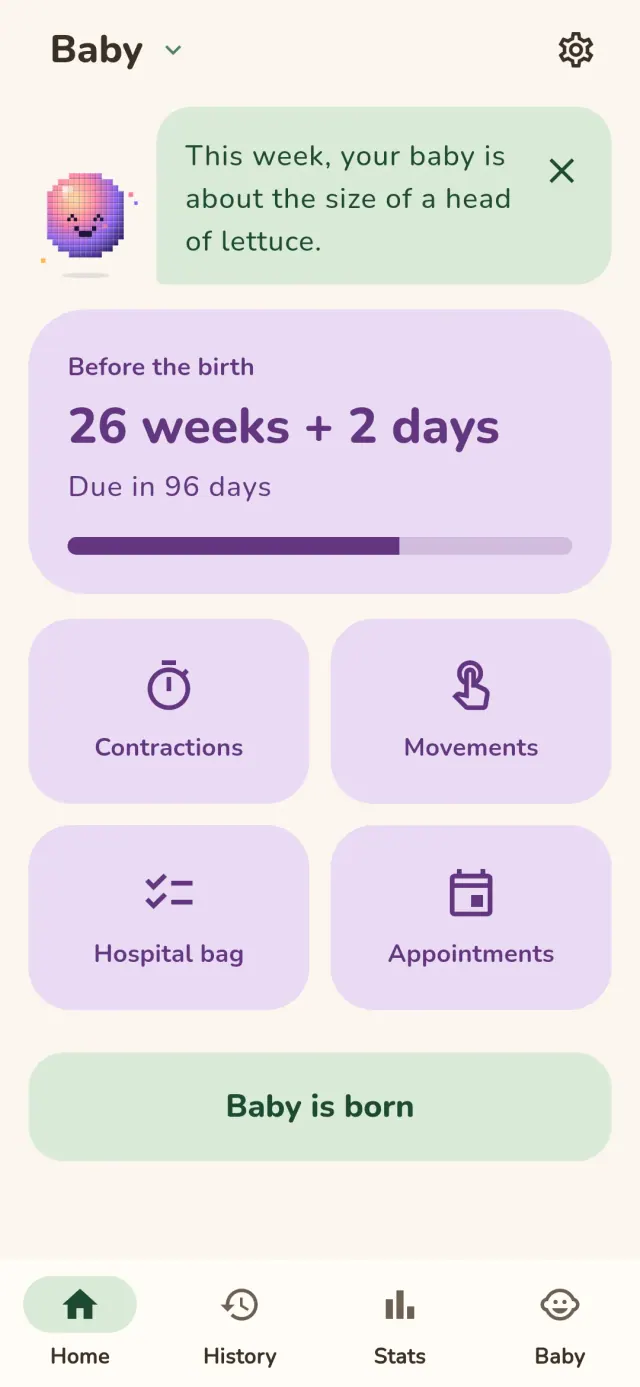
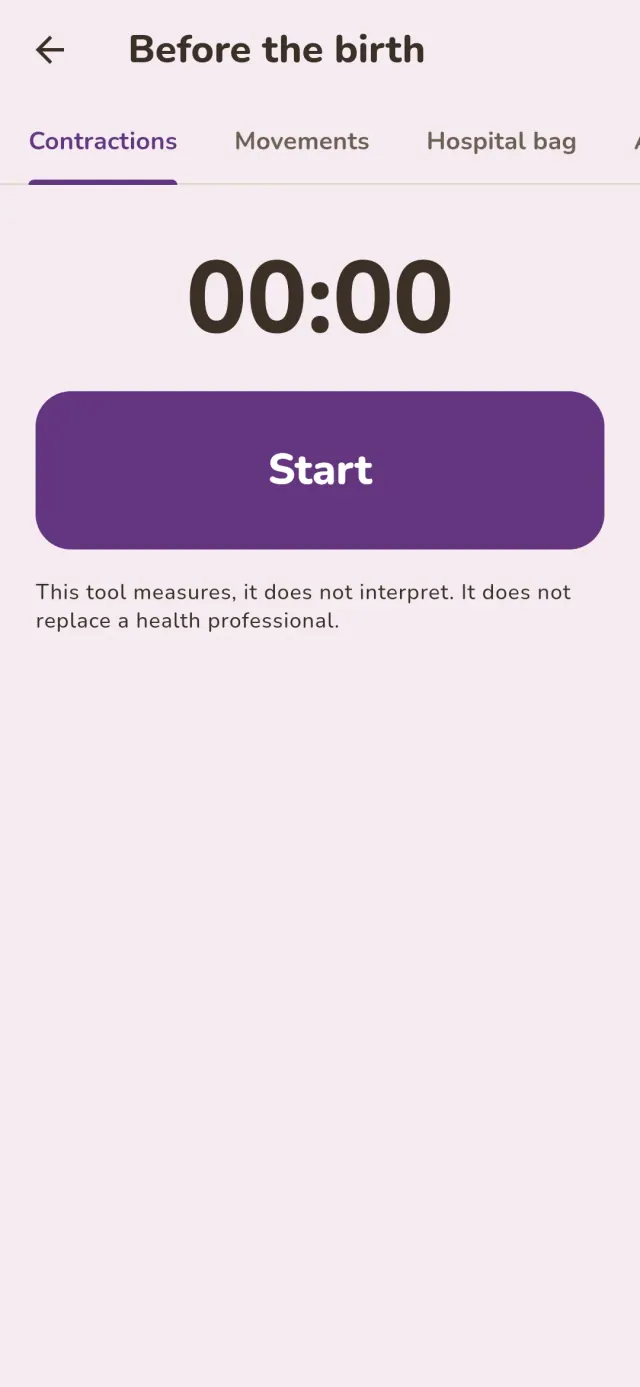
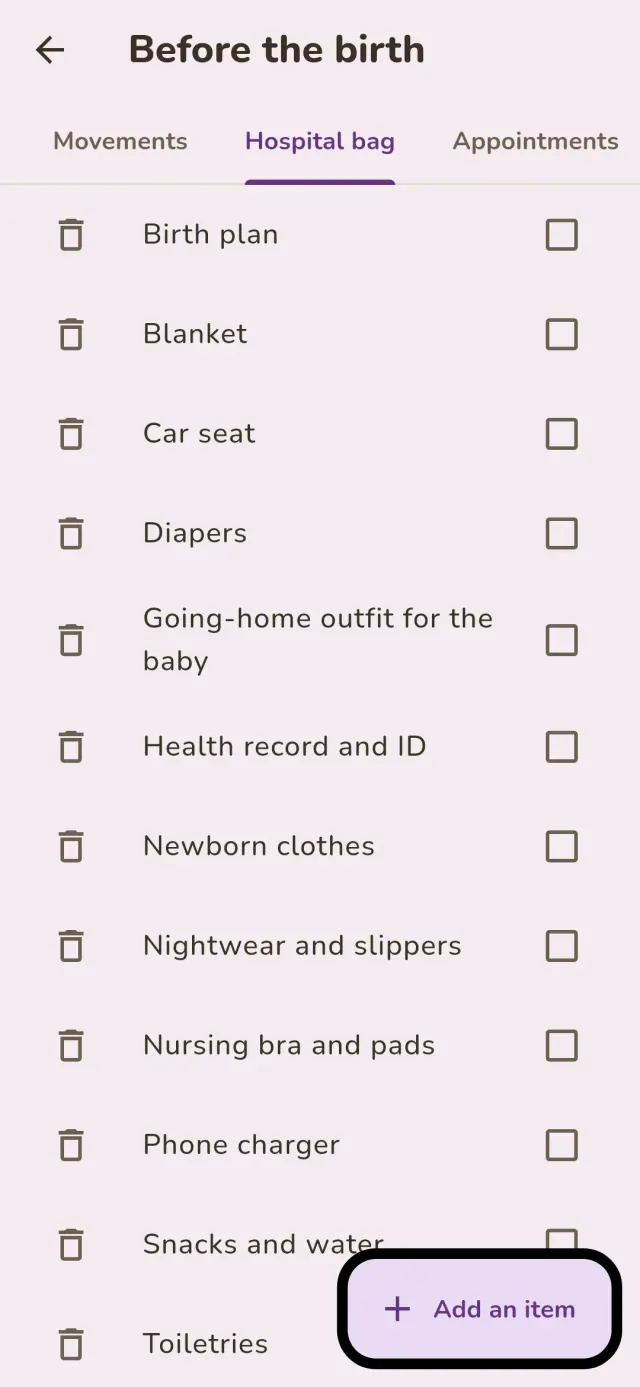
සිත්වීමද? Due date එක සකස් කරන්න. Pregnancy week එක, contractions time කරන්න, baby's movements count කරන්න, hospital bag checklist සහ appointments note කරන්න. ළදරුවා කලුයි නම්, app එක පළමු feeding එකට සකස් කර ඇත.
වෛද්යවරයෙකුට වාර්තාවක්
PDF එකක් export කරන්න. ඔබගේ pediarician හෝ midwifeට එවන්න. එය ඔබගේ දුරකථනය තුළ දිය යුතුය.
ඔබගේ දත්ත ඔබ සමඟයි
ගිණුමක් නැහැ: කිසිවක් එවන්නේ නැහැ, විශ්ලේෂණය කරන්නේ නැහැ. app එක offline ද වැඩ කරයි. එක button එකකින් සියලු දත්ත මකා දමන්න.
Little Relay ඔබ ඇතුලත් කර ඇති දත්තට පමණයි. එය වෛද්ය උපදෙස් නොදෙයි, වෛද්යවරයා thay replacement නොවේ.
Little Relay මාර්ගෝපදේශ
මෙය කා සඳහාද
- අළුත් තාත්තාම්මලාට රාත්රියේ එක් කයියේ දරුවාගේ කිරිපාන නින්ද සහ නාප්කිනයන් ලේඛනය කරන සරල සටහනක් තිබෙන්න ඕනේ.
- දරුවාට ఘන ආහාර ආරම්භ කරන මව්පියන්ට එක් එක් නව ආහාරය දිනය සහ බැබෑගේ ප්රතිචාරය සටහන් කරගන්න ඕනේ.
- ගිණුම් නැති දරුවාගේ ලොග් එකක් කැමති වන සහ තොරතුරු දුරකථනයේ තබා ගන්න මව්පියන්.
Little Relay තෝරාගත යුත්තේ ඇයි
- හැමදේම ඔබගේ දුරකථනයේම තියෙනවා, ගිණුමක් නැහැ වලාකුළුවැමක් නැහැ දැන්වීම් නැහැ හඹා යාම නැහැ සහ ඇප් එකට වැඩ කරන්න ජාලයක් අවශ්ය නැහැ.
- රාත්රී භාවිතයට හදාගත් ඇඳුරුවර්ණ ರූප හා ලොකු බොත්තම් සහ මුල් තිරය ඔබට මාවත් පසුගිය කිරිපානය කොච්චර කල්වුණාද සහ කුමන පැත්තකින් ද කියලා පෙන්වයි.
- දත්ත ඔබට අයිති, වෛද්යවරයාට PDF වාර්තාවක් සෑදලා යොමු කරන්න පුළුවන් සහ එක බොත්තමකින් සෑම දෙයක්ම මකා දැමිය හැකියි.
යෙදුම තවම නොකරන දේ
- දෙ फोन අතර තවම බෙදාගැනීමක් නැහැ, ලොග් එක එක් දුරකථනයක තමයි තියෙන්නේ. මව්පියන් අතර මුළුමනින් සංකේතනය කළ බෙදාගැනීමක් අතුරුදහන් කරලා තියෙනවා.
- මුල් තිර විජට් එක දැන් Android පැත්තට පමණයි.
- මෙන්න මෙය වෛද්ය උපාංගයක් නෙවෙයි සහ වෛද්ය උපදෙස් කිසිවක් dayනෙයි.
Pixeon හි මූලධර්මය. Pixeon යෙදුම් පළමුව දේශීයයි: ගිණුම් නැත, ලුහුබැඳීම් නැත, ඔබේ දත්ත ඔබේ දුරකථනයේම පවතී. යෙදුමක් කවදා හෝ ජාලයට සම්බන්ධ වේ නම්, එය සිදුවන්නේ අවශ්ය විශේෂාංගය ඔබම සක්රිය කළ විට පමණක් වන අතර, එයට පෙර රහස්යතා ප්රතිපත්තිය යාවත්කාලීන කෙරේ.
Little Relay ක්රියාත්මක වන ආකාරය බලන්න.
Little Relay ලබාගන්න.
iPhone සහ Android හි නොමිලේ.
Privacy policy
පහත පෙළ ඉංග්රීසියෙන් ඇත. ඉංග්රීසි අනුවාදය බලපවත්වයි.
Last updated: 2026-11-02
Little Relay is a baby tracker: feeds, sleep, diapers, measurements, first foods, milestone photos and pregnancy tools. The short version: everything stays on your phone, the app has no internet access, and we collect nothing.
What the app handles
The entries you type: feeds, sleep, diapers, weight and height, temperature, routine care, foods (given, or on your own "to try" list), milestones and notes, and your child's first name and birth date if you enter them. This is health information about a child, so we treat it as sensitive. It is stored only in the app's private storage on your phone. There is no account, no sign-in, no server and no cloud copy. Your preferences (language, appearance, when the app last suggested support) also stay on your phone.
What we collect
Nothing. No analytics, no advertising identifier, no crash reporting, no third-party SDK that sends data. The app needs no network to work and the app declares no internet permission. You can check this by using the app in airplane mode: everything works the same.
Permissions
The app asks for no permission that gives access to your data or to the internet. The Android install details list the following, all of them declared by the app or by the library it uses:
- Notifications (Android 13 and later, and iOS): asked only when you set your first reminder. A screen explains why before the system asks, and you can refuse: everything else works the same, you just get no reminder. A reminder is one local notification at the date and time you choose, with a short text that names the type of activity (for example "Time for the bottle?"). It holds no name, no amount and no health value, and for sensitive types (temperature, measurements, medicine, vaccines) it is neutral ("Remember to note an entry"). It is scheduled on your phone and never sent anywhere.
- Vibrate, keep the phone awake, background task, restart after reboot (Android): they let a reminder ring and come back after a reboot, and let the home screen widget save an entry reliably. They give no access to your data.
- Network state (Android, added by the in-app purchase library): the app only reads whether the phone is online. It sends nothing.
- In-app purchases (Android, Google Play Billing): for the optional tips, handled by Google Play.
The app does not request internet access, location, contacts, camera or microphone. When you attach a photo to a milestone, the app opens the system photo picker, which lets you hand over only the picture you choose, so the app never gets access to your photo library.
Files, backups and deletion
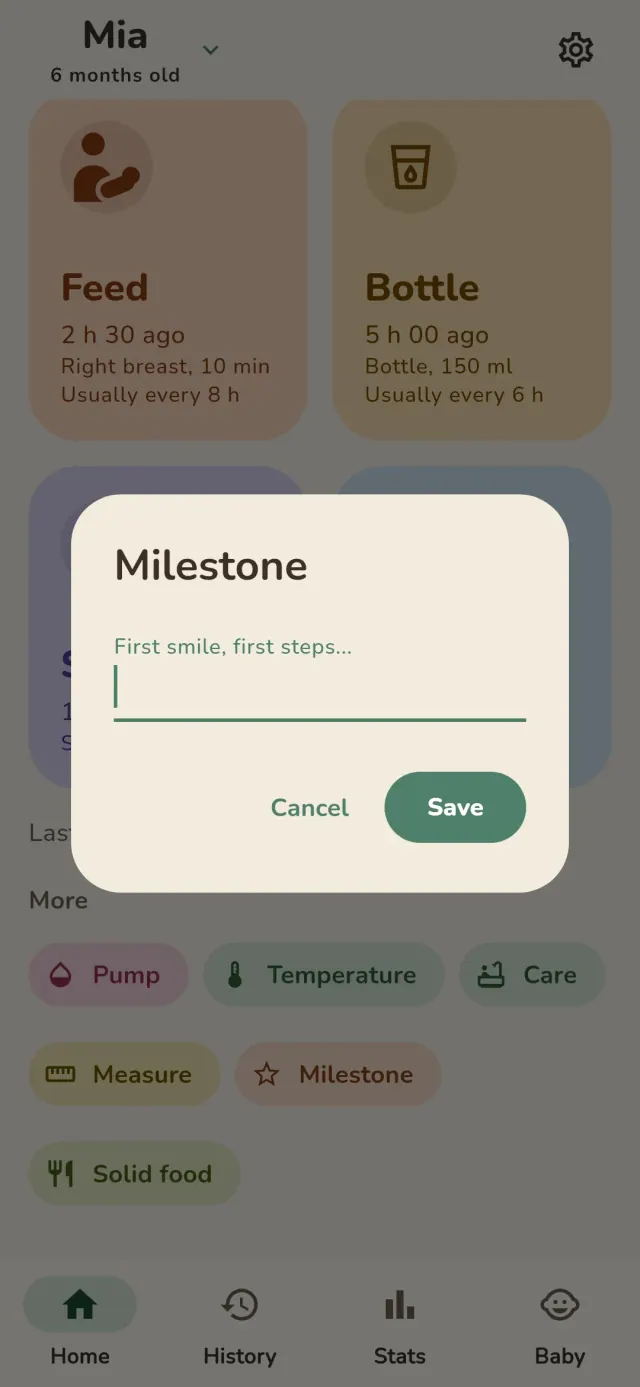
Milestone photos: a photo you attach to a milestone is copied into the app's private storage on your phone, with a small thumbnail. It is never uploaded or shared. Removing a milestone removes its photo.
Export: if you export a report for your child's doctor (a PDF), the app builds it on your phone and hands it to the system share sheet. You choose where it goes. The app does not send it anywhere. If milestones of the period have photos, the app asks first whether to include them: when you leave "Include photos" ticked, small copies of up to 30 of these photos go into the PDF. Untick it to keep the photos out of the report.
Backups: your phone's own backup (Google backup on Android, iCloud on iPhone) is controlled by your phone's settings, not by us. The app does not turn it off, so that backup may include the app's data, depending on those settings. The encryption key for the app's database stays in your phone's keychain. To move your entries to a new phone, use the backup file in Settings: the app writes one file on your phone, you choose where to keep it, and you import it on the new phone.
Deletion: a delete-all-data button in the app erases your entries and every photo and thumbnail. Uninstalling the app also deletes its data from your phone.
Optional support
If tips are offered, they are in-app purchases handled by Apple or Google. They unlock nothing, and the app receives no personal data about you from them.
Retention
Your entries, children and milestone photos are kept on your phone until you delete them: one entry at a time, a milestone with its photo, a child, the delete-all-data button, or uninstalling the app. We keep no copy on our side, so there is no retention period to apply on our side. Your phone's own backup may hold a copy, depending on its settings. A backup file you export yourself stays wherever you put it, until you delete it.
Medical information
Little Relay records what you tell it. It gives no medical advice and is not a medical device. Ask your doctor or midwife about your child's health.
Contact form on this website
If you write to us through this site, we use your message and the email address you optionally give only to reply. Bot protection is provided by Cloudflare and email delivery by Resend.
Language choice on this website
When you choose a language, or when this site opens a page in your browser's language, it stores
one small functional cookie (pxl, a language code, one year) so that your choice is
remembered. If this site suggests a page in your browser's language and you close that suggestion,
your browser also keeps a local note (pxl-banner-off, in local storage, 30 days) so the
suggestion does not come back. Neither identifies anyone, neither is used for tracking or advertising,
and neither is shared. You can delete them in your browser at any time.
Website statistics
This website uses Cloudflare Web Analytics to count visits (pages viewed, country, browser type, loading speed). It sets no cookie, does not use local storage, does not fingerprint your device, does not follow you across sites and does not build a profile of you. Search engines (for example Google Search Console) give us aggregated search statistics, without any data about individual visitors. Our own web server also counts the pages it serves: for each page it keeps the page address, the site or social network that sent you (only its name, or the campaign tag written in the link), the country, the type of device and whether the request came from a robot. It keeps no IP address, no identifier and no cookie, and these counts are anonymous. We use no advertising or other analytics service. None of this concerns the app itself, which collects nothing.
Children
Little Relay is a tool for parents and carers. It is not directed at children, and it records information about a child only because a parent typed it in.
Changes
An updated policy will be published at this URL with a new date above.
Contact
Questions about privacy: little-relay-contact@pixeon.net
සහාය
අවසන් වරට යාවත්කාලීන කළේ: 2026-10-19
Little Relay කියන්නේ කුඩා, ස්වාධීන යෙදුමක්. වැඩිපුරම අසන ප්රශ්න සඳහා පිළිතුරු පහතින් ඇත.
දින කිහිපයක් ඇතුළත පිළිතුරක් ලබාදීමට අපි හැකි උපරිමයෙන් උත්සාහ කරමු. අපට උදව් වීමට, ඔබගේ උපාංගයේ මාදිලිය, එහි පද්ධති අනුවාදය සහ ඔබ කරන තිබුණු දේ කියන්න. කරුණාකර ඔබගේ දරුවා ගැන තොරතුරු හෝ කිසිදු පුද්ගලික දත්තයක් නොයවන්න.
Little Relay ඇත්තටම නොමිලේද?
ඔව්. Little Relay නොමිලේ බාගත කර භාවිත කළ හැක. දැන්වීම් හෝ දායකත්වයක් නොමැත.
යෙදුම දත්ත ගබඩා කරන්නේ හෝ යවන්නේ මොනවාද?
ඔබගේ සටහන් ඔබගේ දුරකථනයේ පමණක් ගබඩා වේ. කිසිවක් කිසිම තැනකට යවන්නේ නැහැ: යෙදුමට ගිණුමක් නැහැ, සේවාදායකයක් නැහැ, වැඩ කිරීමට ජාලයක් අවශ්ය නැහැ. විස්තර පෞද්ගලිකත්ව ප්රතිපත්තියේ ඇත.
මට ලොගය මගේ සහකරු/සහකාරිය සමඟ බෙදාගන්න පුළුවන්ද?
තවම බැහැ. මෙම අනුවාදය එක් දුරකථනයක පමණක් ක්රියා කරයි. දෙමාපියන් අතර, end-to-end සංකේතනය සමඟ, බෙදාගැනීම පසුව එන අනුවාදයකට සැලසුම් කර ඇත.
මම දුරකථනය වෙනස් කළා හෝ අහිමි කළා. මගේ දත්ත කොහෙද?
ඔබ දත්ත ඇතුල් කළ දුරකථනයේම ඒවා ඇත. ඔබගේ දුරකථනයේම backup එක (ඔබගේ සැකසුම් අනුව Google හෝ iCloud) එය ඇතුළත් විය හැක. අපේ පාර්ශවයෙන් කිසිදු පිටපතක් නැති නිසා, ඔබ වෙනුවෙන් එය නැවත ලබාදීමට අපට නොහැක.
මම ලොගය මගේ වෛද්යවරයාට කොහොමද පෙන්වන්නේ?
යෙදුමෙන් PDF වාර්තාවක් අපනයනය කරන්න. එය ඔබගේ දුරකථනයේම සකස් වේ, සහ එය යවන්නේ කොතැනටදැයි ඔබ තීරණය කරයි, උදාහරණයක් ලෙස e-mail මගින් හෝ මුද්රකයකට.
මගේ දත්ත මකා දාන්නේ කොහොමද?
යෙදුම් සැකසුම් තුළ ඇති delete බොත්තම භාවිතා කරන්න, නැතිනම් යෙදුම අස්ථාපනය කරන්න. දෙකම ඔබගේ දුරකථනයෙන් සියල්ල ඉවත් කරයි, milestone ඡායාරූපද ඇතුළුව.
Little Relay වෛද්ය යෙදුමක්ද?
නැහැ. එය ඔබ ඇතුල් කරන දේ පමණක් සටහන් කරයි, වෛද්ය උපදෙස් ලබා නොදෙයි. ඔබගේ දරුවාගේ සෞඛ්යය ගැන ඔබගේ වෛද්යවරයා හෝ දායියෙන් අසන්න.
ලබා ගත හැකි භාෂා මොනවාද?
ඉංග්රීසි, ප්රංශ, ජර්මානු, ස්පාඤ්ඤ, පෘතුගීසි, ඉතාලි සහ අරාබි. යෙදුම ඔබගේ දුරකථන භාෂාව අනුව ක්රියා කරයි, සහ ඔබට සැකසුම් තුළින් එය වෙනස් කළ හැක.
ව්යාපෘතියට සහාය වන්න
Little Relay නොමිලේ සහ දැන්වීම් රහිතව පවතී. එය ඔබට ප්රයෝජනවත් නම්, එහි සංවර්ධනයට සහාය විය හැක (අත්යවශ්ය නොවේ):
Buy Me a Coffeeබජට් සහ වියදම් ට්රැකර්, පවුලේ බජට් ඔබේ දුරකථනයේ, ගිණුමක් නැතිව.
Pixeon වෙතින් තවත්Metadata CleanerEXIF නරඹන්නා, ඡායාරූප මෙටාඩේටා සකසන්න හා ඉවත් කරන්න: ස්ථානය, දිනය.
Pixeon වෙතින් තවත්VaultMarkදේශීය ලේඛන සුරැකුම: ස්කෑනරය, ජල සලකුණ සහ මෙටාදත්ත PDF.
Pixeon වෙතින් තවත්MenuloopMeal plans, shopping lists, recipes & more.
Pixeon වෙතින් තවත්Indie OfficeQuote maker and self-employed invoices. Offline, no account, no ads.
Pixeon වෙතින් තවත්FanionDiscover and share local events, concerts, markets and weekend outings nearby