
Little Relay: Baby Tracker
Pagsuso, tulog at solids tracker. Walang account, offline ang gamit.
Libre. Walang mga ad. Walang subscription.

Ang Little Relay ay baby tracker para sa unang buwan, mula sa pagsuso hanggang solid food. Lahat ay nasa iyong telepono: walang account, walang sign-in, walang ads.
Ano ang ginagawa ng Little Relay
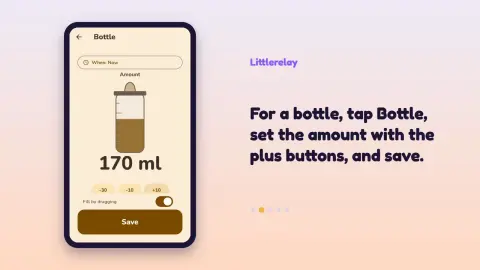
Pagsuso at bote tracker
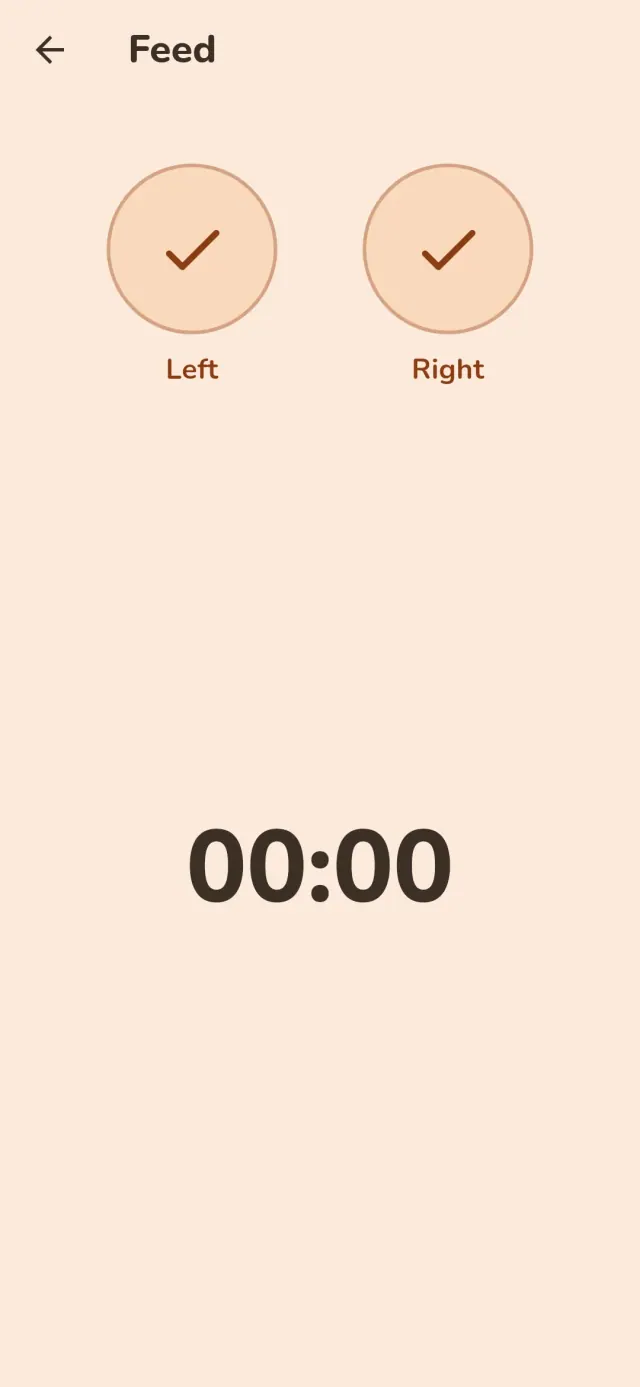
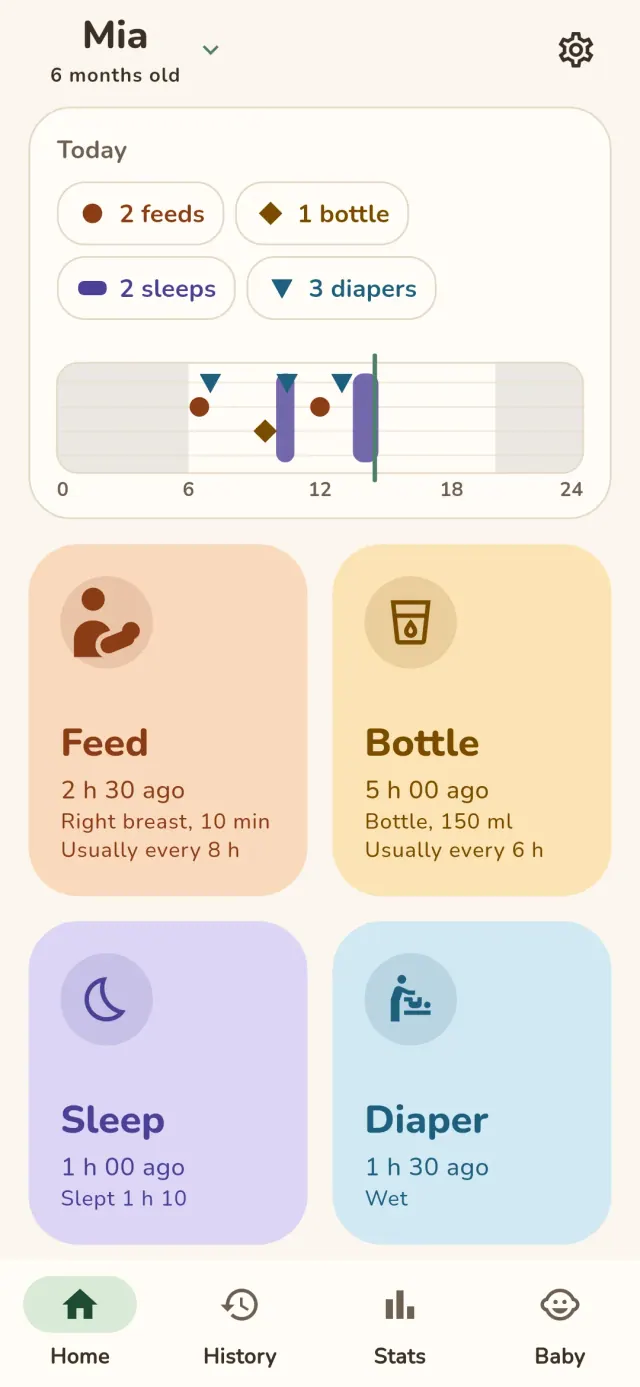
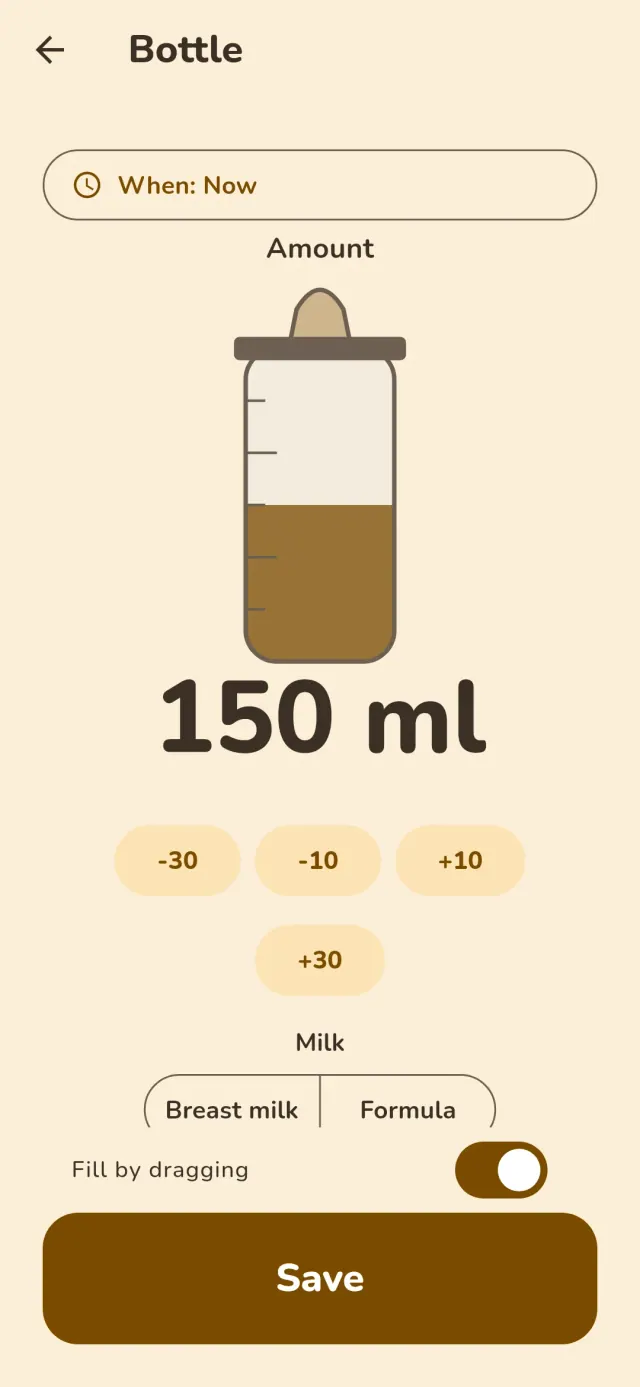
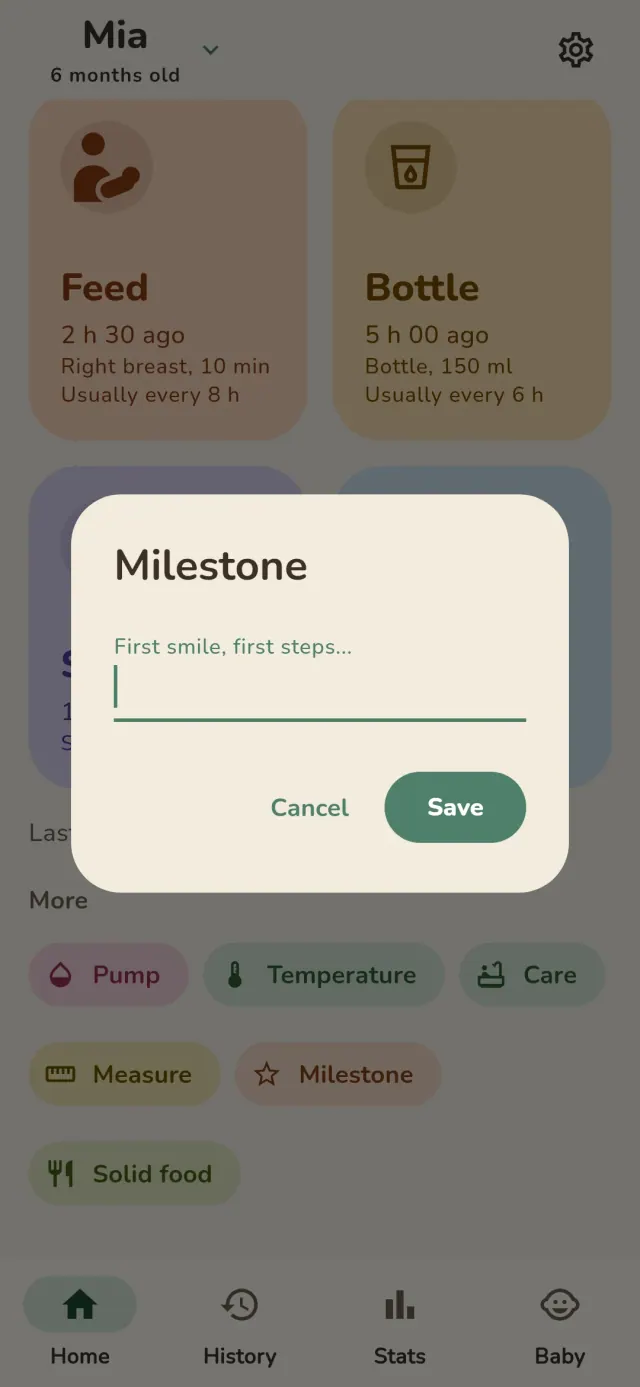
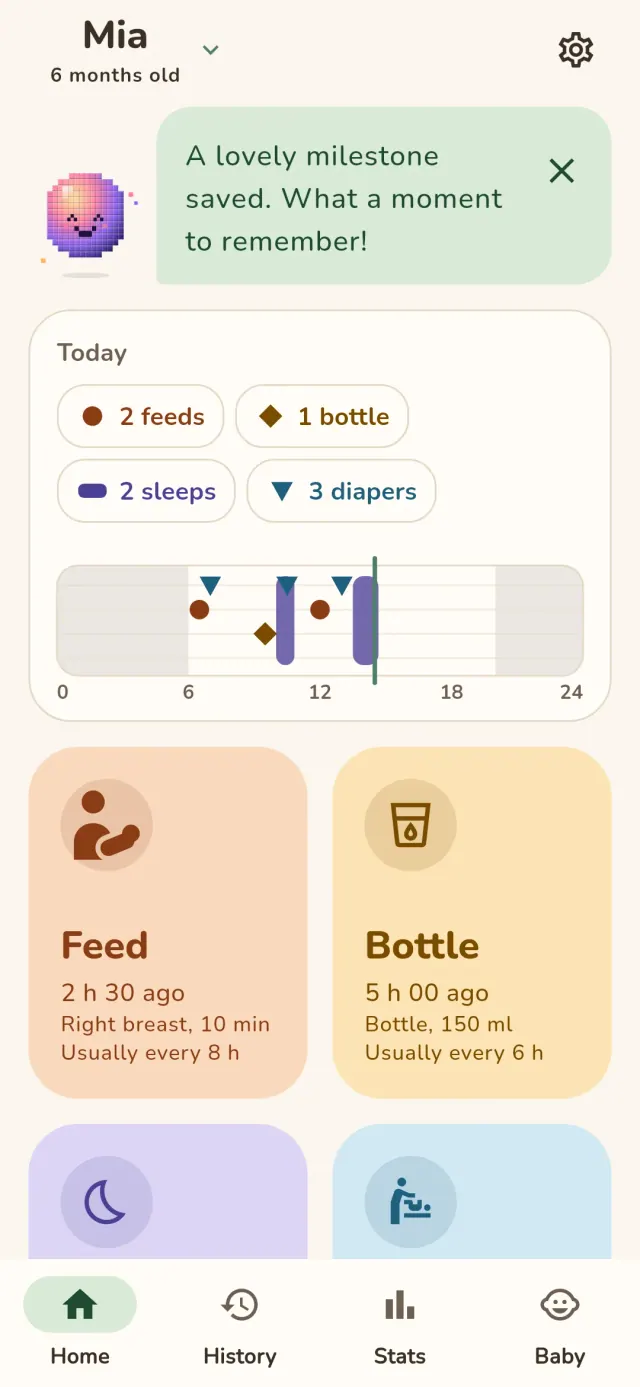
I-record ang bawat feed sa isang tap: kaliwa o kanang suso gamit ang timer at pause, o bote na may ml. Sa home screen makikita kung gaano kagaling ang huling feeding at saang side. May sariling entry ang pumping.
Tulog at diaper tracker
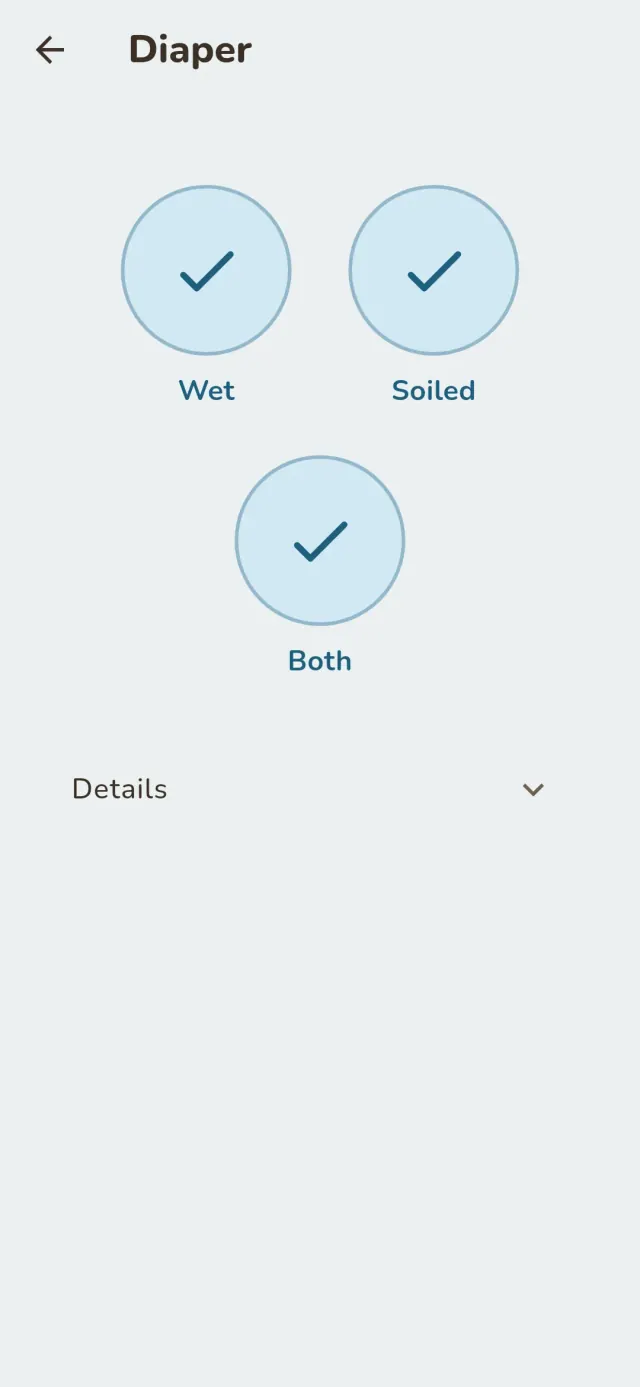
Mag-start ng timer sa bawat tulog at i-log ang diaper sa isang tap. Night mode ay madilim at malaki ang buttons, madali gamitin isang kamay sa madaling araw.
Growth chart
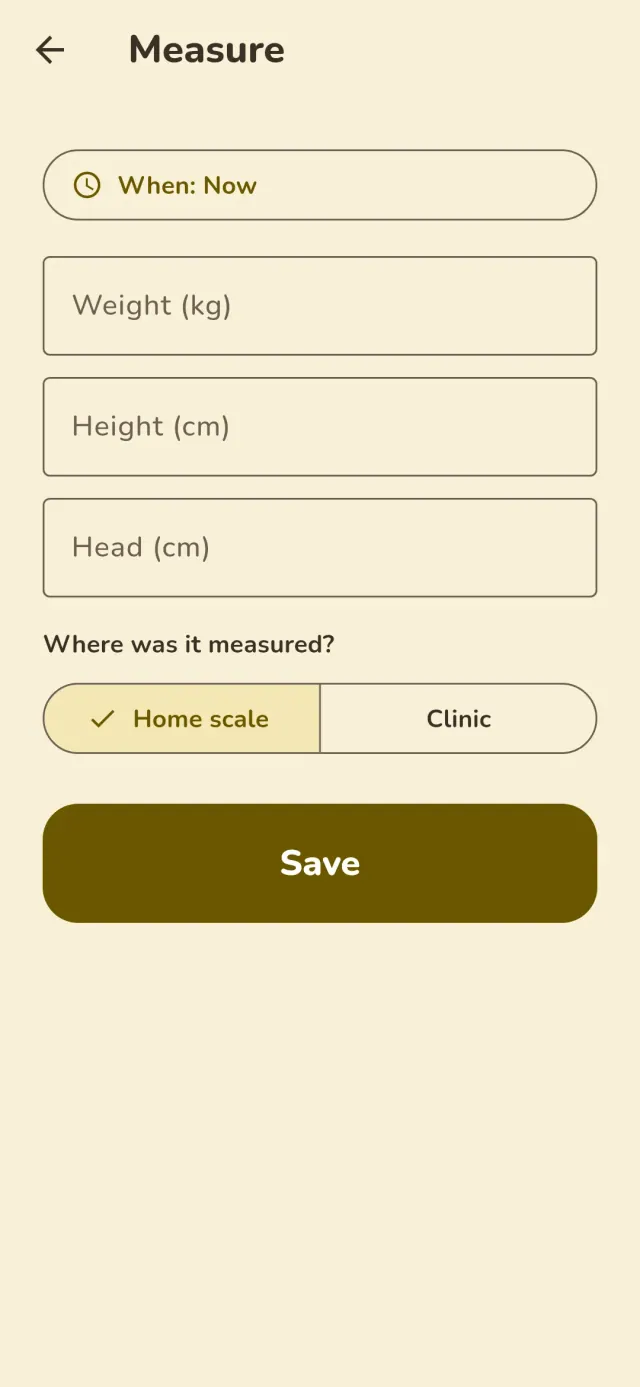
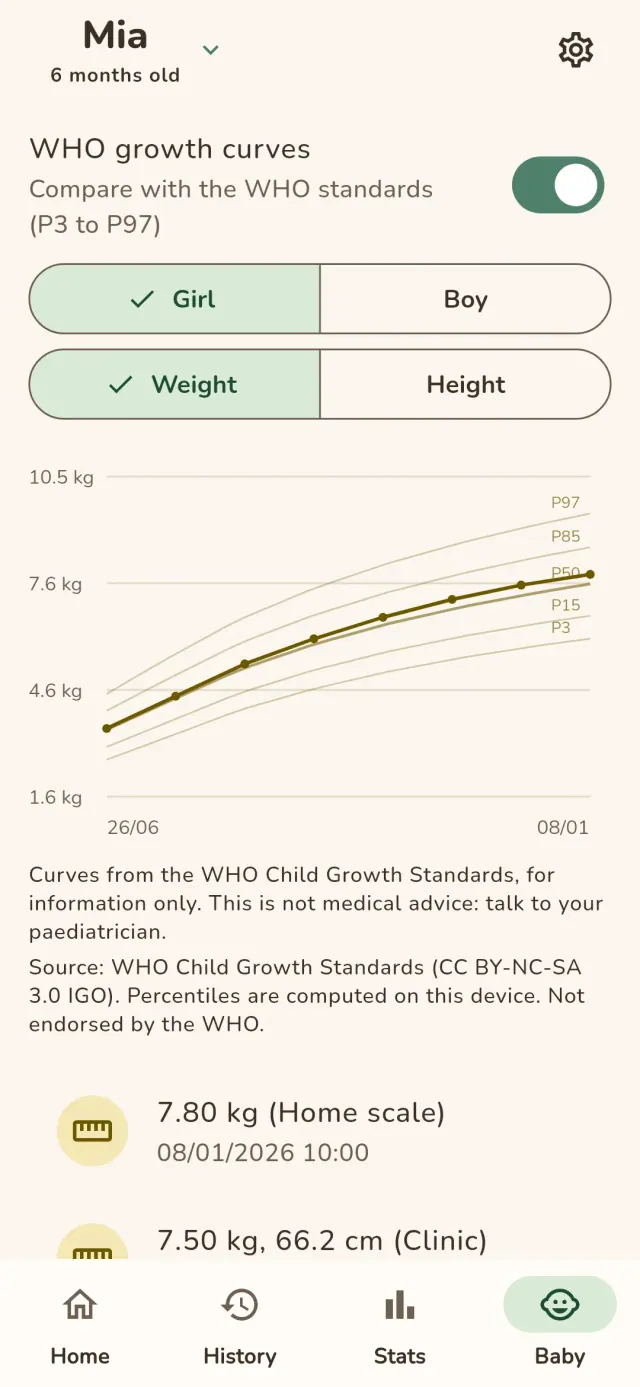
Ilagay ang timbang at taas, i-mark kung galing sa sariling timbangan o clinic. Nag-update ang chart sa bawat entry at madaling basahin.
Solid food
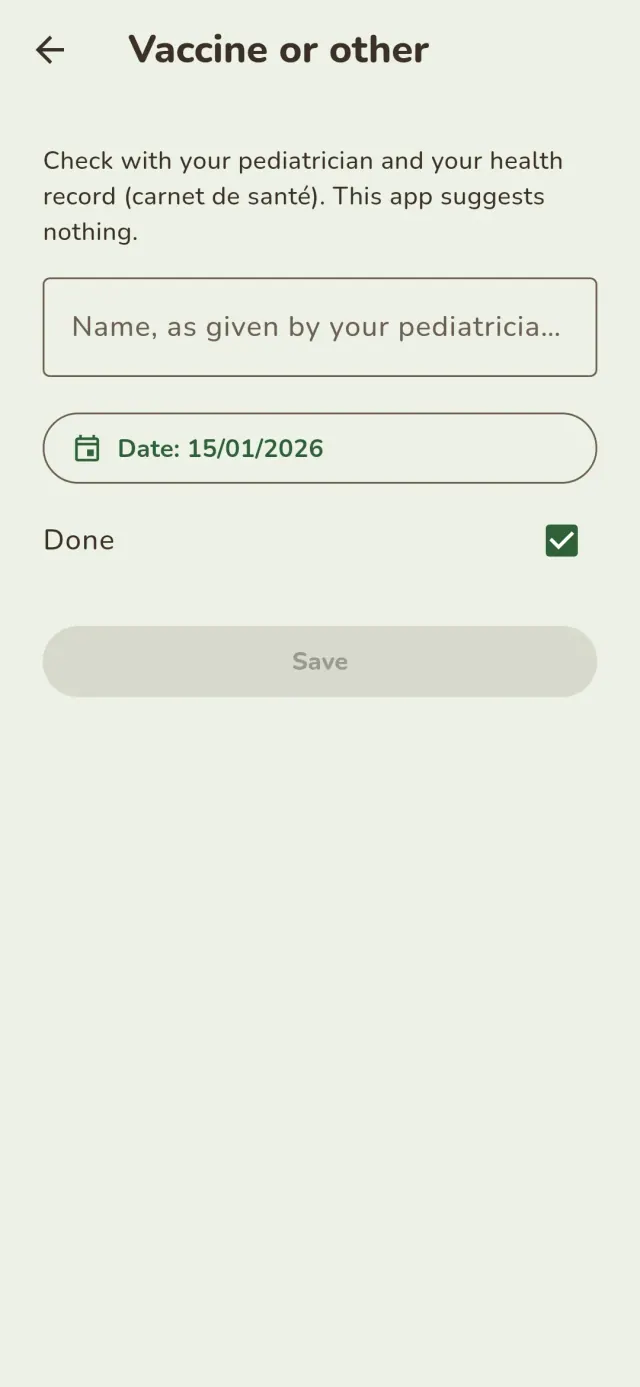
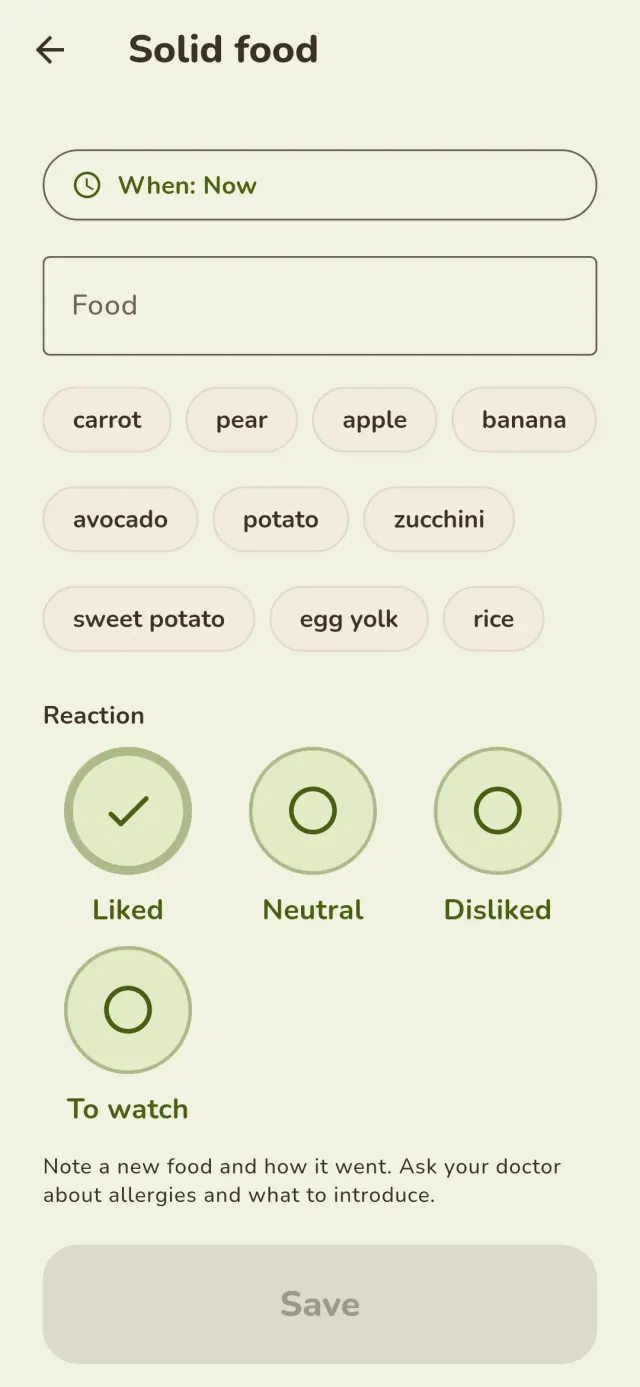
I-record ang bagong pagkain, petsa, at reaksyon ng baby, magplano ng meals sa calendar.
Bago ang panganak
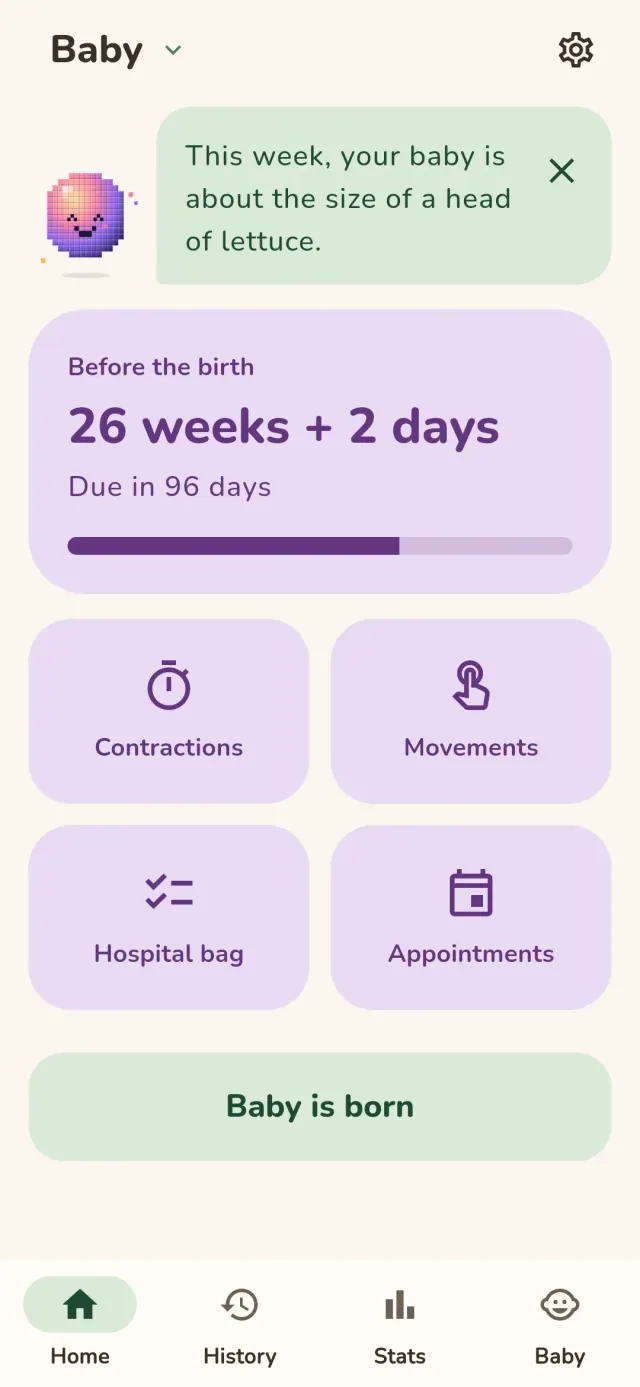
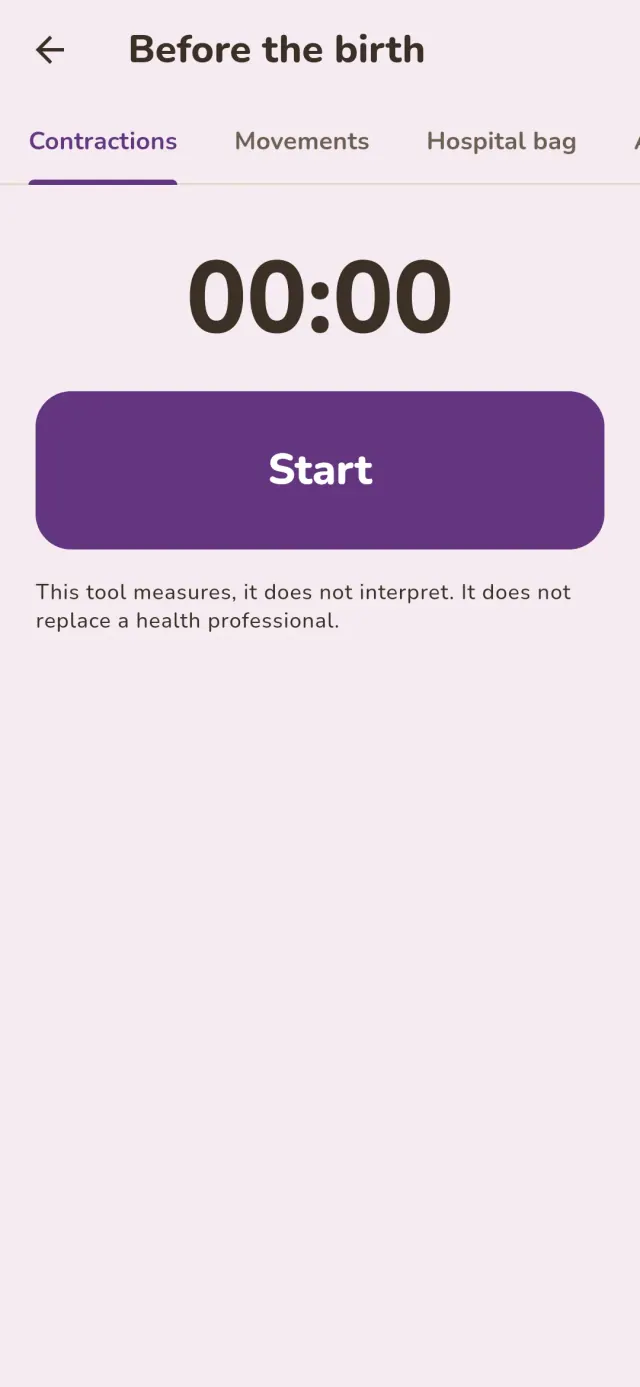
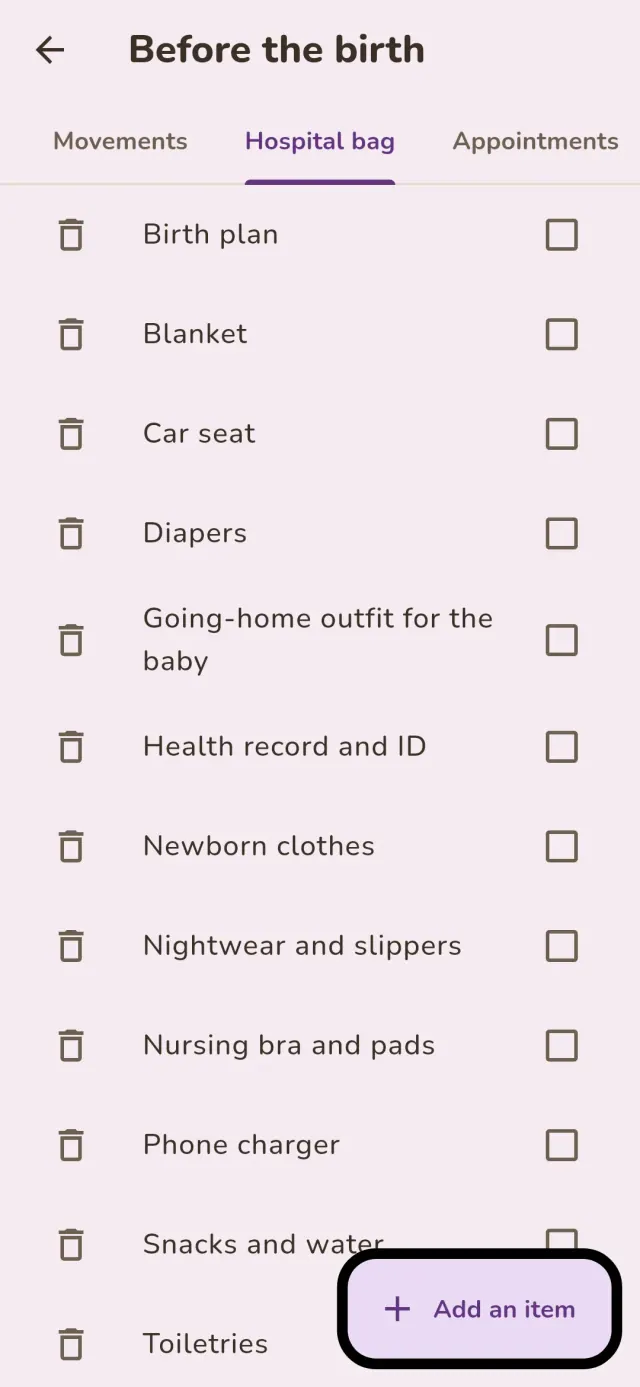
Naghihintay? I-set ang due date at tingnan ang week ng pregnancy, mag-time ng contractions, magbilang ng galaw ni baby, i-keep ang hospital bag checklist at appointments. Pagdating ng baby, ready ang app.
Report para sa doktor
Mag-export ng PDF para sa pediatrician o midwife. Ginagawa sa phone mo, ikaw ang mamimili kung saan ipadala.
Ilang data ay sayo
Walang account: walang pinapadala at walang ina-analyze. Gumagana offline, pati sa airplane mode. Isang button pang-delete ng lahat ng data.
Little Relay ay nagre-record lang ng iyong input. Hindi nagbibigay ng medical advice, hindi substitute ng health professional.
Mga gabay sa Little Relay
Para kanino ito
- Para sa mga bagong magulang na gusto ng simpleng talaan ng pagpapakain, pagtulog at mga lampin na maaari nilang punan gamit ang isang kamay sa gabi.
- Para sa mga magulang na nagsisimula sa solid food at gustong itala ang bawat bagong pagkain, ang petsa at kung paano tumugon ang kanilang sanggol.
- Para sa mga magulang na mas gusto ang talaan ng sanggol na hindi nangangailangan ng account at pinananatili ang data sa kanilang telepono.
Bakit piliin ang Little Relay
- Lahat ay nananatili sa iyong telepono: walang account, cloud, ads o tracking, at hindi kailangan ng app ng network para gumana.
- Ginawa para gamitin sa gabi: dark mode at malalaking button, at isang home screen na nagsasabi kung gaano na katagal mula sa huling pagpapakain at kung saang suso.
- Iyo ang data: mag-export ng PDF report para sa doktor, at burahin ang lahat gamit ang isang button.
Ang hindi pa nagagawa ng app
- Hindi pa puwedeng magbahagi sa pagitan ng dalawang telepono: nasa isang telepono ang talaan. Nakaplanong idagdag ang end-to-end encrypted na pagbabahagi sa pagitan ng mga magulang.
- Android lamang muna ang home screen widget.
- Hindi ito isang medical device at hindi ito nagbibigay ng medical advice.
Ang prinsipyo ng Pixeon. Lokal muna ang mga app ng Pixeon: walang account, walang pagsubaybay, at nananatili ang iyong data sa iyong telepono. Kung kumonekta man ang isang app sa network, mangyayari lang ito kapag pinili mong i-on ang tampok na kailangan mo, at ina-update ang patakaran sa privacy bago ito ilabas.
Tingnan ang Little Relay sa aksyon.
Kunin ang Little Relay.
Libre sa iPhone at Android.
Privacy policy
Nasa Ingles ang teksto sa ibaba. Mananaig ang bersyong Ingles.
Last updated: 2026-11-02
Little Relay is a baby tracker: feeds, sleep, diapers, measurements, first foods, milestone photos and pregnancy tools. The short version: everything stays on your phone, the app has no internet access, and we collect nothing.
What the app handles
The entries you type: feeds, sleep, diapers, weight and height, temperature, routine care, foods (given, or on your own "to try" list), milestones and notes, and your child's first name and birth date if you enter them. This is health information about a child, so we treat it as sensitive. It is stored only in the app's private storage on your phone. There is no account, no sign-in, no server and no cloud copy. Your preferences (language, appearance, when the app last suggested support) also stay on your phone.
What we collect
Nothing. No analytics, no advertising identifier, no crash reporting, no third-party SDK that sends data. The app needs no network to work and the app declares no internet permission. You can check this by using the app in airplane mode: everything works the same.
Permissions
The app asks for no permission that gives access to your data or to the internet. The Android install details list the following, all of them declared by the app or by the library it uses:
- Notifications (Android 13 and later, and iOS): asked only when you set your first reminder. A screen explains why before the system asks, and you can refuse: everything else works the same, you just get no reminder. A reminder is one local notification at the date and time you choose, with a short text that names the type of activity (for example "Time for the bottle?"). It holds no name, no amount and no health value, and for sensitive types (temperature, measurements, medicine, vaccines) it is neutral ("Remember to note an entry"). It is scheduled on your phone and never sent anywhere.
- Vibrate, keep the phone awake, background task, restart after reboot (Android): they let a reminder ring and come back after a reboot, and let the home screen widget save an entry reliably. They give no access to your data.
- Network state (Android, added by the in-app purchase library): the app only reads whether the phone is online. It sends nothing.
- In-app purchases (Android, Google Play Billing): for the optional tips, handled by Google Play.
The app does not request internet access, location, contacts, camera or microphone. When you attach a photo to a milestone, the app opens the system photo picker, which lets you hand over only the picture you choose, so the app never gets access to your photo library.
Files, backups and deletion
Milestone photos: a photo you attach to a milestone is copied into the app's private storage on your phone, with a small thumbnail. It is never uploaded or shared. Removing a milestone removes its photo.
Export: if you export a report for your child's doctor (a PDF), the app builds it on your phone and hands it to the system share sheet. You choose where it goes. The app does not send it anywhere. If milestones of the period have photos, the app asks first whether to include them: when you leave "Include photos" ticked, small copies of up to 30 of these photos go into the PDF. Untick it to keep the photos out of the report.
Backups: your phone's own backup (Google backup on Android, iCloud on iPhone) is controlled by your phone's settings, not by us. The app does not turn it off, so that backup may include the app's data, depending on those settings. The encryption key for the app's database stays in your phone's keychain. To move your entries to a new phone, use the backup file in Settings: the app writes one file on your phone, you choose where to keep it, and you import it on the new phone.
Deletion: a delete-all-data button in the app erases your entries and every photo and thumbnail. Uninstalling the app also deletes its data from your phone.
Optional support
If tips are offered, they are in-app purchases handled by Apple or Google. They unlock nothing, and the app receives no personal data about you from them.
Retention
Your entries, children and milestone photos are kept on your phone until you delete them: one entry at a time, a milestone with its photo, a child, the delete-all-data button, or uninstalling the app. We keep no copy on our side, so there is no retention period to apply on our side. Your phone's own backup may hold a copy, depending on its settings. A backup file you export yourself stays wherever you put it, until you delete it.
Medical information
Little Relay records what you tell it. It gives no medical advice and is not a medical device. Ask your doctor or midwife about your child's health.
Contact form on this website
If you write to us through this site, we use your message and the email address you optionally give only to reply. Bot protection is provided by Cloudflare and email delivery by Resend.
Language choice on this website
When you choose a language, or when this site opens a page in your browser's language, it stores
one small functional cookie (pxl, a language code, one year) so that your choice is
remembered. If this site suggests a page in your browser's language and you close that suggestion,
your browser also keeps a local note (pxl-banner-off, in local storage, 30 days) so the
suggestion does not come back. Neither identifies anyone, neither is used for tracking or advertising,
and neither is shared. You can delete them in your browser at any time.
Website statistics
This website uses Cloudflare Web Analytics to count visits (pages viewed, country, browser type, loading speed). It sets no cookie, does not use local storage, does not fingerprint your device, does not follow you across sites and does not build a profile of you. Search engines (for example Google Search Console) give us aggregated search statistics, without any data about individual visitors. Our own web server also counts the pages it serves: for each page it keeps the page address, the site or social network that sent you (only its name, or the campaign tag written in the link), the country, the type of device and whether the request came from a robot. It keeps no IP address, no identifier and no cookie, and these counts are anonymous. We use no advertising or other analytics service. None of this concerns the app itself, which collects nothing.
Children
Little Relay is a tool for parents and carers. It is not directed at children, and it records information about a child only because a parent typed it in.
Changes
An updated policy will be published at this URL with a new date above.
Contact
Questions about privacy: little-relay-contact@pixeon.net
Suporta
Huling na-update: 2026-10-19
Ang Little Relay ay isang maliit at malayang app. Nasa ibaba ang mga sagot sa mga pinakakaraniwang tanong.
Ginagawa namin ang lahat para makasagot sa loob ng ilang araw. Para matulungan kami, sabihin ang modelo ng iyong device, bersyon ng system nito, at kung ano ang ginagawa mo. Huwag magpadala ng impormasyon tungkol sa iyong anak o anumang personal na datos.
Libre ba talaga ang Little Relay?
Oo. Maaaring i-download at gamitin ang Little Relay nang libre. Walang mga ad at walang subscription.
Anong datos ang iniimbak o ipinapadala ng app?
Sa iyong telepono lamang iniimbak ang iyong mga inilagay. Walang ipinapadala kahit saan: walang account o server ang app, at hindi nito kailangan ng network para gumana. Makikita ang mga detalye sa patakaran sa privacy.
Maaari ko bang ibahagi ang tala sa aking partner?
Hindi pa. Gumagana ang bersyong ito sa isang telepono lamang. Pinaplano para sa susunod na bersyon ang pagbabahagi ng mga magulang na may end-to-end encryption.
Nagpalit o nawalan ako ng telepono. Nasaan ang datos ko?
Nasa teleponong pinaglagyan mo ang iyong datos. Maaaring kasama ito sa sariling backup ng iyong telepono (Google o iCloud, depende sa iyong mga setting). Wala kaming kopya, kaya hindi namin ito maibabalik para sa iyo.
Paano ko ipapakita ang tala sa doktor ko?
Mag-export ng ulat na PDF mula sa app. Ginagawa ito sa iyong telepono at ikaw ang pipili kung saan ito ipapadala, halimbawa sa pamamagitan ng email o sa printer.
Paano ko tatanggalin ang aking datos?
Gamitin ang button na magtanggal sa mga setting ng app, o i-uninstall ang app. Pareho nitong tinatanggal ang lahat sa iyong telepono, pati ang mga larawan ng mahahalagang yugto.
Medikal bang app ang Little Relay?
Hindi. Itinatala nito ang inilalagay mo at hindi nagbibigay ng medikal na payo. Magtanong sa doktor o komadrona tungkol sa kalusugan ng iyong anak.
Anong mga wika ang available?
Ingles, Pranses, Aleman, Espanyol, Portuges, Italyano at Arabe. Sinusunod ng app ang wika ng iyong telepono, at maaari mo itong baguhin sa mga setting.
Suportahan ang proyekto
Mananatiling libre at walang ad ang Little Relay. Kung kapaki-pakinabang ito sa iyo, maaari mong suportahan ang pagpapaunlad nito (opsyonal):
Buy Me a CoffeeBadyet at tracker ng gastos para sa pamilya, offline at walang account.
Mula rin sa PixeonMetadata CleanerEXIF viewer at editor ng metadata: ayusin o burahin ang GPS at petsa sa larawan.
Mula rin sa PixeonVaultMarkLokal na vault ng dokumento: scanner, watermark PDF at burang metadata.
Mula rin sa PixeonMenuloopWeekly meal plans, recipes & shopping lists.
Mula rin sa PixeonIndie OfficeQuote maker and self-employed invoices. Offline, no account, no ads.
Mula rin sa PixeonFanionDiscover and share local events, concerts, markets and weekend outings nearby