
Little Relay: Beebi jälgija
Imetamine, uni ja tahke toit. Kontot pole vaja, töötab offline'is.
Tasuta. Reklaamideta. Tellimuseta.

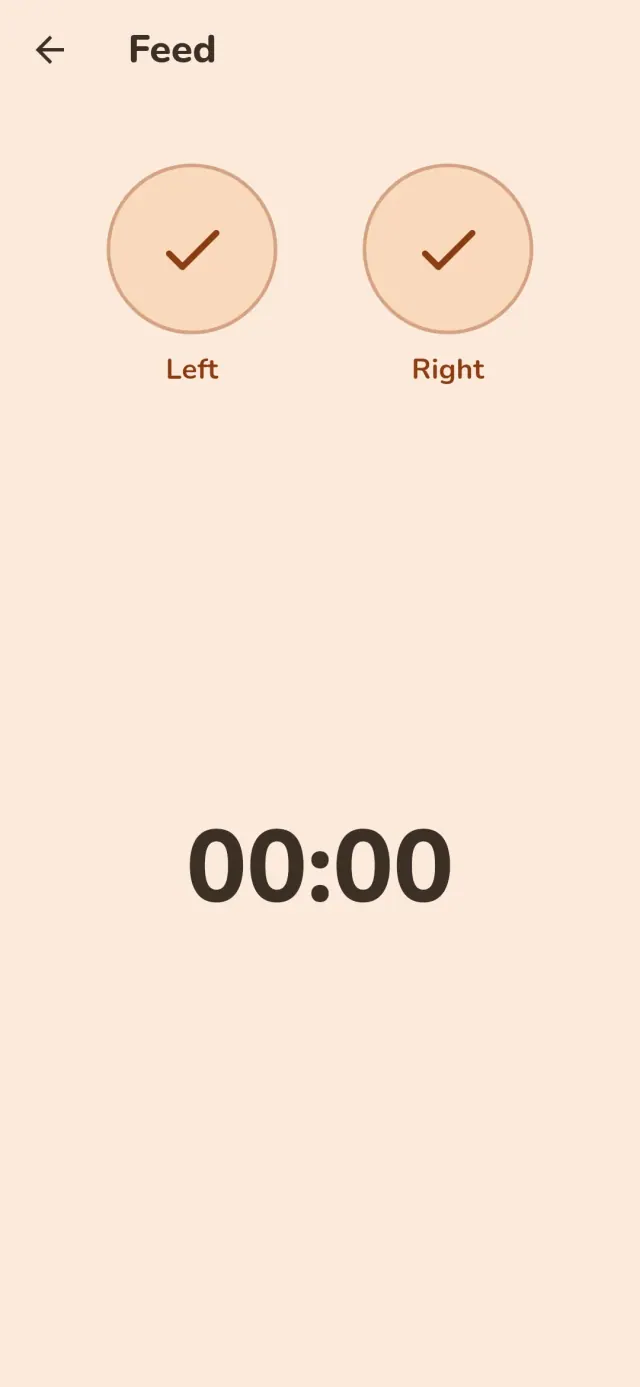
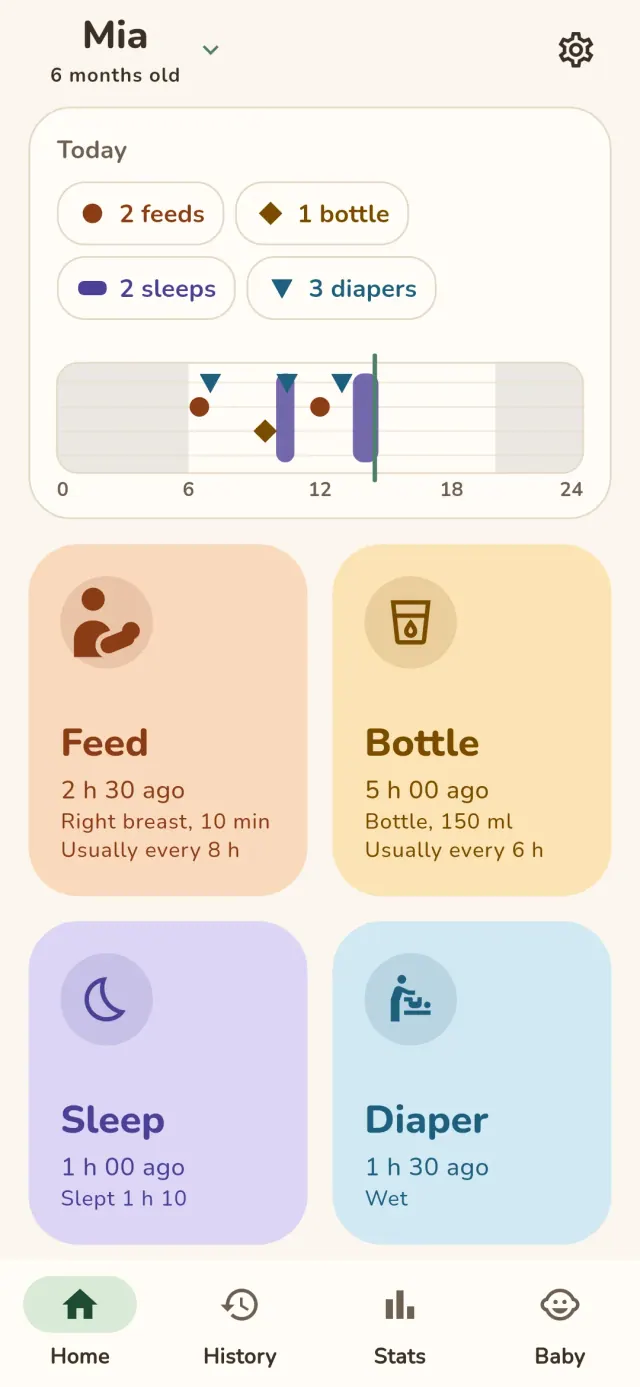
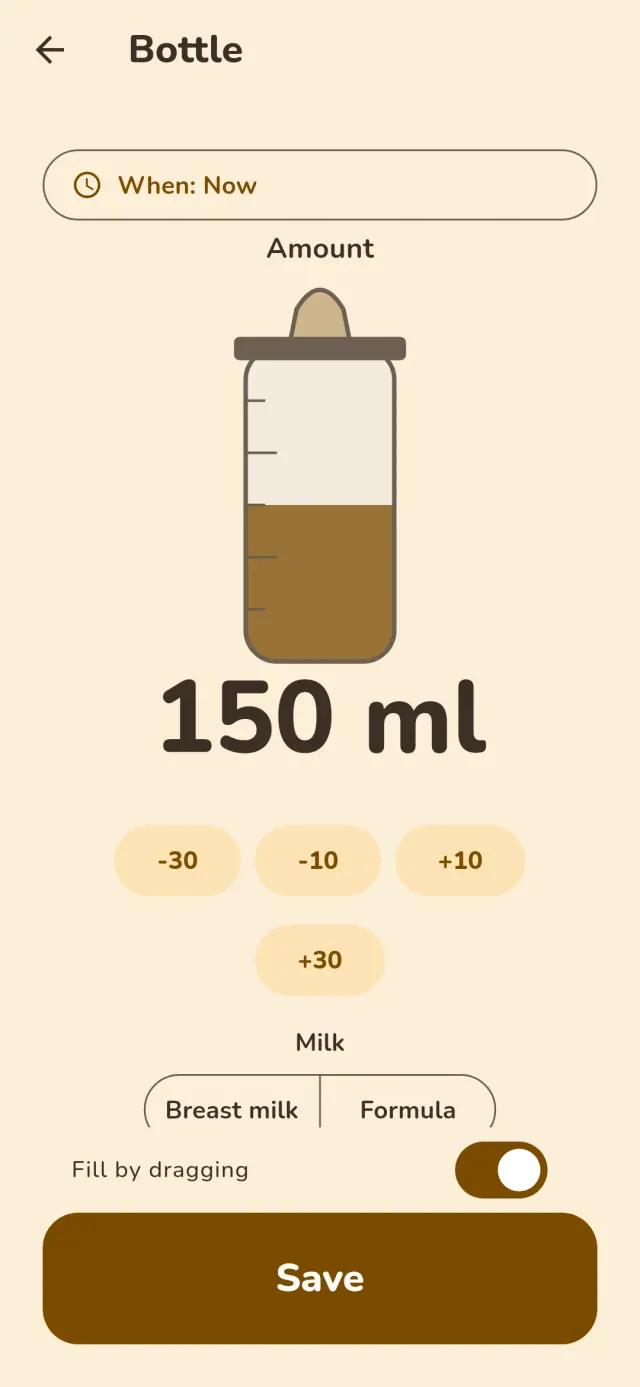
Little Relay on beebi jälgimise rakendus esimesteks kuudeks, söötmisest tahke toiduni. Kõik jääb sinu telefoni: pole kontot, pole reklaame.
Mida Little Relay teeb
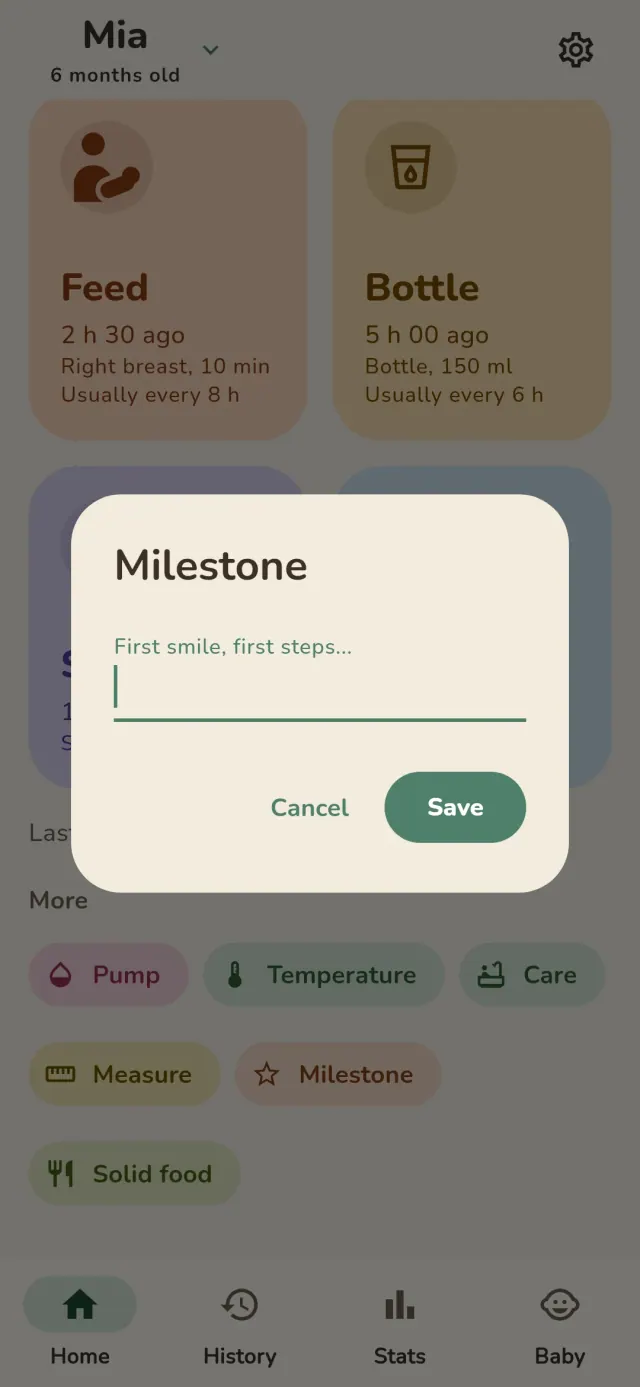
Imetamise ja pudeli jälgimine
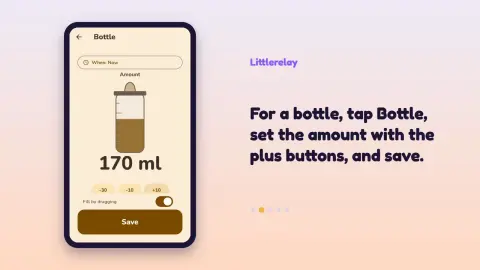
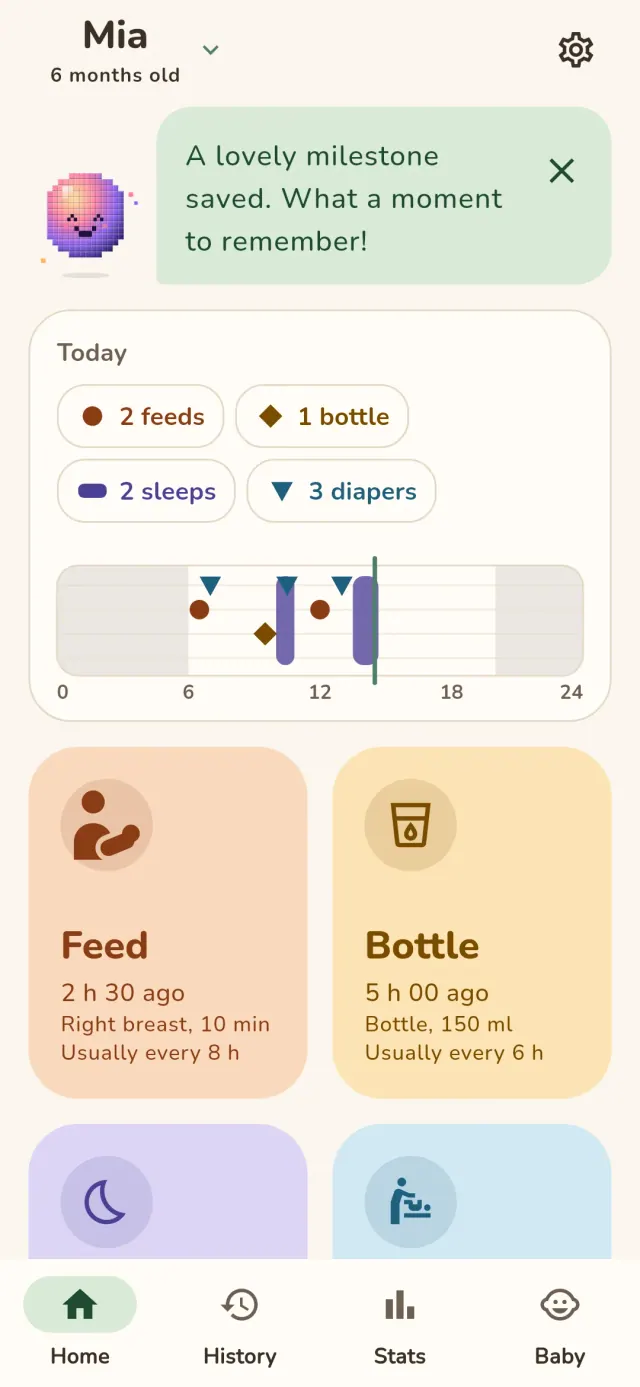
Iga söötmine ühe nupuvajutusega: vasak või parem rind taimeriga, või pudel kogusega ml. Avaleht näitab, kui palju aega möödus viimasest söötmisest ja kummal pool. Pumpamine on eraldi.
Une ja mähkmete jälgimine
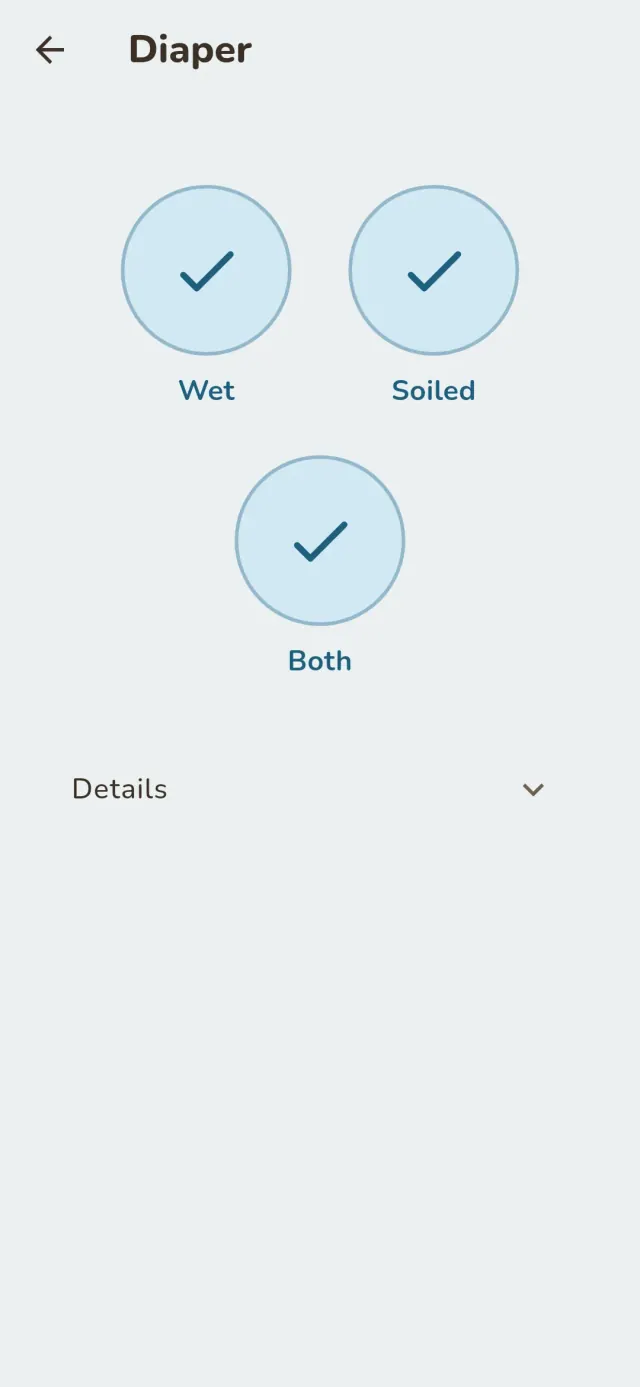
Alusta taimerid igale unele ja logi mähkmed ühe nupuvajutusega. Öörežiim hoiab ekraani tumedana ja nupud suurena, et saaks kasutada ühe käega.
Kasvugraafik
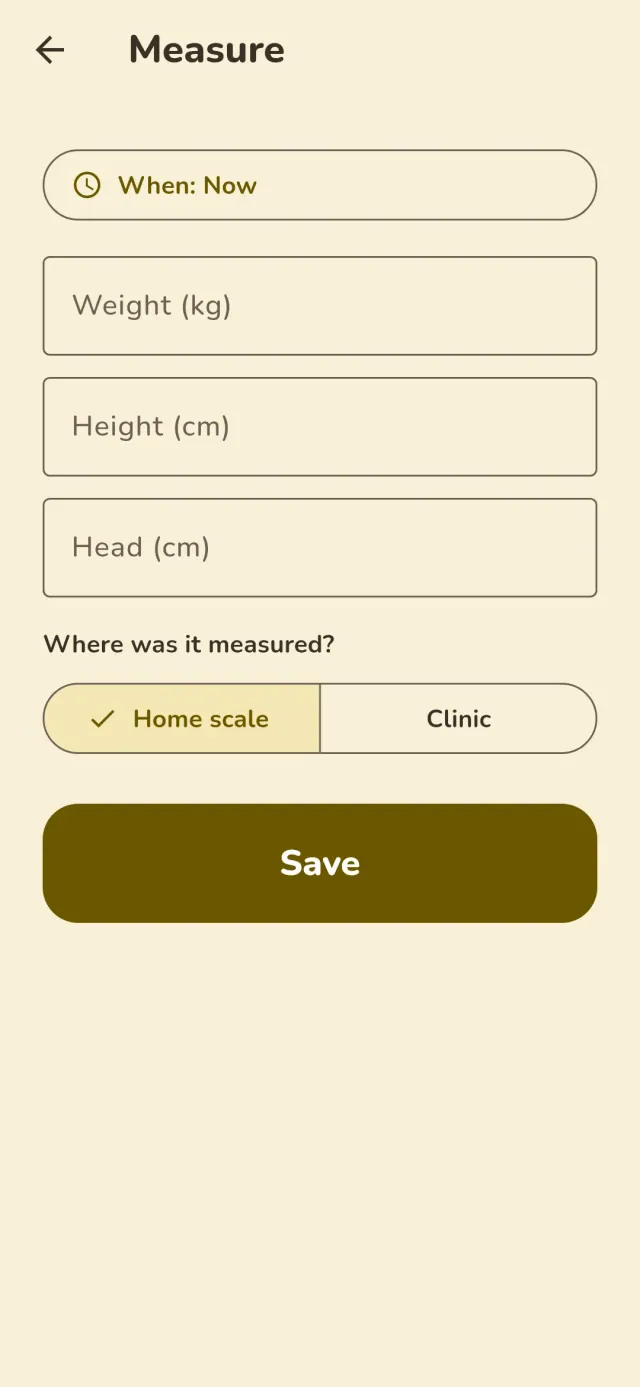
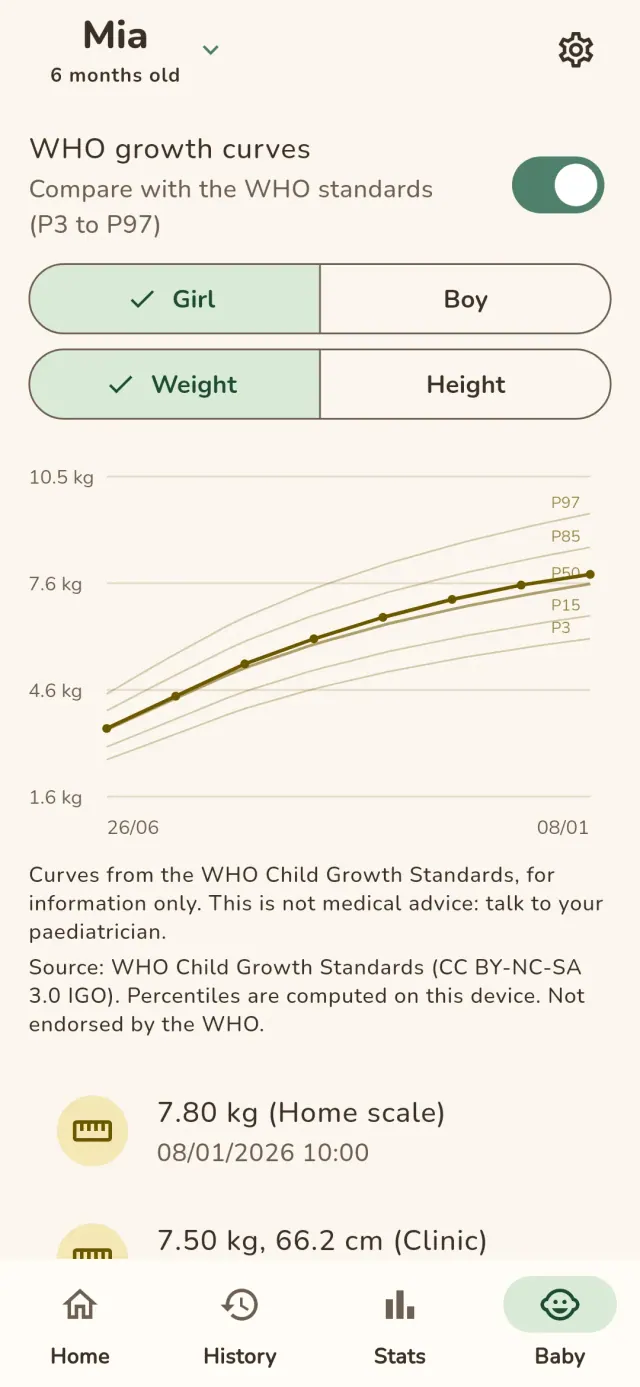
Sisesta kaal ja pikkus, kas on kodus või kliinikus mõõdetud. Graafik uuendatakse peale iga sisestust.
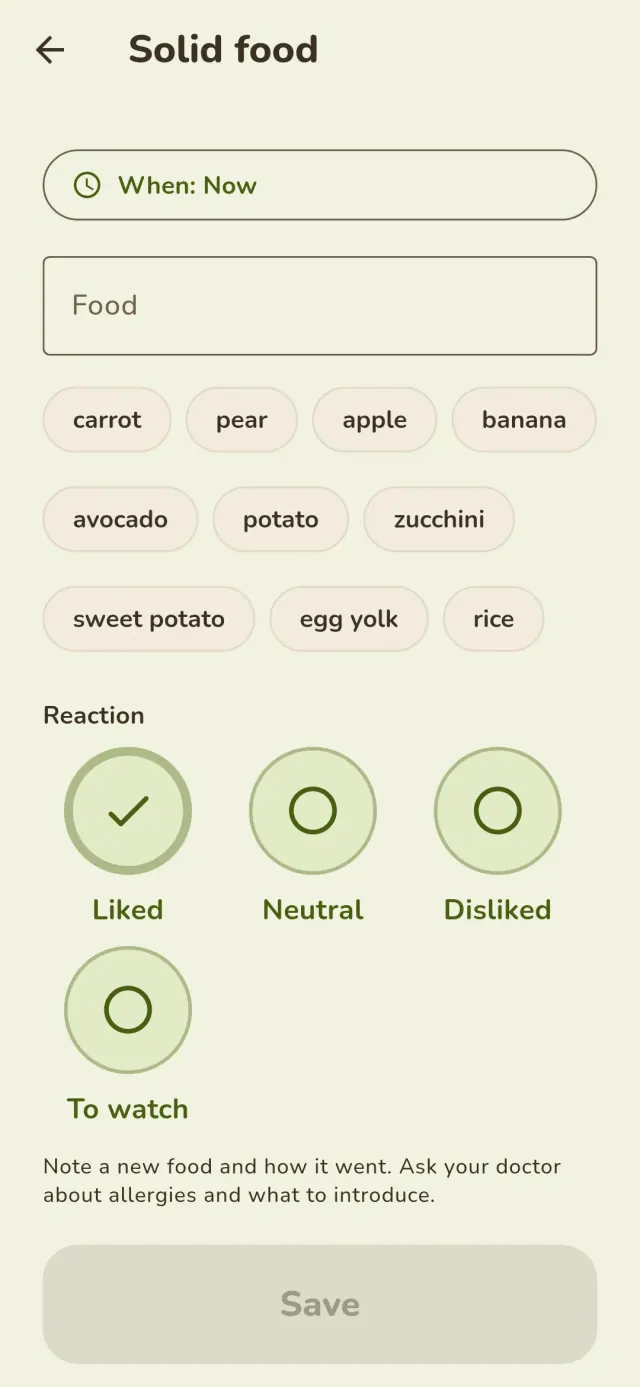
Tahke toidu alustamine
Logi iga uus toit, kuupäev ja reaktsioon, ning planeeri sööke kalendris.
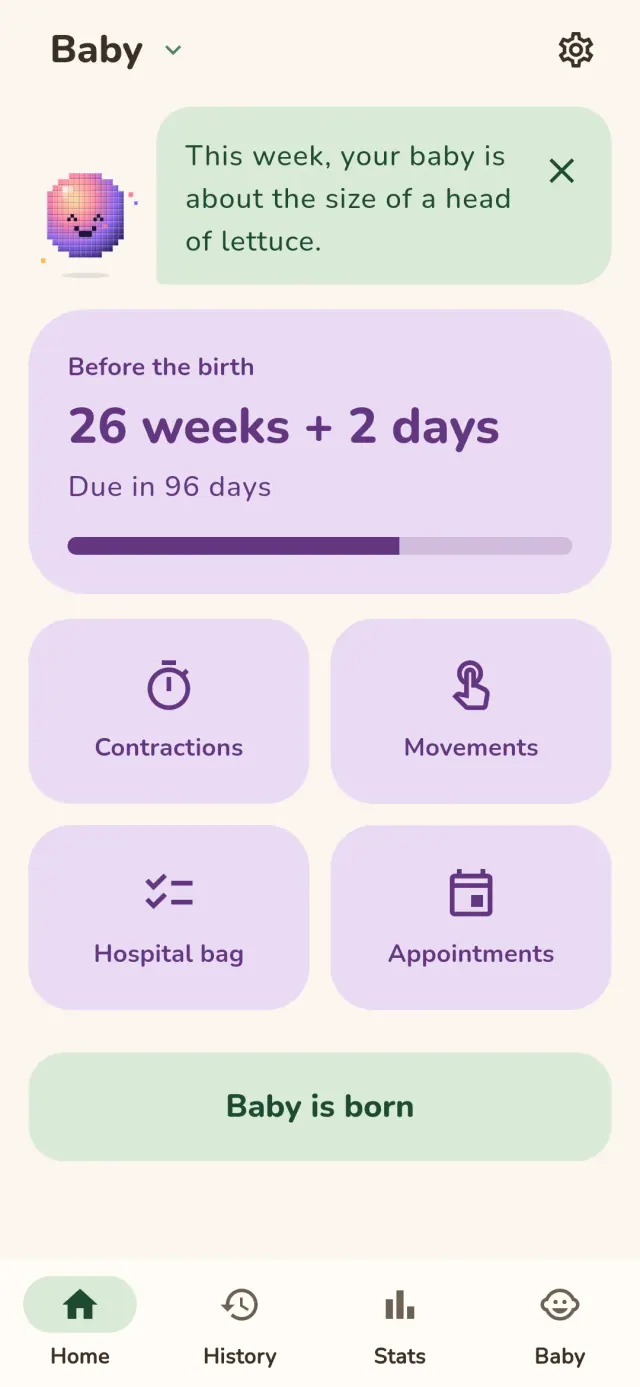
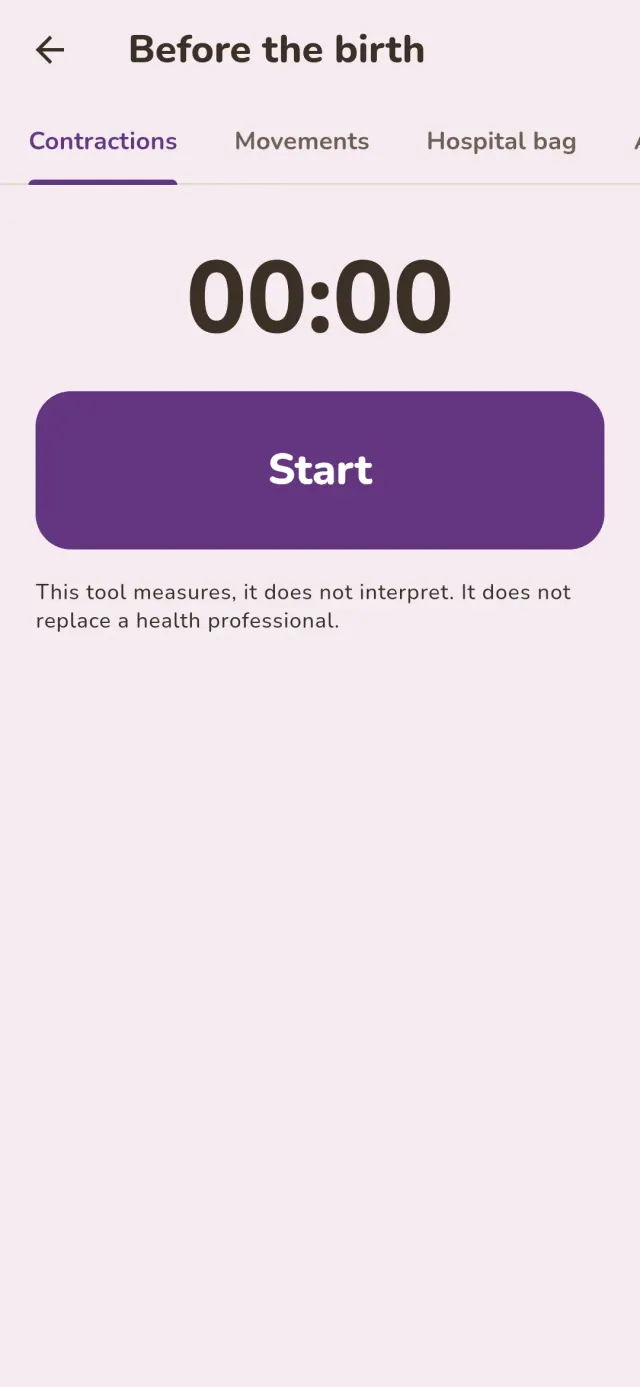
Enne sündi
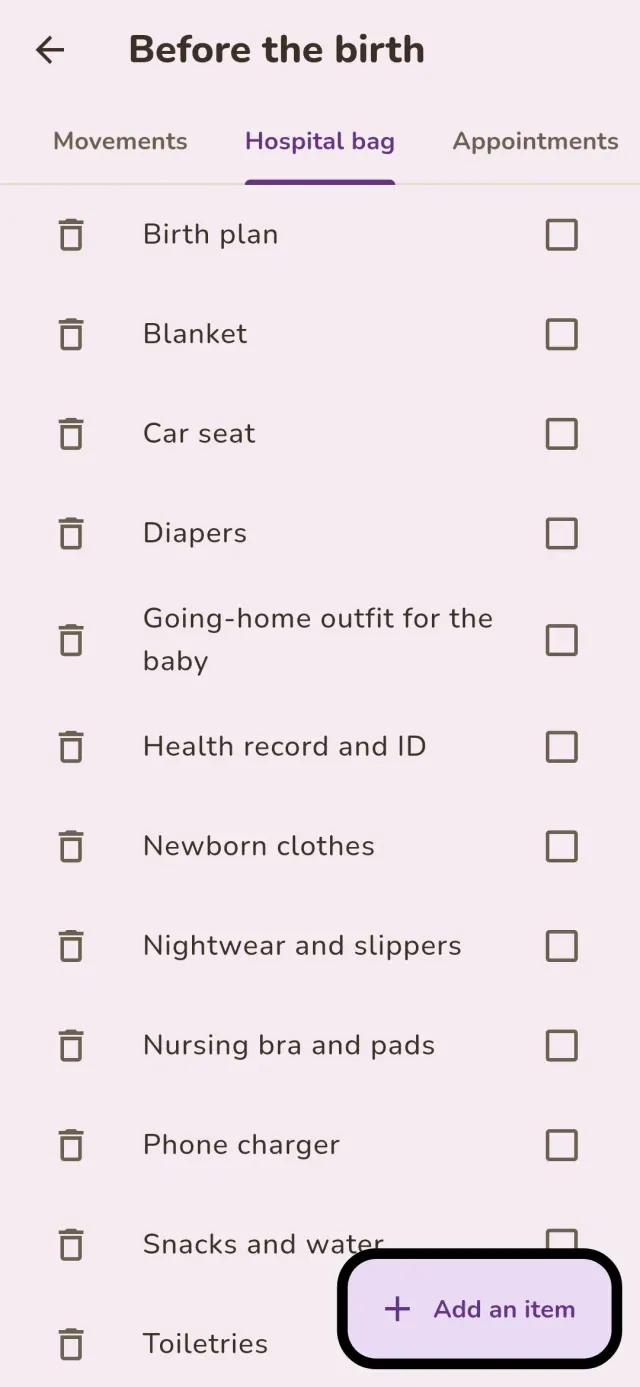
Ootad? Määra tähtpäev, vaata rasedusnädalat, mõõda kokkutõmbeid, tee loendit ning pane kirja kohtumised. Kui beebi saabub, rakendus on valmis esimesele söötmisele.
Aruanded arstile
Ekspordi PDF lastearstile või ämmaemandale. PDF luuakse telefonis, saad ise valida, kuhu saata.
Sinu andmed on sinu
Kontot pole: midagi ei saadeta ega analüüsita. Rakendus töötab offline'is, ka lennurežiimis. Üks nupp kustutab kõik.
Little Relay salvestab sisestatu. Ei anna meditsiinilist nõu ega asenda meditsiinitöötajat.
Little Relay juhendid
Kellele see on mõeldud
- Uutele vanematele, kes soovivad lihtsat söötmiste, une ja mähkmete logi, mida saab öösel ühe käega täita.
- Vanematele, kes alustavad tahkete toitudega ja soovivad märkida üles iga uue toidu, kuupäeva ja beebi reaktsiooni.
- Vanematele, kes eelistavad beebilogi, mis ei vaja kontot ja hoiab andmed nende telefonis.
Miks valida Little Relay
- Kõik jääb teie telefoni: pole kontot, pilve, reklaame ega jälgimist ning rakendus ei vaja töötamiseks internetiühendust.
- Loodud öiseks kasutamiseks: tume režiim ja suured nupud ning avaekraan, mis näitab, kui kaua aega tagasi oli viimane söötmine ja kummalt rinnalt.
- Andmed kuuluvad teile: eksportige arstile PDF-aruanne ja kustutage kõik ühe nupuvajutusega.
Mida rakendus veel ei tee
- Kahe telefoni vahel jagamine pole veel võimalik: logi asub ühes telefonis. Vanemate vaheline otsast lõpuni krüpteeritud jagamine on plaanis.
- Avaekraani vidin on praegu ainult Androidis.
- See ei ole meditsiiniseade ega anna meditsiinilist nõu.
Pixeoni põhimõte. Pixeoni rakendused on esmalt kohalikud: ei mingit kontot, ei mingit jälgimist ja sinu andmed jäävad sinu telefoni. Kui rakendus kunagi võrguga ühendub, siis ainult siis, kui sa ise otsustad sisse lülitada vajaliku funktsiooni, ja privaatsuspoliitikat uuendatakse enne selle väljaandmist.
Vaata, kuidas Little Relay töötab.
Hangi Little Relay.
Tasuta iPhone'is ja Androidis.
Privacy policy
Allolev tekst on inglise keeles. Ülimuslik on ingliskeelne versioon.
Last updated: 2026-11-02
Little Relay is a baby tracker: feeds, sleep, diapers, measurements, first foods, milestone photos and pregnancy tools. The short version: everything stays on your phone, the app has no internet access, and we collect nothing.
What the app handles
The entries you type: feeds, sleep, diapers, weight and height, temperature, routine care, foods (given, or on your own "to try" list), milestones and notes, and your child's first name and birth date if you enter them. This is health information about a child, so we treat it as sensitive. It is stored only in the app's private storage on your phone. There is no account, no sign-in, no server and no cloud copy. Your preferences (language, appearance, when the app last suggested support) also stay on your phone.
What we collect
Nothing. No analytics, no advertising identifier, no crash reporting, no third-party SDK that sends data. The app needs no network to work and the app declares no internet permission. You can check this by using the app in airplane mode: everything works the same.
Permissions
The app asks for no permission that gives access to your data or to the internet. The Android install details list the following, all of them declared by the app or by the library it uses:
- Notifications (Android 13 and later, and iOS): asked only when you set your first reminder. A screen explains why before the system asks, and you can refuse: everything else works the same, you just get no reminder. A reminder is one local notification at the date and time you choose, with a short text that names the type of activity (for example "Time for the bottle?"). It holds no name, no amount and no health value, and for sensitive types (temperature, measurements, medicine, vaccines) it is neutral ("Remember to note an entry"). It is scheduled on your phone and never sent anywhere.
- Vibrate, keep the phone awake, background task, restart after reboot (Android): they let a reminder ring and come back after a reboot, and let the home screen widget save an entry reliably. They give no access to your data.
- Network state (Android, added by the in-app purchase library): the app only reads whether the phone is online. It sends nothing.
- In-app purchases (Android, Google Play Billing): for the optional tips, handled by Google Play.
The app does not request internet access, location, contacts, camera or microphone. When you attach a photo to a milestone, the app opens the system photo picker, which lets you hand over only the picture you choose, so the app never gets access to your photo library.
Files, backups and deletion
Milestone photos: a photo you attach to a milestone is copied into the app's private storage on your phone, with a small thumbnail. It is never uploaded or shared. Removing a milestone removes its photo.
Export: if you export a report for your child's doctor (a PDF), the app builds it on your phone and hands it to the system share sheet. You choose where it goes. The app does not send it anywhere. If milestones of the period have photos, the app asks first whether to include them: when you leave "Include photos" ticked, small copies of up to 30 of these photos go into the PDF. Untick it to keep the photos out of the report.
Backups: your phone's own backup (Google backup on Android, iCloud on iPhone) is controlled by your phone's settings, not by us. The app does not turn it off, so that backup may include the app's data, depending on those settings. The encryption key for the app's database stays in your phone's keychain. To move your entries to a new phone, use the backup file in Settings: the app writes one file on your phone, you choose where to keep it, and you import it on the new phone.
Deletion: a delete-all-data button in the app erases your entries and every photo and thumbnail. Uninstalling the app also deletes its data from your phone.
Optional support
If tips are offered, they are in-app purchases handled by Apple or Google. They unlock nothing, and the app receives no personal data about you from them.
Retention
Your entries, children and milestone photos are kept on your phone until you delete them: one entry at a time, a milestone with its photo, a child, the delete-all-data button, or uninstalling the app. We keep no copy on our side, so there is no retention period to apply on our side. Your phone's own backup may hold a copy, depending on its settings. A backup file you export yourself stays wherever you put it, until you delete it.
Medical information
Little Relay records what you tell it. It gives no medical advice and is not a medical device. Ask your doctor or midwife about your child's health.
Contact form on this website
If you write to us through this site, we use your message and the email address you optionally give only to reply. Bot protection is provided by Cloudflare and email delivery by Resend.
Language choice on this website
When you choose a language, or when this site opens a page in your browser's language, it stores
one small functional cookie (pxl, a language code, one year) so that your choice is
remembered. If this site suggests a page in your browser's language and you close that suggestion,
your browser also keeps a local note (pxl-banner-off, in local storage, 30 days) so the
suggestion does not come back. Neither identifies anyone, neither is used for tracking or advertising,
and neither is shared. You can delete them in your browser at any time.
Website statistics
This website uses Cloudflare Web Analytics to count visits (pages viewed, country, browser type, loading speed). It sets no cookie, does not use local storage, does not fingerprint your device, does not follow you across sites and does not build a profile of you. Search engines (for example Google Search Console) give us aggregated search statistics, without any data about individual visitors. Our own web server also counts the pages it serves: for each page it keeps the page address, the site or social network that sent you (only its name, or the campaign tag written in the link), the country, the type of device and whether the request came from a robot. It keeps no IP address, no identifier and no cookie, and these counts are anonymous. We use no advertising or other analytics service. None of this concerns the app itself, which collects nothing.
Children
Little Relay is a tool for parents and carers. It is not directed at children, and it records information about a child only because a parent typed it in.
Changes
An updated policy will be published at this URL with a new date above.
Contact
Questions about privacy: little-relay-contact@pixeon.net
Tugi
Viimati uuendatud: 2026-10-19
Little Relay on väike sõltumatu rakendus. Vastused kõige levinumatele küsimustele on allpool.
Anname endast parima, et vastata paari päeva jooksul. Et meid aidata, ütle oma seadme mudel, süsteemi versioon ja mida sa tegid. Palun ära saada teavet oma lapse kohta ega mingeid isikuandmeid.
Kas Little Relay on tõesti tasuta?
Jah. Little Relay saab tasuta alla laadida ja kasutada. Reklaame ega tellimust ei ole.
Milliseid andmeid rakendus salvestab või saadab?
Sinu kirjed salvestatakse ainult sinu telefoni. Midagi ei saadeta kuhugi: rakendusel pole kontot, pole serverit ja see ei vaja töötamiseks võrku. Täpsemalt privaatsuspoliitikas.
Kas ma saan logi oma partneriga jagada?
Veel mitte. See versioon töötab ühes telefonis. Jagamine vanemate vahel, otspunktist otspunktini krüptimisega, on plaanis hilisemas versioonis.
Vahetasin või kaotasin oma telefoni. Kus mu andmed on?
Sinu andmed on selles telefonis, kuhu sa need sisestasid. Sinu telefoni enda varukoopia (Google või iCloud, olenevalt seadetest) võib need sisaldada. Meil ei ole oma poolset koopiat, seega me ei saa neid sulle taastada.
Kuidas ma saan logi oma arstile näidata?
Ekspordi rakendusest PDF-aruanne. See luuakse sinu telefonis ja sina valid, kuhu see saata, näiteks e-posti teel või printerisse.
Kuidas ma oma andmed kustutan?
Kasuta rakenduse seadetes kustutamisnuppu või eemalda rakendus. Mõlemad eemaldavad sinu telefonist kõik, sh verstapostide fotod.
Kas Little Relay on meditsiinirakendus?
Ei. See salvestab selle, mida sa sisestad, ja ei anna meditsiinilist nõu. Küsi oma lapse tervise kohta arstilt või ämmaemandalt.
Millised keeled on saadaval?
Inglise, prantsuse, saksa, hispaania, portugali, itaalia ja araabia keel. Rakendus järgib sinu telefoni keelt ja saad seda seadetes muuta.
Toeta projekti
Little Relay jääb tasuta ja reklaamivabaks. Kui see on sulle kasulik, võid toetada selle arendust (vabatahtlik):
Buy Me a CoffeeEelarve ja kulude jälgimine perele, offline ja ilma kontota.
Veel PixeoniltMetadata CleanerEXIF-vaatur ja fotode metaandmete muutmine ning eemaldamine
Veel PixeoniltVaultMarkKohalik dokumendihoidla: dokumendiskanner, vesimärk ja metaandmed PDF.
Veel PixeoniltMenuloopMenuLoopiga planeeri nädala sööke ja oste
Veel PixeoniltIndie OfficeQuote maker and self-employed invoices. Offline, no account, no ads.
Veel PixeoniltFanionDiscover and share local events, concerts, markets and weekend outings nearby